
商品描述
本商品包含 AI 生成的内容。
Your avatar's textures smear and the mesh tears into floating triangles when you
decimate it. The mesh was never welded.
Almost every mesh you get from an asset store, a game rip, a scan or an
image-to-3D tool arrives split at every UV island: two vertices in the same spot
that aren't the same vertex. It looks fine at full resolution, right up until you
try to bring it to a 32k budget. Decimate goes to collapse a vertex pair and there
isn't one on the other side of the seam, so it pulls the patches apart instead of
reducing them.
Measured on one mesh:
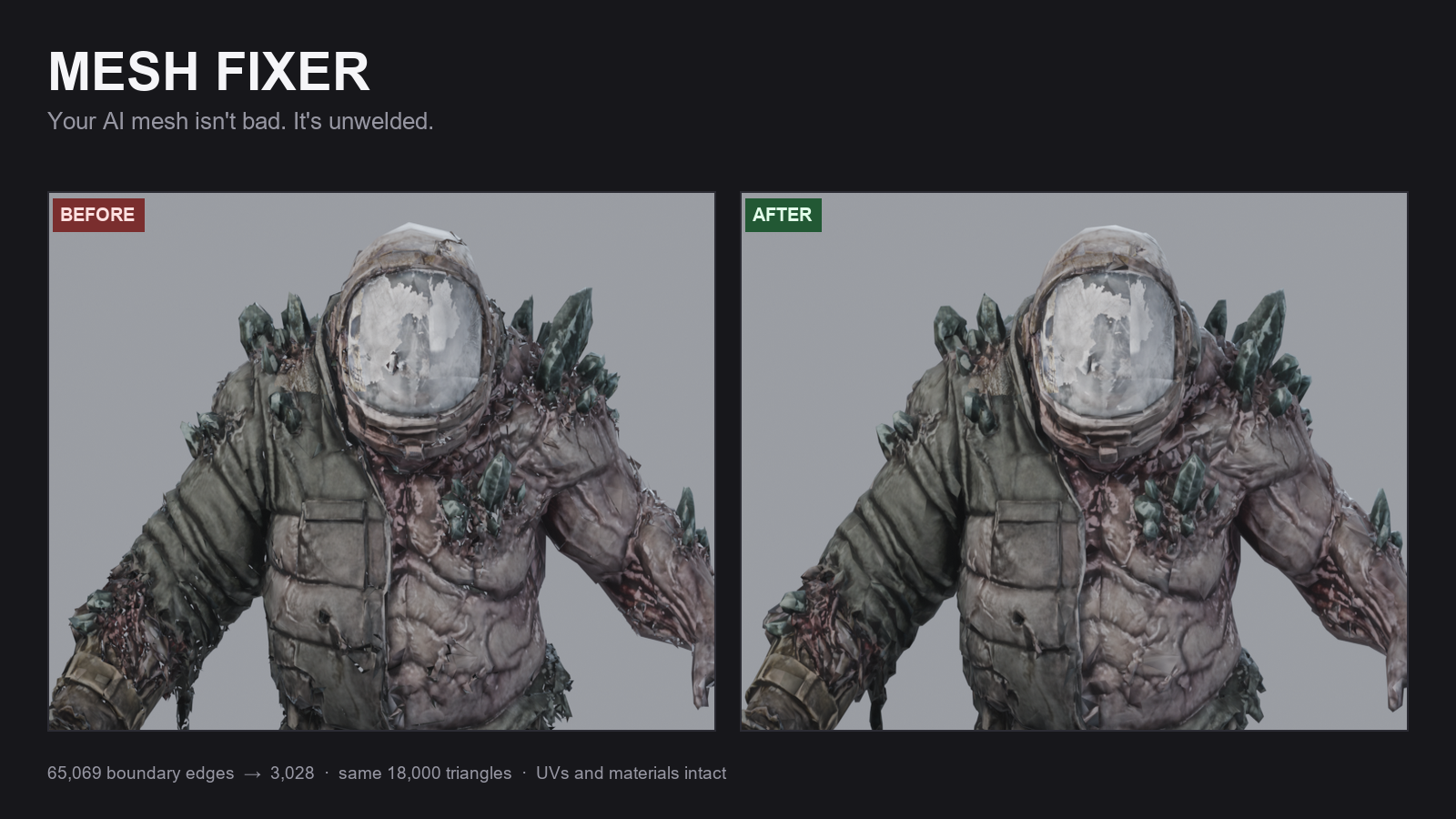
before 69,537 verts 59,997 tris 65,069 boundary edges
welded 30,945 verts 59,997 tris 3,028 boundary edges
Not one triangle removed. 95% of those open edges were never real seams.
WHAT IT DOES
- welds duplicate vertices before anything else, keeping per-loop UVs
- deletes debris islands (the specks and slivers on the silhouette)
- decimates to your triangle budget, UV-aware
- restores smooth shading so it doesn't come back faceted
- reopens the exported file and verifies tris, UV layers and material slots survived
- prints a before/after report so you know what changed
VRChat / UNITY
- --preset vrchat sets a 32,000 tri budget in one flag
- FBX export with external textures and no leaf bones, so it imports into Unity clean
- UV layers and material slots are checked after export, not assumed
- batch mode over a whole base library, folder structure preserved, CSV per asset
- --skip-existing resumes an interrupted run without redoing finished files
HOW TO RUN IT (no terminal needed)
1. Unzip it anywhere. Keep mesh_fixer.py and fix-folder.bat in the same folder.
2. Drag your folder (or a single .glb / .fbx) onto fix-folder.bat.
3. It asks for a triangle budget — type 32000 for a PC avatar, or 10000 for Quest —
then for an optional preset, where you can type vrchat instead.
4. Press Enter and wait. Your originals are never modified: output goes to a new
folder next to the input named <yourfolder>_clean, with a CSV report inside
listing what changed in every file.
If you prefer the command line:
blender -b --python mesh_fixer.py -- avatar.fbx avatar_clean.fbx --preset vrchat
blender -b --python mesh_fixer.py -- --batch in/ out/ --preset vrchat
WHAT YOU GET
mesh_fixer.py one file, no addon install, no Python packages, no GPU
fix-folder.bat drag-and-drop runner for Windows
README.md every option, plus the failures it fixes
demo_report.json a real report so you know the output format
preview.png before/after on a real asset
WHAT IT DOESN'T DO
No retopology, no UV unwrapping, no rigging, no texture baking. It cleans what you
already have — it doesn't turn a bad asset into a good one. Welding won't make a
mesh watertight either: real holes and non-manifold spots need their own pass.
AVATARS: READ THIS FIRST
Welding and decimation do not carry shape keys. If a mesh already has blendshapes
(face tracking, expressions, toggles stored as shapes), they will not survive —
run Mesh Fixer on the unrigged source mesh, before the shapes and the rig go on, or
on props, clothing and world assets.
It works one mesh object at a time, and it doesn't touch armatures or vertex
weights. For a finished, rigged, face-tracked avatar the honest answer is that this
is the wrong tool, and I'd rather tell you that here than take your money.
REQUIREMENTS
Blender 4.x. or 5.x.. That's it.
LICENCE
Commercial use permitted. Please don't redistribute or resell the script itself.
Questions go in the Q&A and I'll answer them — if a mesh misbehaves, post the
vertex and triangle counts and I can usually tell you which failure it is.