Stardust Hourglass — Floating Gravity Hourglass for VRChat
商品描述
本商品包含 AI 生成的内容。
▶ VRChat avatar accessory · PC only · needs Modular Avatar (free, from VCC) · drag-and-drop prefab
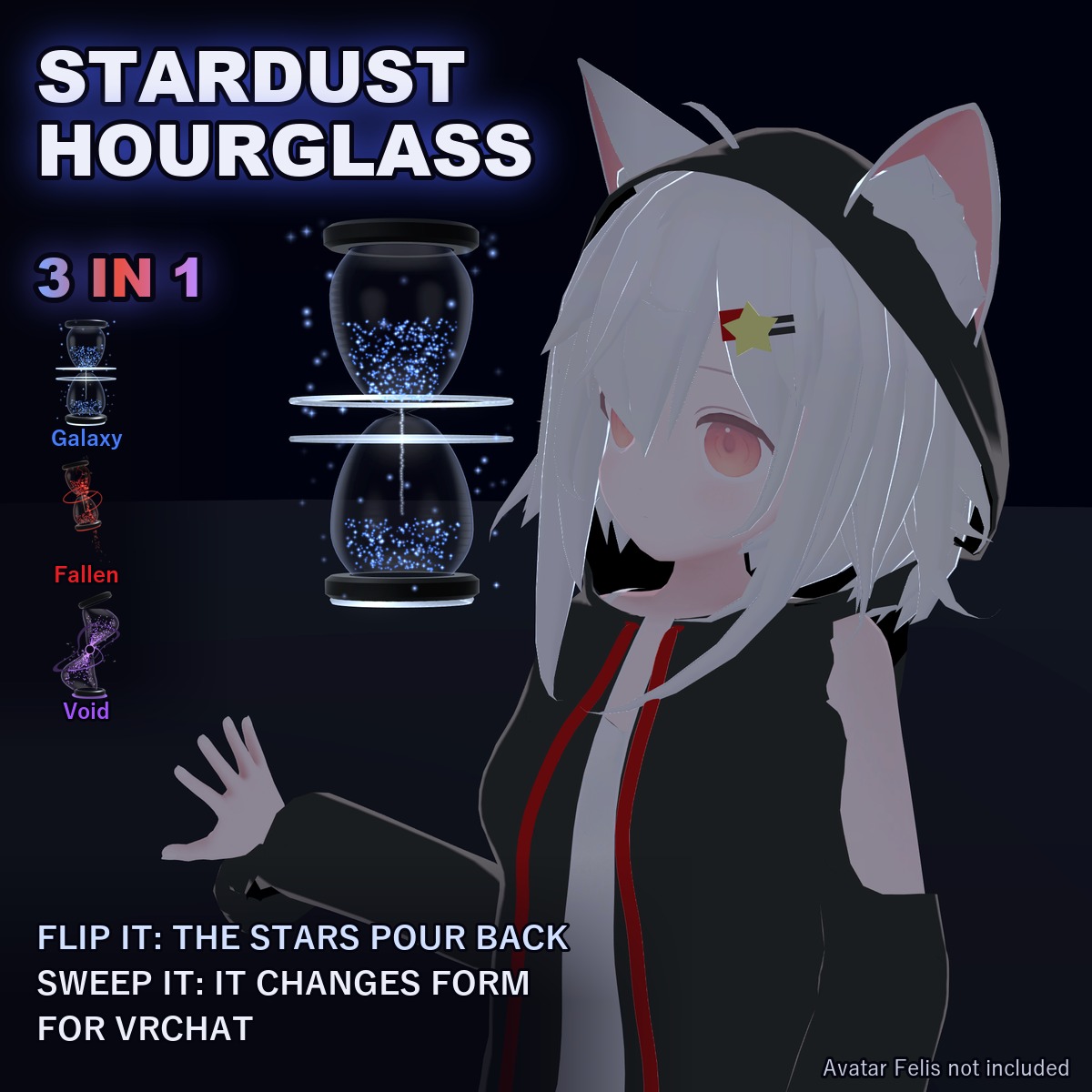
Not made for one avatar: Modular Avatar hooks it to your avatar's own right hand and head bones at upload, so it works on humanoid avatars in general. Checked in Unity on the VRChat SDK sample avatar. The avatar in the first picture (Felis) is not included.
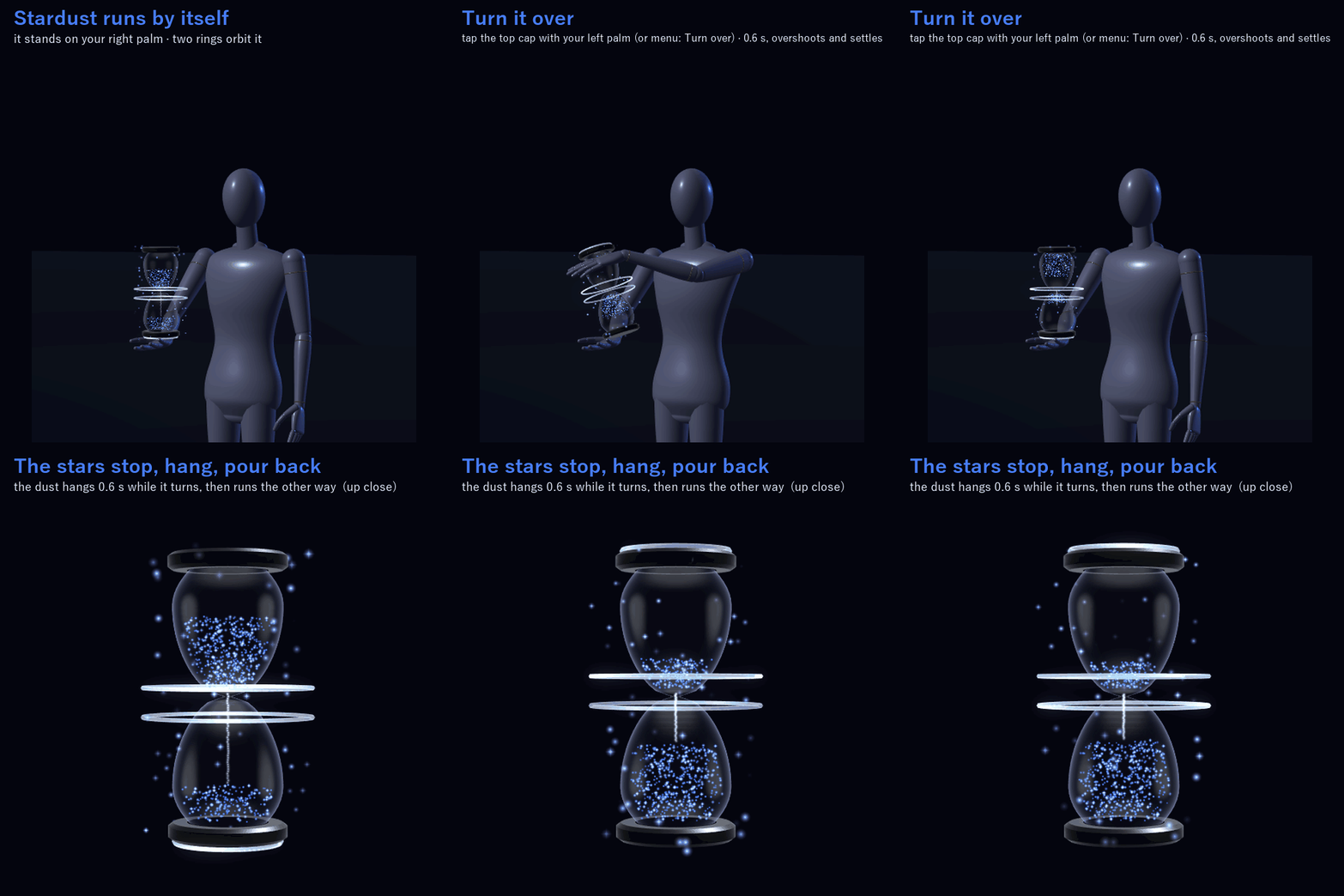
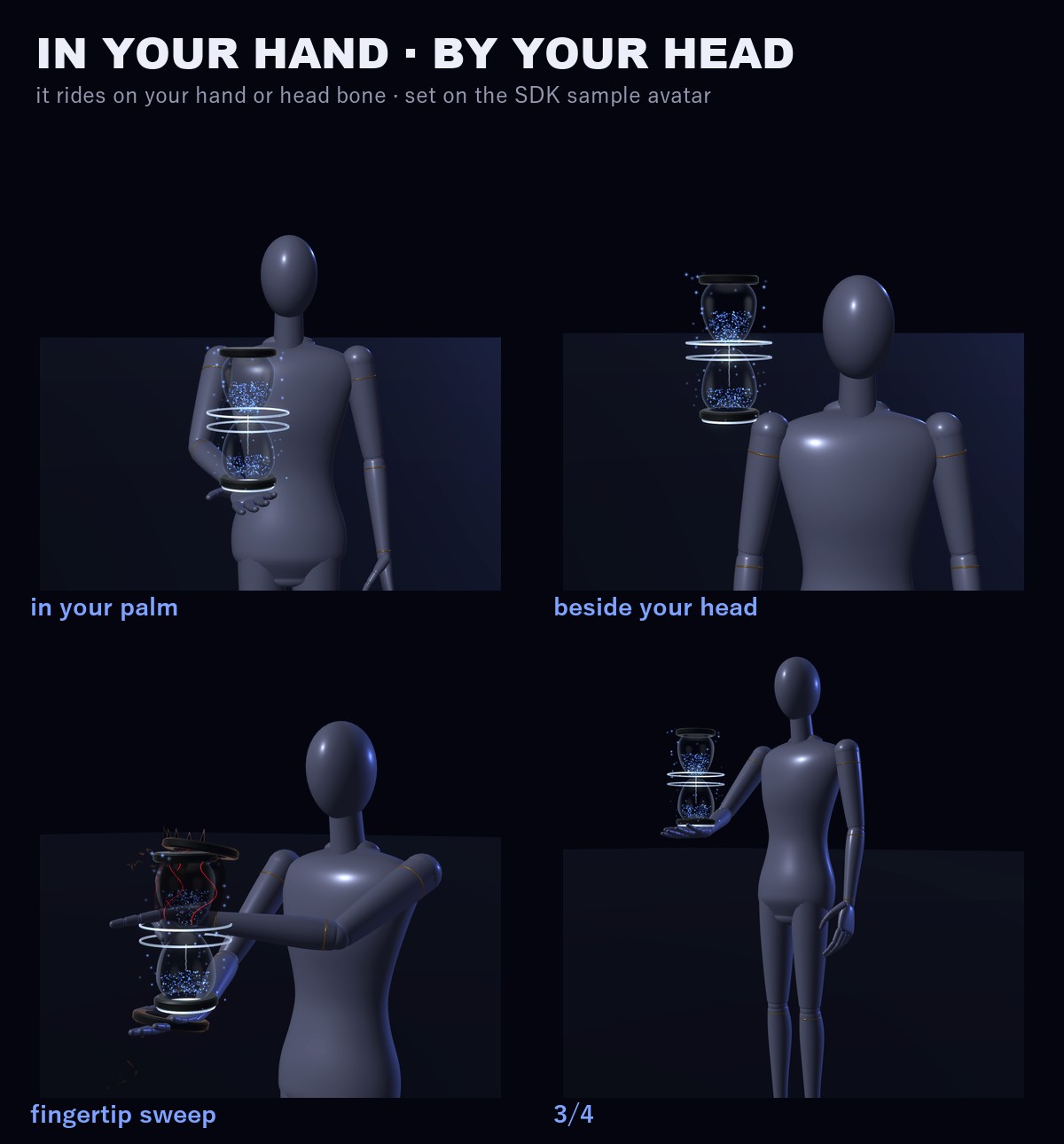
A glass hourglass with no pillars, full of stardust that follows gravity. It stands on your right palm. Tap the top cap with your other hand and it turns over: the stars stop, hang in the air for a moment, then pour back the other way. Hold your open hand beside your head and it floats there, still running, while your hands are free. Sweep a fingertip across the glass and it spins into the next form.
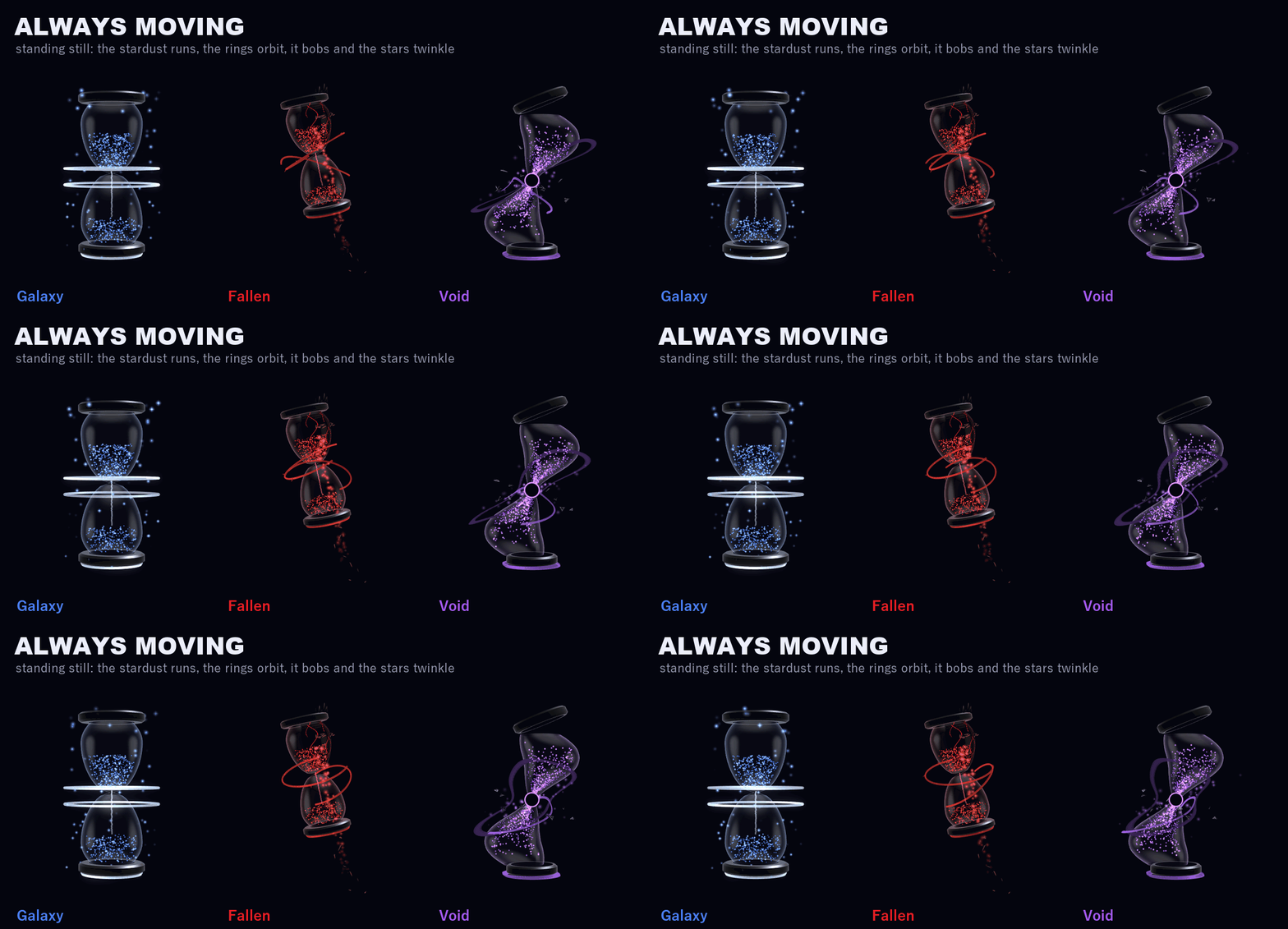
Even while you stand still it moves: the stardust runs down through the neck, two rings of light orbit the glass, it bobs gently and the stars twinkle.
THE SAND KEEPS TIME
The top bulb runs empty in 30 s. Which way the sand runs follows which bulb is up (a small pendulum bone inside the glass, not grabbable), and when you turn it over the sand runs on from where it was.
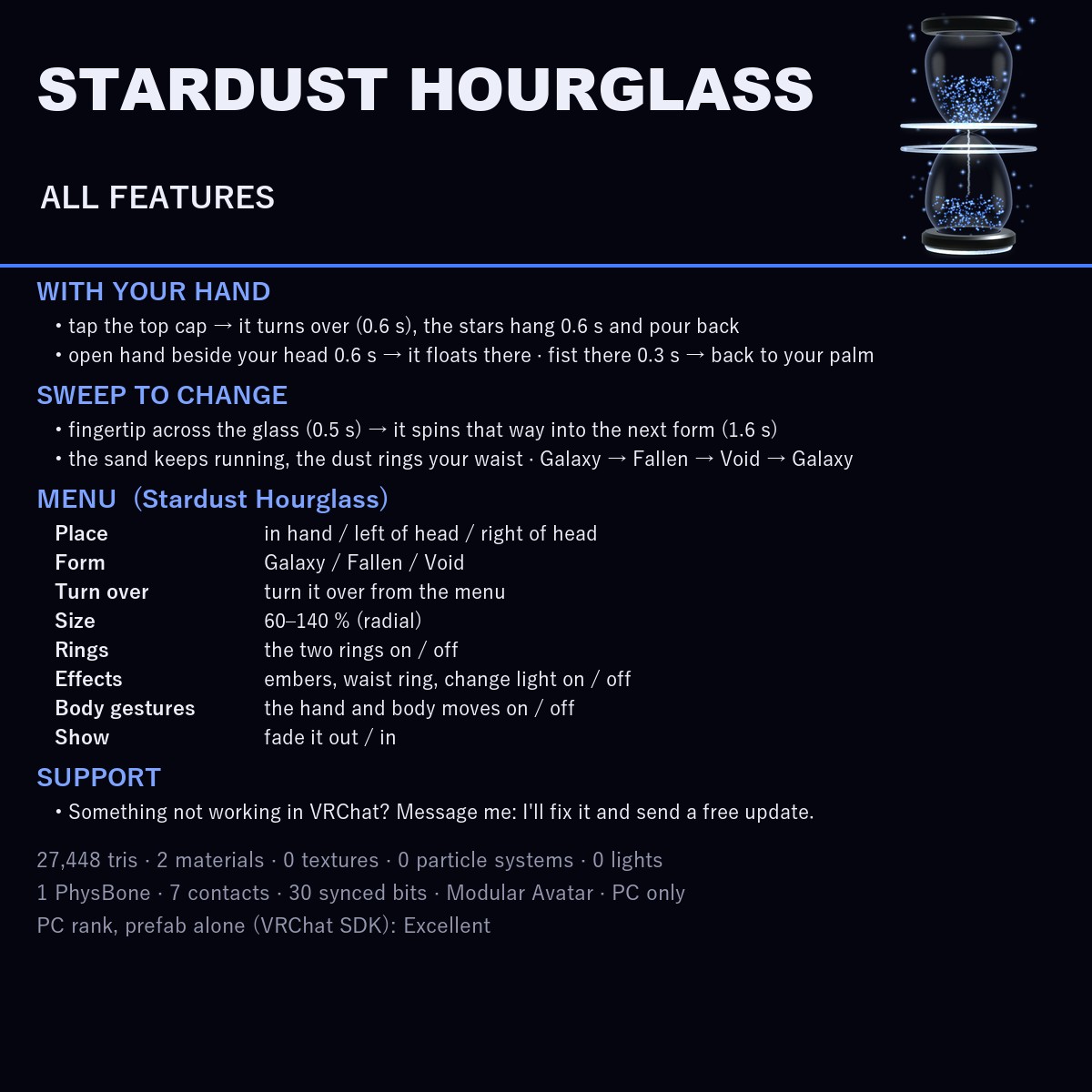
WITH YOUR HAND
• Turn it over: touch the top cap with a palm. The glass turns 180° with a little overshoot (0.6 s), the rings kick, and the stardust hangs for 0.6 s, then runs the other way. A short rest (0.8 s) keeps it from flipping twice.
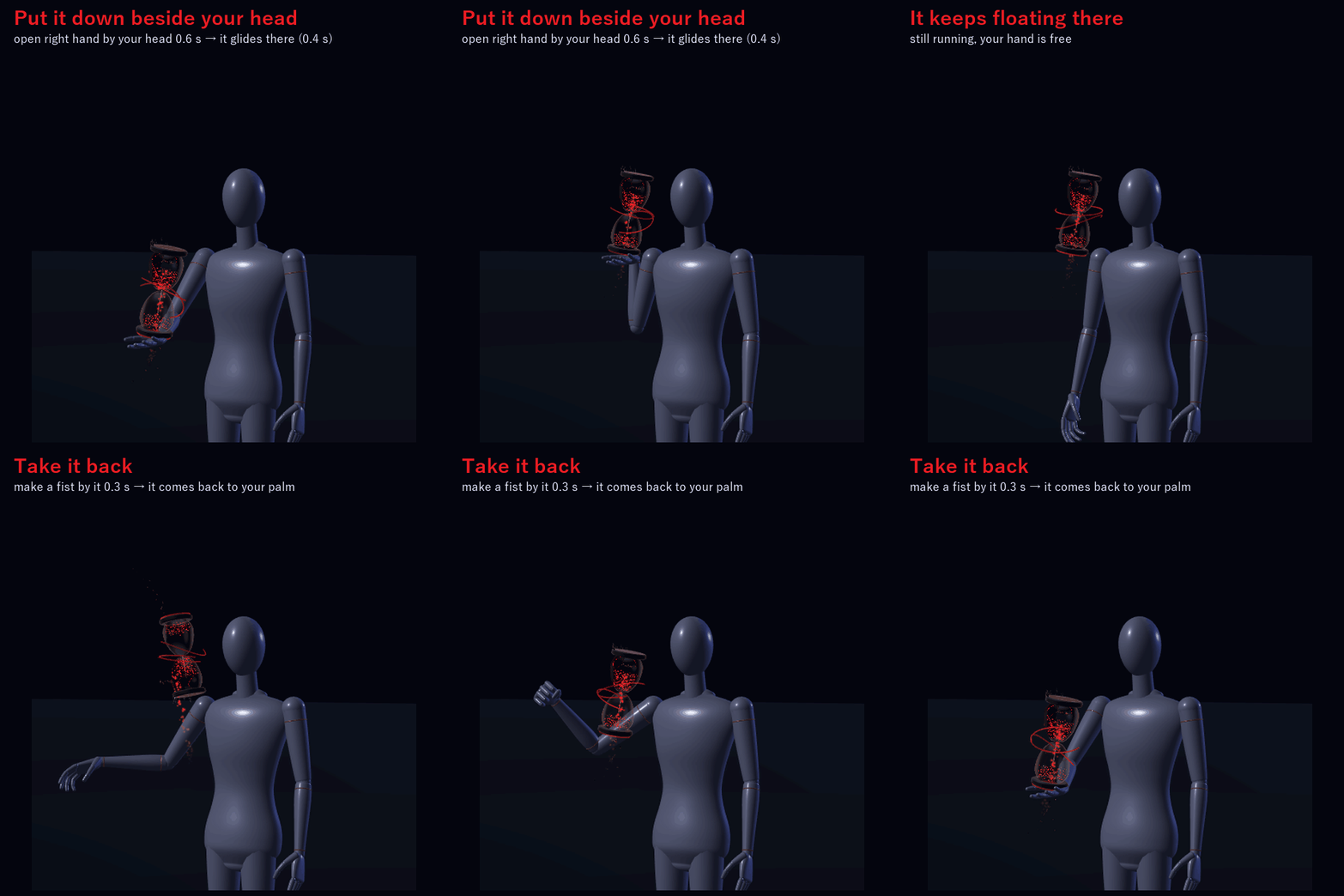
• Put it down: hold your open right hand beside the left or the right of your head for 0.6 s and the hourglass glides there (0.4 s). It keeps floating there and keeps running.
• Take it back: make a fist beside it for 0.3 s and it comes back to your palm.
WITH YOUR FINGERTIP
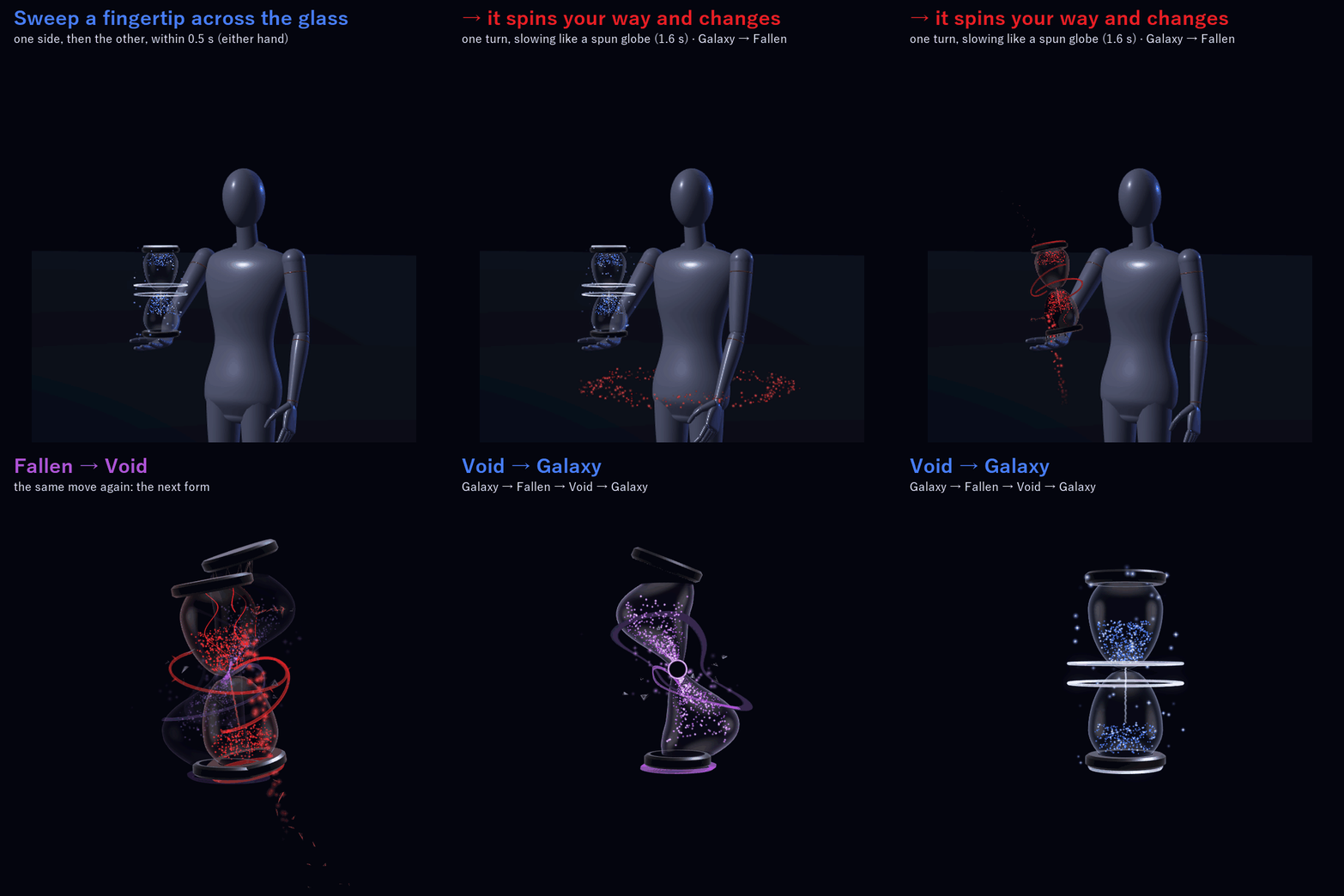
While it stands on your palm or floats beside your head, sweep an index fingertip (either hand) sideways across the glass at the neck: one side, then the other, within 0.5 s. It spins one turn the way your finger went, fast at first and slowing like a spun globe, while the next form gathers in (1.6 s) and a ring of stardust sweeps round your waist. The sand keeps running; the timer is not reset. Galaxy → Fallen → Void → Galaxy.
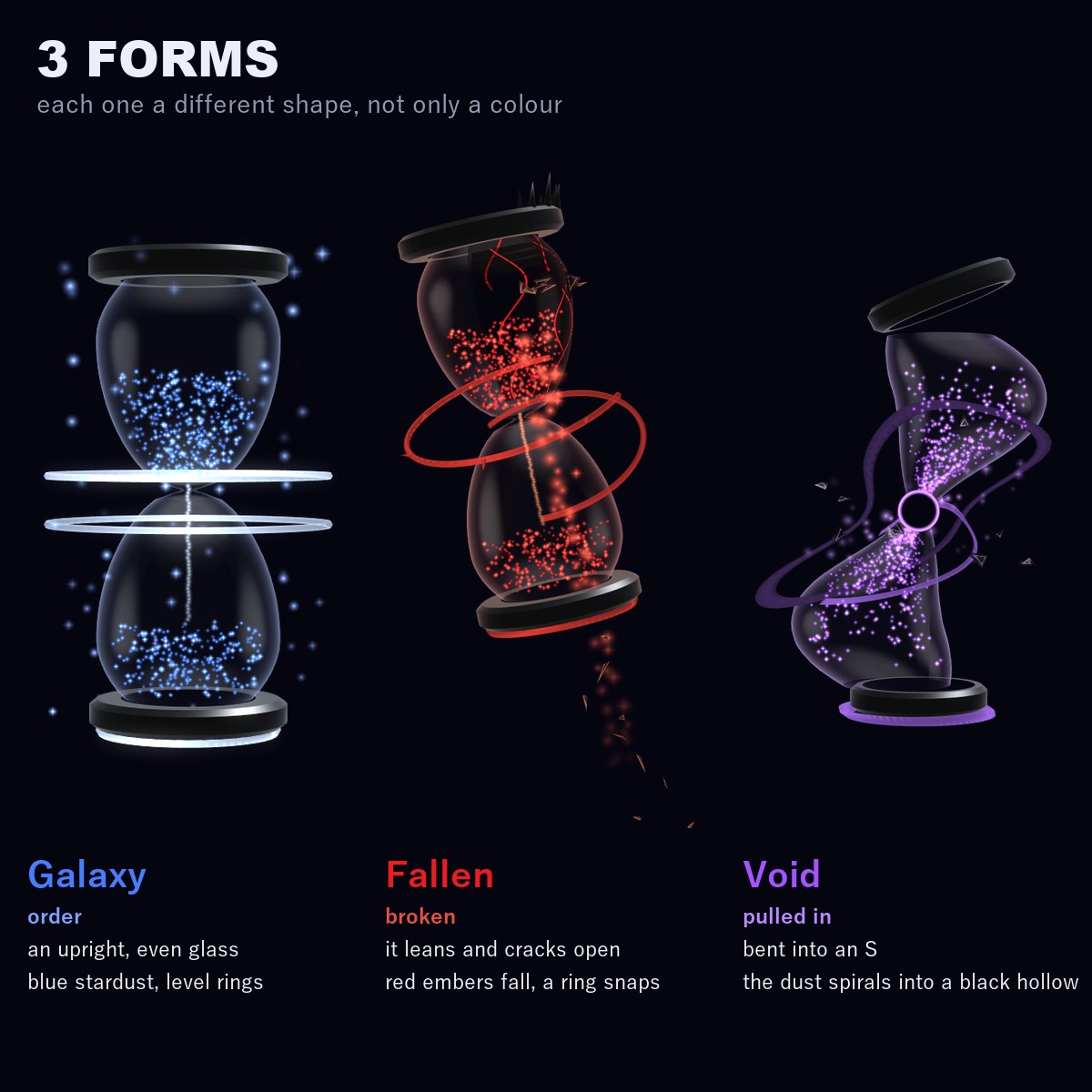
3 FORMS (each one a different shape, not only a colour)
• Galaxy (order): an upright, even glass, blue stardust, two level rings
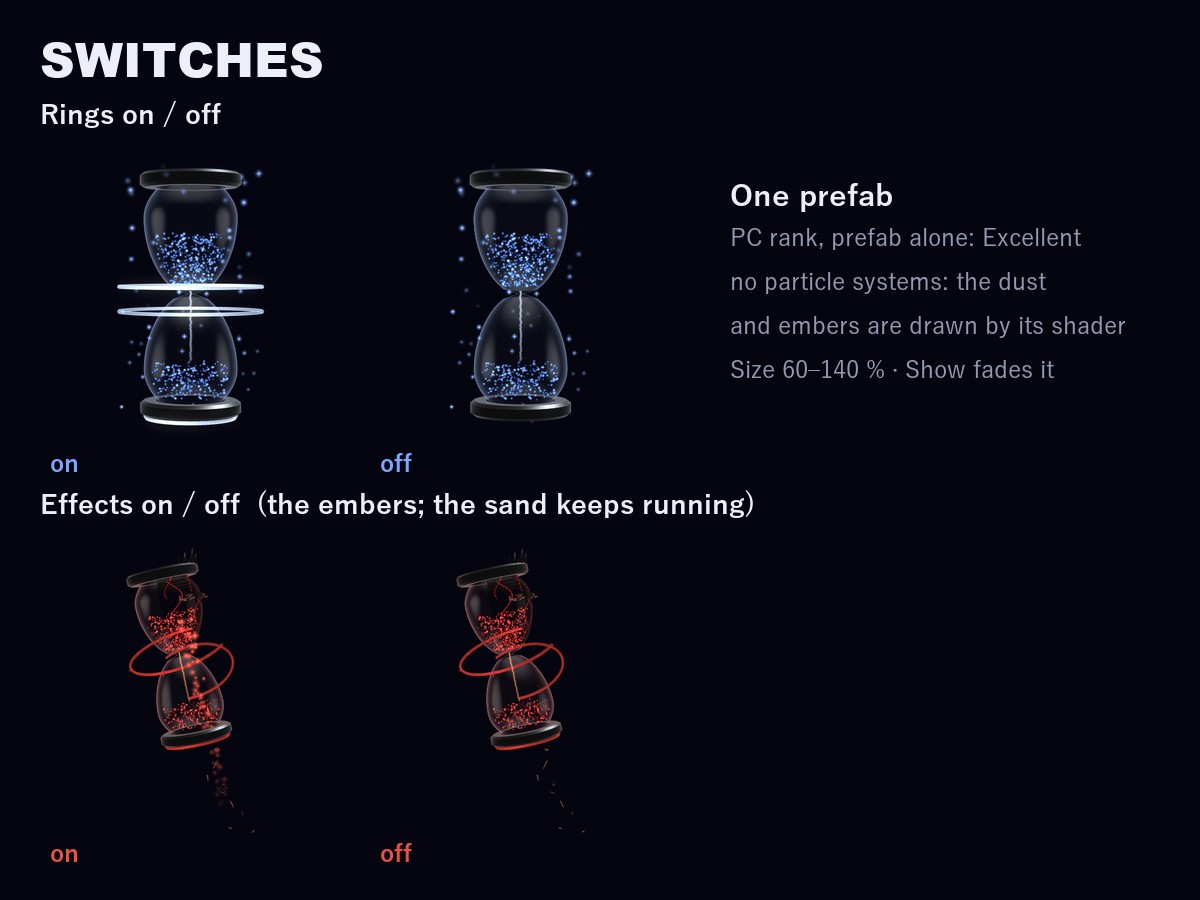
• Fallen (broken): the glass leans and cracks open, spikes on one side, red embers fall from the break, one ring snaps
• Void (pulled in): the glass bends into an S, a black hollow at the neck, violet stardust spirals into it
MENU ("Stardust Hourglass")
• Place: In hand / Left of head / Right of head
• Form: Galaxy / Fallen / Void (remembered)
• Turn over: turn it over from the menu
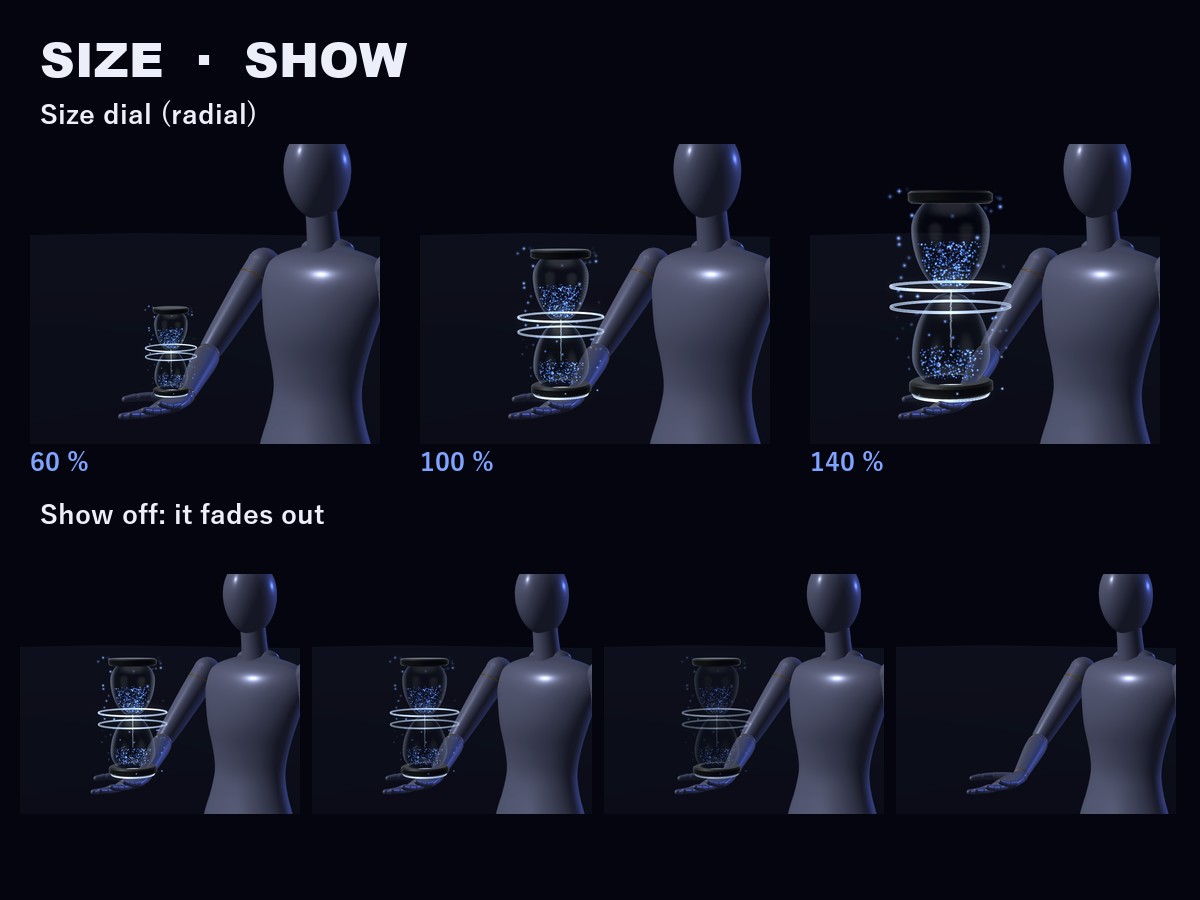
• Size: 60-140 % (radial, remembered)
• Rings: the two rings on / off (on to start, remembered)
• Effects: the embers, the waist ring and the change light on / off (on to start, remembered). The sand keeps running.
• Body gestures: the tap, the put-down / take-back and the fingertip-sweep change on / off (on to start, remembered). Turn it off if you put your hands by your head a lot.
• Show: fade it out / in (on to start, remembered)
ONE PREFAB, EXCELLENT RANK
PC: Excellent (prefab alone, VRChat SDK). No particle systems, no lights and no textures: the stardust, the embers and the rings are drawn by its own shader.
In VRChat you see the rank of your avatar and the hourglass together (on the SDK sample avatar, which is Medium by itself, it stays Medium).
EASY TO PUT ON
Drag one prefab onto your avatar and upload. Modular Avatar adds the "Stardust Hourglass" menu, the parameters and the animator layers for you, and keeps the hourglass on your right hand and the spots beside your head on your head bone.
It is placed for the VRChat SDK sample avatar. For a much smaller or bigger avatar, use the Size dial or move the spots: the README shows how.
WHAT'S INCLUDED
• SH_1.0.0.unitypackage: 1 prefab, 1 shader, 2 meshes, 2 materials, menu and animator
Folder: Assets/Caligo/StardustHourglass/
• README (English and Japanese)
SPECS
• Tris: 27,448 (hourglass 26,728 + waist ring 720)
• Mesh renderers: 2 / Materials: 2 / Textures: none / Lights: none / Particle systems: none / Trail renderers: none
• PhysBones: 1 (the pendulum inside, not grabbable) / Contacts: 7 / Constraints: 1
• Synced parameters: 30 bits
REQUIREMENTS
• Modular Avatar (available through VCC)
TESTED WITH
Unity 2022.3.22f1 / VRChat SDK 3.10.5 / Modular Avatar 1.18.7. The parts, the parameters, the menu and the animator steps are checked in Unity, and the prefab imports into a clean project with no problems.
PC only (custom shader, no Quest version).
GOOD TO KNOW
• It never touches other players: only your own hands set it off.
• People who block custom shaders in their Safety settings won't see it.
SUPPORT
If turning it over, putting it down, the fingertip-sweep change or anything else doesn't work as described in VRChat, message me on Jinxxy. I'll fix it and send you the update for free.
AI DISCLOSURE (AI-Assisted)
The shader, the code that builds this hourglass and the text on this page were written with help from an AI assistant. An AI image generator made rough concept sketches I looked at while designing (the shape follows one of them); nothing it made is in the files or in the preview images, which are rendered in Unity from the actual hourglass.
TERMS
• OK to use on your avatar in VRChat and other platforms
• OK to stream, record, and post on social media
• Editing is fine
• Please don't redistribute or resell the files, edited or not
UPDATES
• v1.0.0: first release