Constellation Seal Ring — VRChat Signet Ring: Rub to Light the Stars, Press to Stamp
商品描述
本商品包含 AI 生成的内容。
▶ VRChat avatar accessory · PC only · needs Modular Avatar (free, from VCC) · drag-and-drop prefab
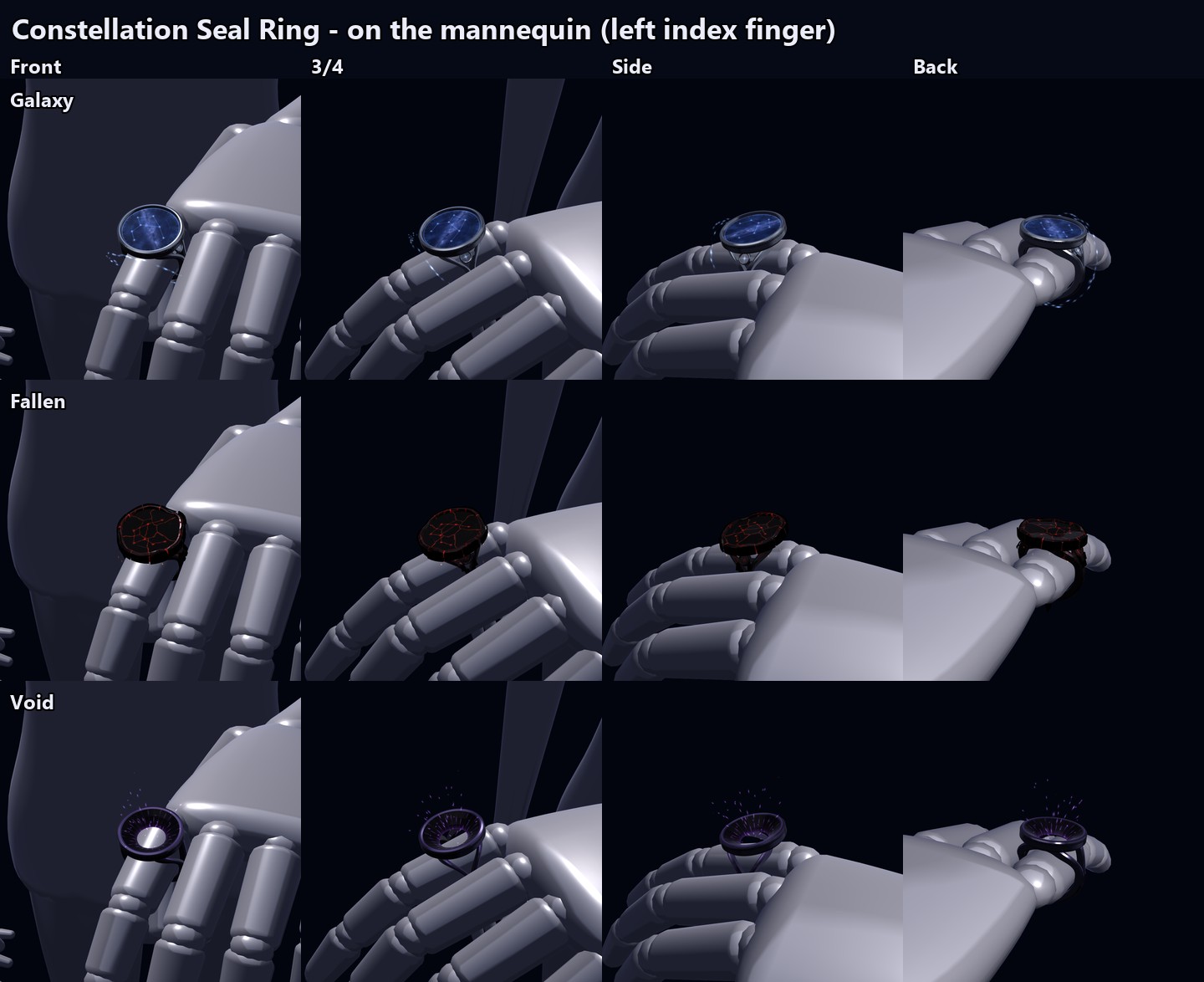
Not made for one avatar: Modular Avatar puts the ring on your avatar's own index finger at upload (humanoid avatars with index and middle finger bones). A prefab for the left hand and one for the right. Checked in Unity on the VRChat SDK sample avatar.
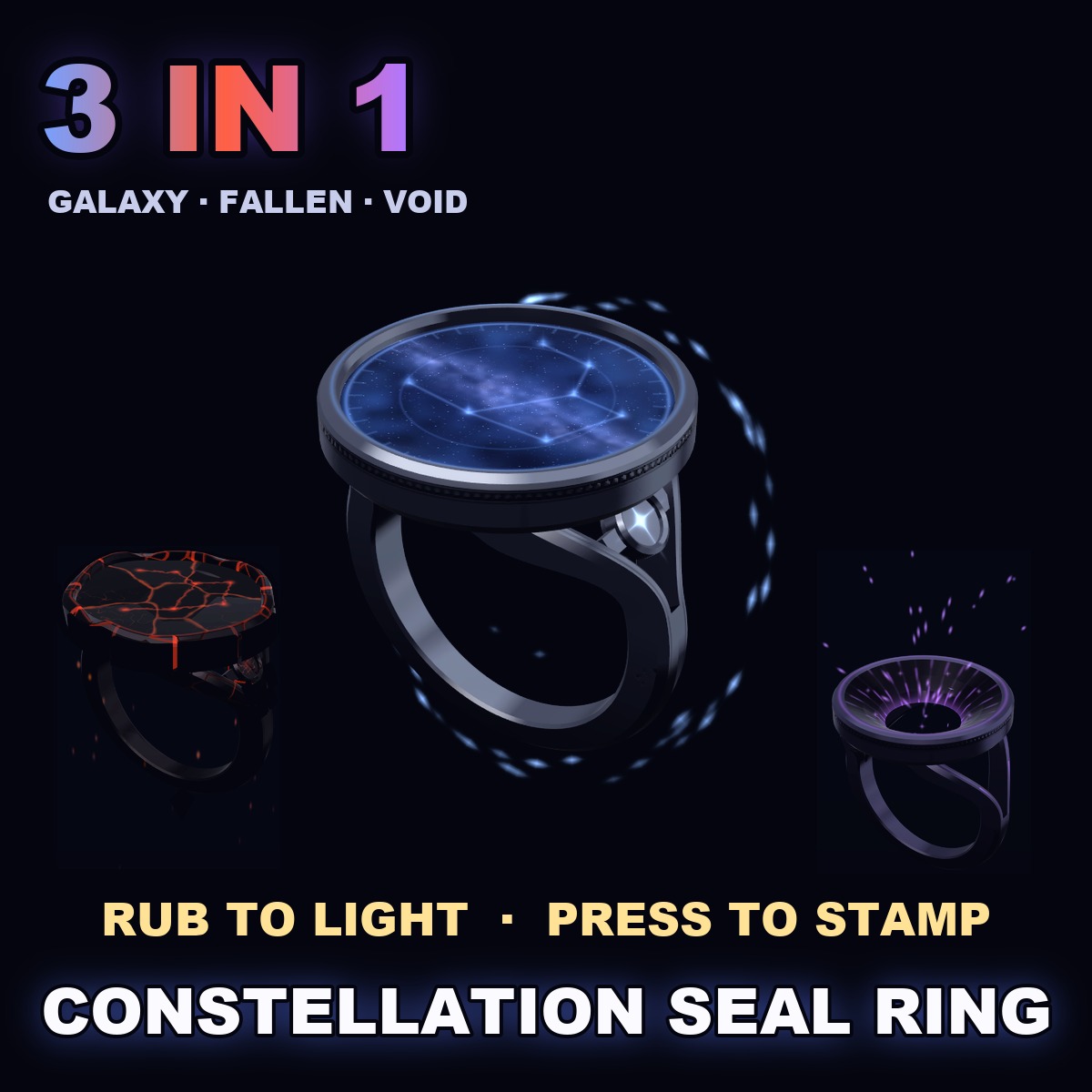
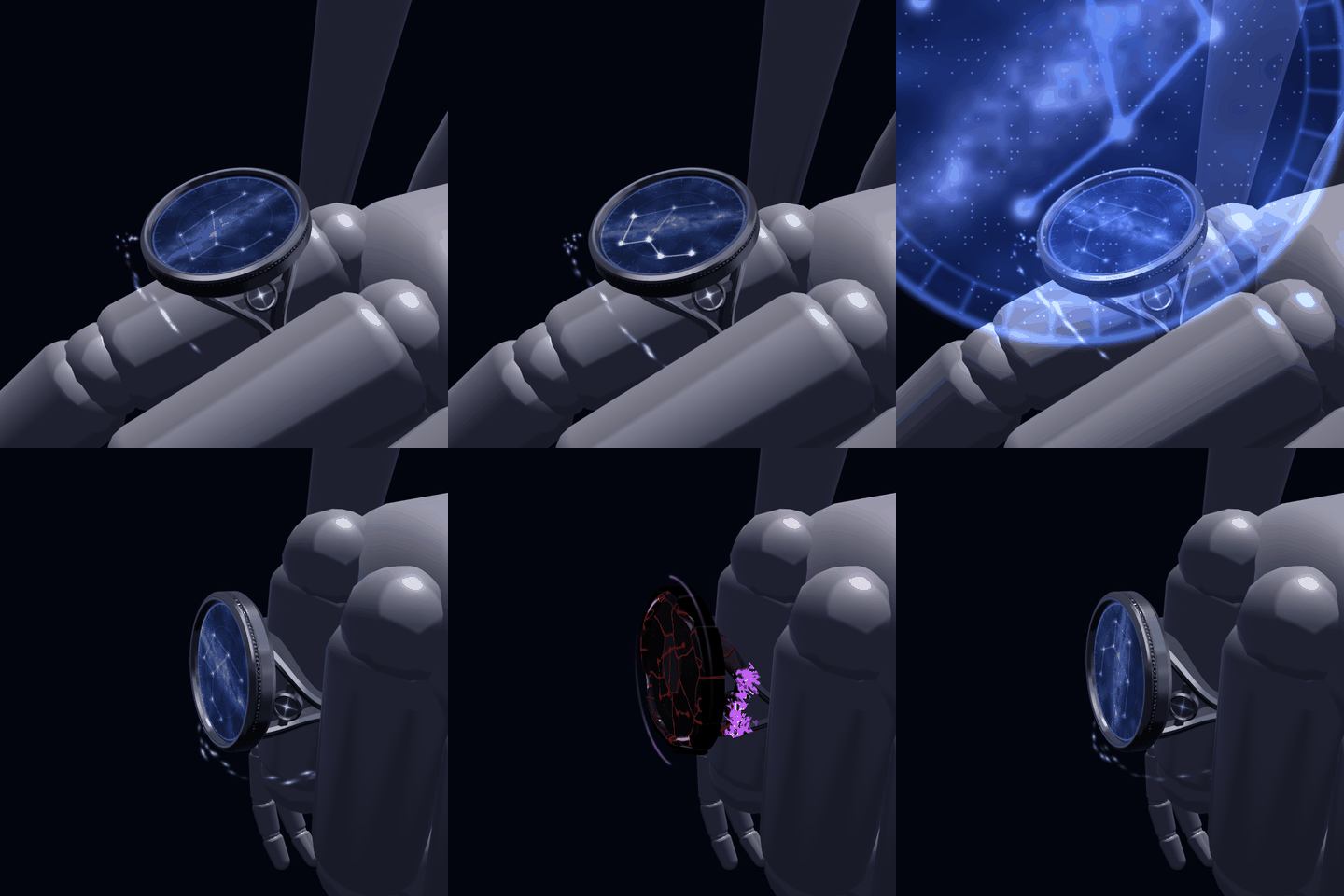
A signet ring with a star chart sealed inside. Rub it with your other index finger and its seven stars light one by one; press it with your palm and the constellation lifts off as a glowing stamp that hangs in the air, then breaks into falling stars. Make a fist and the ring changes into its next form.
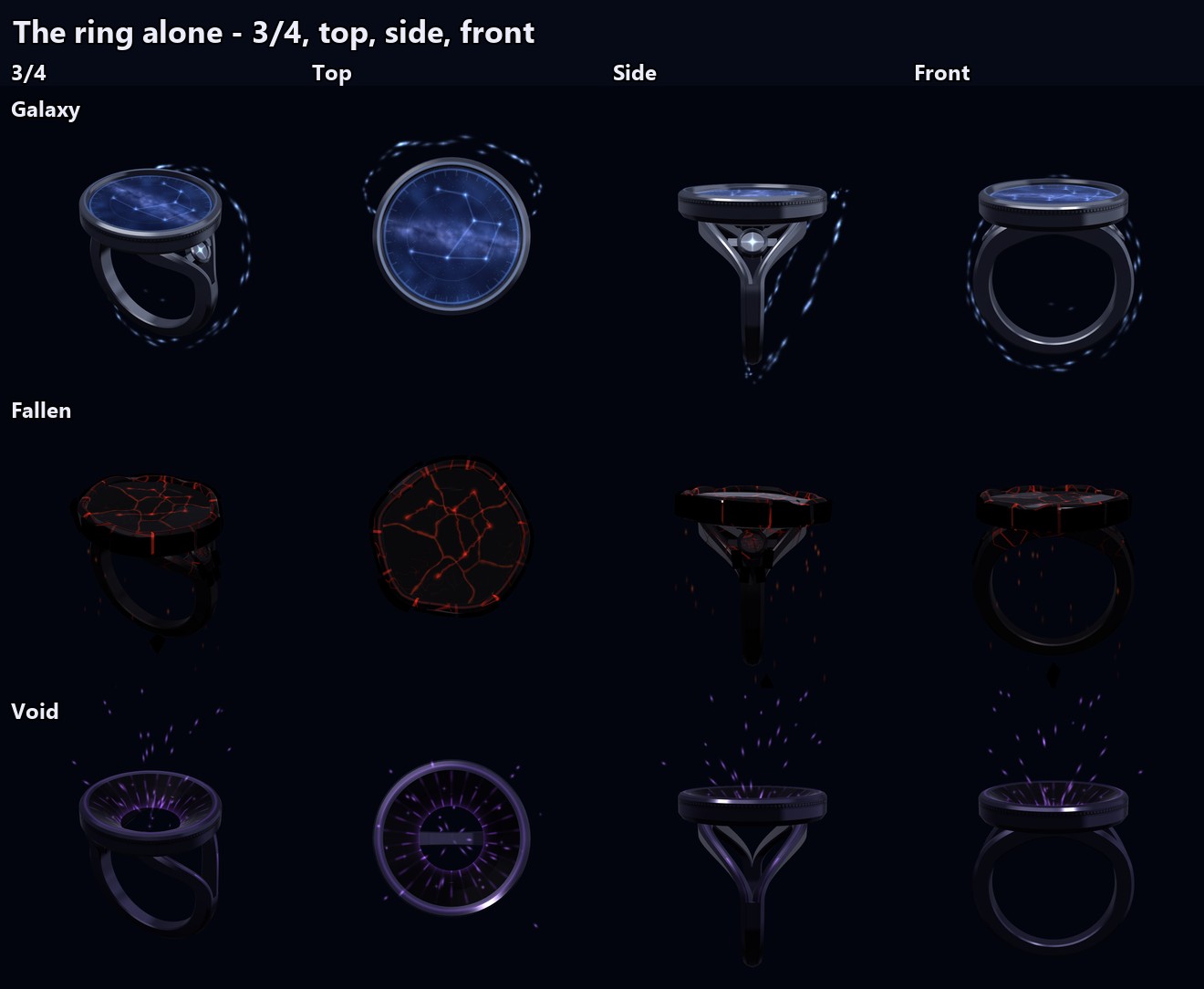
3 FORMS (each one a different shape, not only a colour)
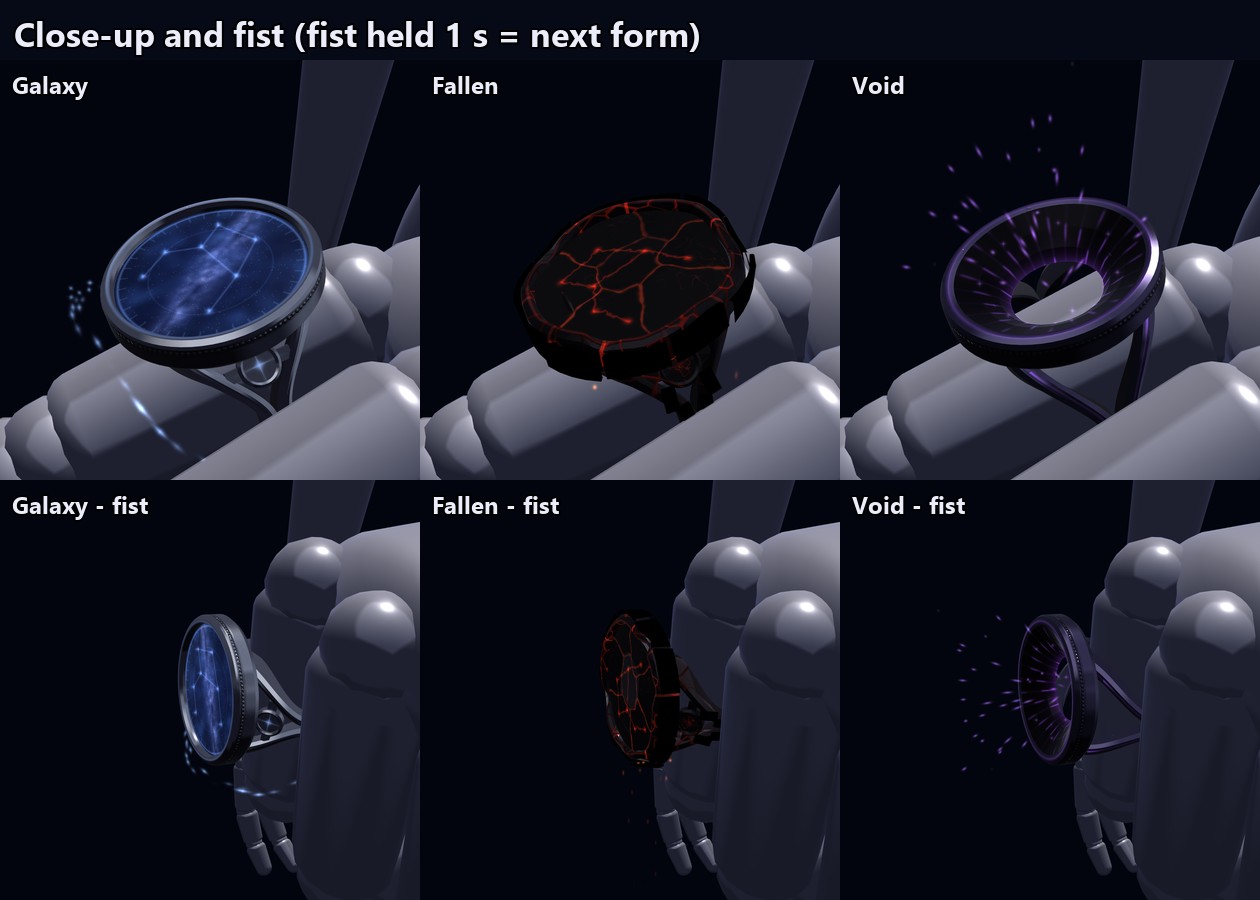
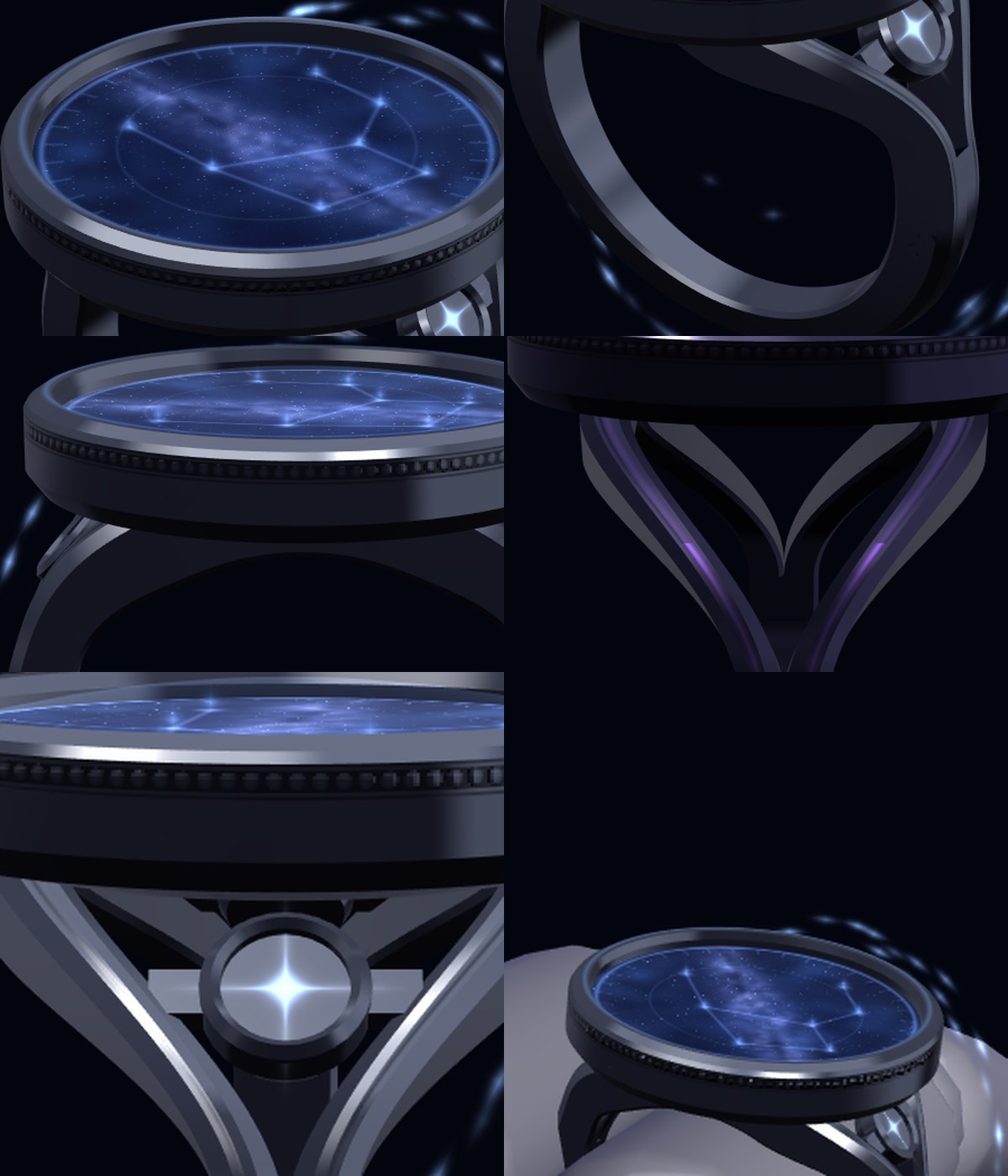
• Galaxy: polished silver, a blue star chart with the Milky Way under a glass dome, a milgrain row (fine beads) round the bezel and a four-point star on each shoulder
• Fallen: black steel drooping toward the fingertip, fine cracks with embers smouldering in them, the bezel wrapped in split obsidian plates (tops broken at a slant, a few lifted off, red seams glowing between them), layered plates on the shoulders and a loose shard floating under the finger
• Void: a hollow ring - the middle is open and your finger shows through a smoked-silver funnel with a milgrain row round it; light lines run up the shoulders and seven star dots circle over the hole
IT MOVES EVEN WHILE YOU STAND STILL
The star chart turns once in 24 s and the stars twinkle. On Galaxy a thin ring of stardust circles the finger once in about 7 s, a few grains drifting into the seal; on Fallen embers drop from the rim and the cracks smoulder; on Void grains and streaks run into the hole. Drawn by the shaders: no extra parameters, no particle systems.
RUB TO LIGHT THE STARS
Touch the seal with the index finger of your other hand and keep it there: a star lights every 0.3 s, up to seven. The lit stars stay until you stamp or turn the ring off.
PRESS TO STAMP
Press the seal with the palm of your other hand (0.15 s): the bezel flares and the constellation is struck off the seal with a burst of light - a disc of light (on Galaxy filled with the Milky Way) that stays where you pressed it, rises (1.4 s) and breaks into falling stars (1.6 s). The more stars you lit, the brighter the stamp.
MAKE A FIST TO CHANGE
Hold a fist with the ring's hand for 1 s (VRChat's Fist gesture): the ring changes shape into the next form in 0.9 s - a line of light runs up the band, the seal twists through and tails of light in the new form's colour wind round it. Galaxy → Fallen → Void → Galaxy. Open your hand and make a fist again for the next one.
SIZE AND BAND FIT
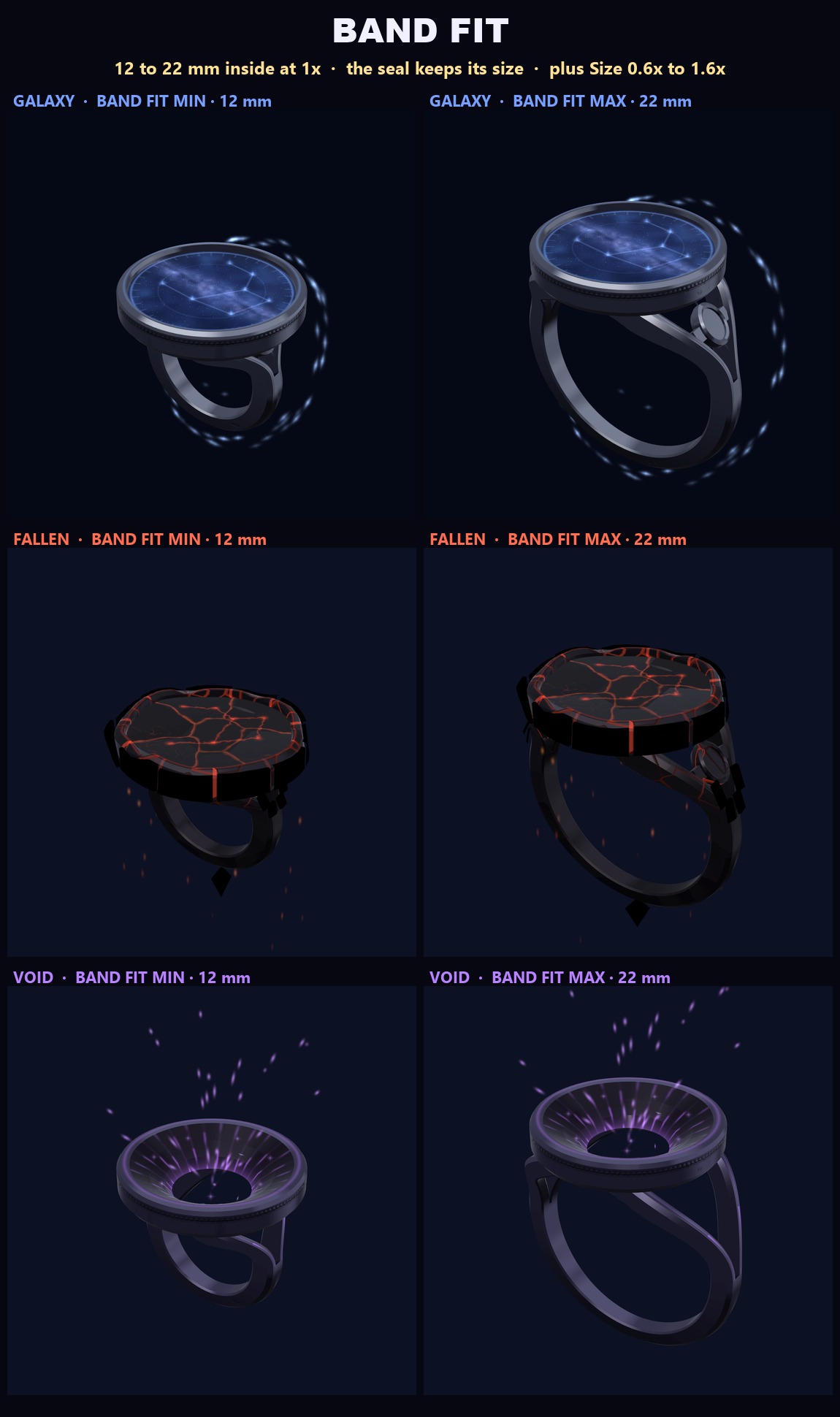
• Size: a radial from 0.6x to 1.6x - the whole ring, seal and all
• Band fit: a radial for the band alone - 12 to 22 mm inside at 1x while the seal keeps its size. Set Size for the look, then Band fit until the band sits on the finger without cutting in.
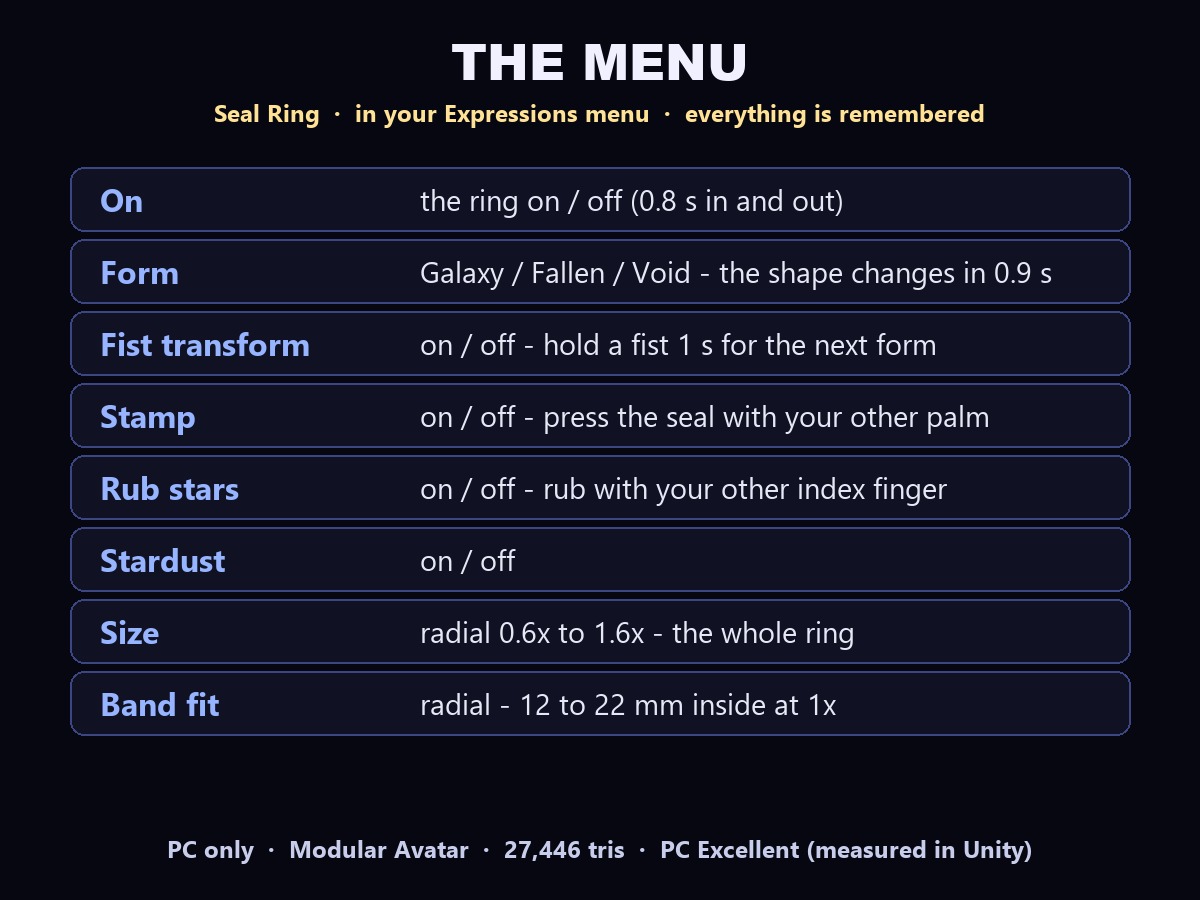
THE MENU (Seal Ring, in your Expressions menu; everything is remembered)
On (0.8 s in and out) · Form · Fist transform on / off · Stamp on / off · Rub stars on / off · Stardust on / off · Size · Band fit
SIZES at 1x (measured in Unity)
• Band: 17 mm inside (Band fit 12 to 22 mm), 2.2 mm wide under the finger widening to 2.8 mm at the shoulders, a knife-edge ridge down the middle and a fine engraved line along each edge
• Seal: 19.5 mm across · Void hole: 8.4 mm
PERFORMANCE (this item alone, measured in Unity)
27,446 triangles · VRChat rank PC Excellent
2 meshes, 2 materials, 3 constraints, 2 contact receivers, no PhysBones, no particle systems
Synced: 10 parameters, 31 bits
PC only - there is no Quest version (the three forms and the stamp are drawn by PC shaders).
WHAT'S INSIDE
SR_1.0.0.unitypackage: 2 prefabs (left and right hand), 2 shaders made for this ring, 2 materials, 2 meshes, the menu and animators - all in Assets/Caligo/ConstellationSealRing. README in English and Japanese.
No lilToon needed.
GOOD TO KNOW
• Rubbing and pressing use VRChat contacts on your own hands only - other players' hands do nothing.
• If your fist already does something you want to keep, turn Fist transform off and change forms from the menu.
SUPPORT
If the fit on your finger, rubbing, the stamp, the fist change or anything else doesn't work as described in VRChat, message me. I'll fix it and send you the update for free.
AI DISCLOSURE (AI-Assisted)
The shaders, the Unity build code and the text on this page were written with help from an AI assistant. An AI image generator made rough concept sketches I looked at while designing (the look follows them); nothing it made is in the files or in the preview images, which are rendered in Unity from the actual ring.
TERMS
OK: use on your avatar in VRChat and other platforms, stream / record / post, edit for your own use.
Not OK: redistribute or resell the files, edited or not.
v1.0.0 (2026-11-26) first release