
商品描述
本商品包含 AI 生成的内容。
AI-Assisted: the 3D shapes, materials, shaders and listing texts were made with scripts written with AI assistance. A person checked how it looks and moves in Unity before release.
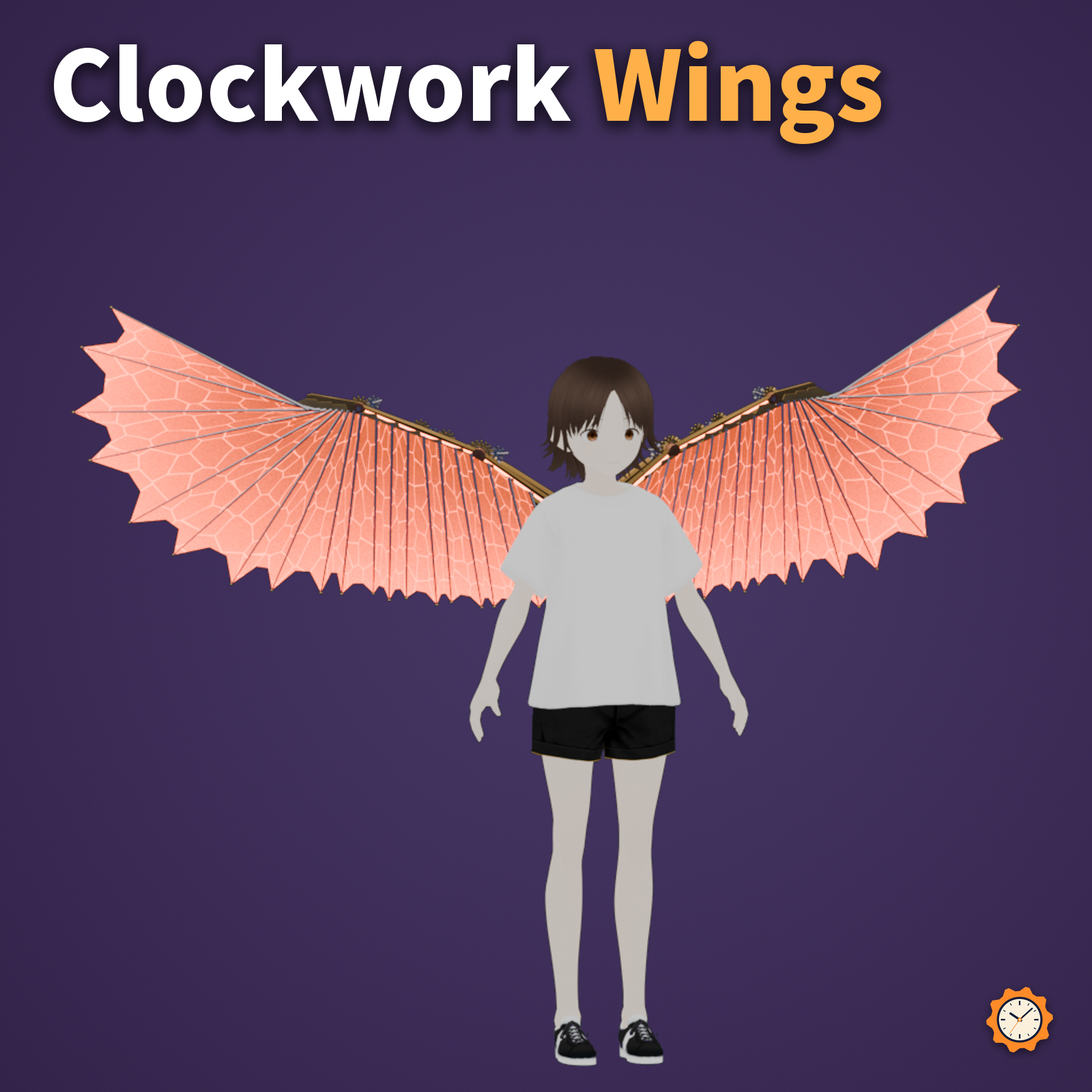
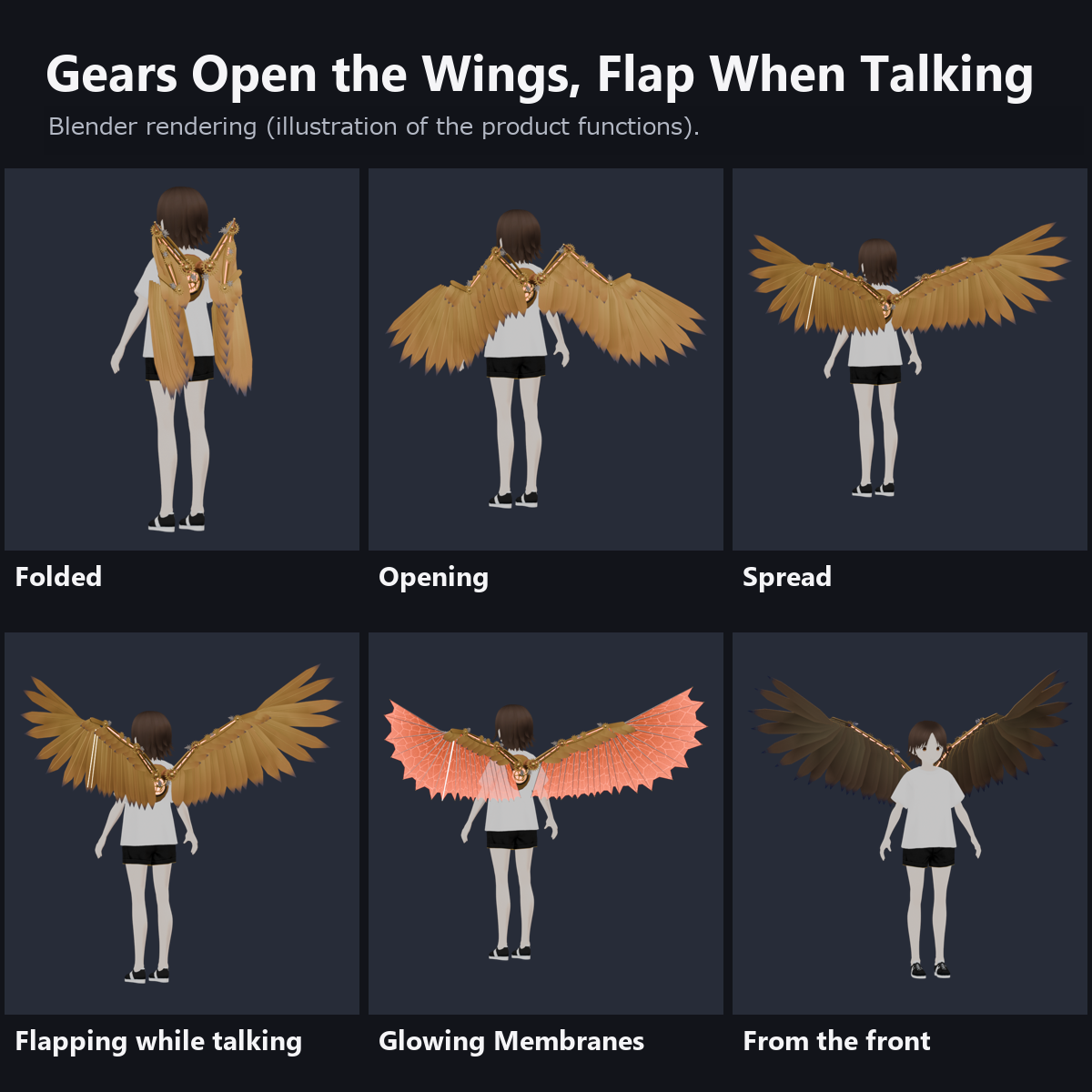
Brass clockwork wings for your back. Turn on Open in the menu and the joint gears mesh and turn, a piston slides, and the bones spread open. Turn on Flap When Talking and the wings flap while you talk.
Features
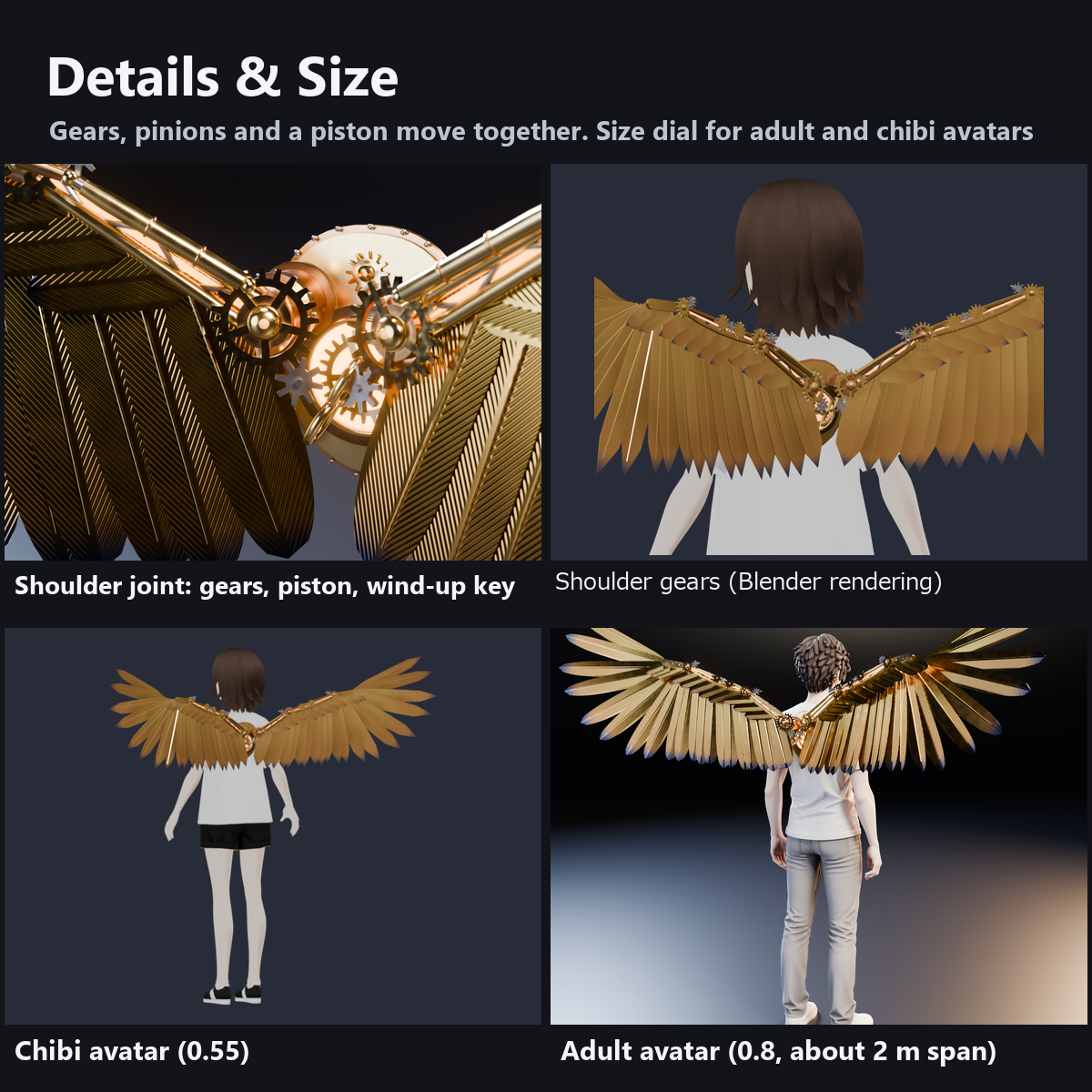
- Gears that really mesh: at the shoulder, elbow and wrist, a gear on the wing bone meshes with a pinion, turning by the tooth ratio as the wings open and fold. A gear train on the forearm, a wind-up key on the back and the main gear behind the round window turn too
- A piston drives the bones: it extends as the wings open and retracts as they fold
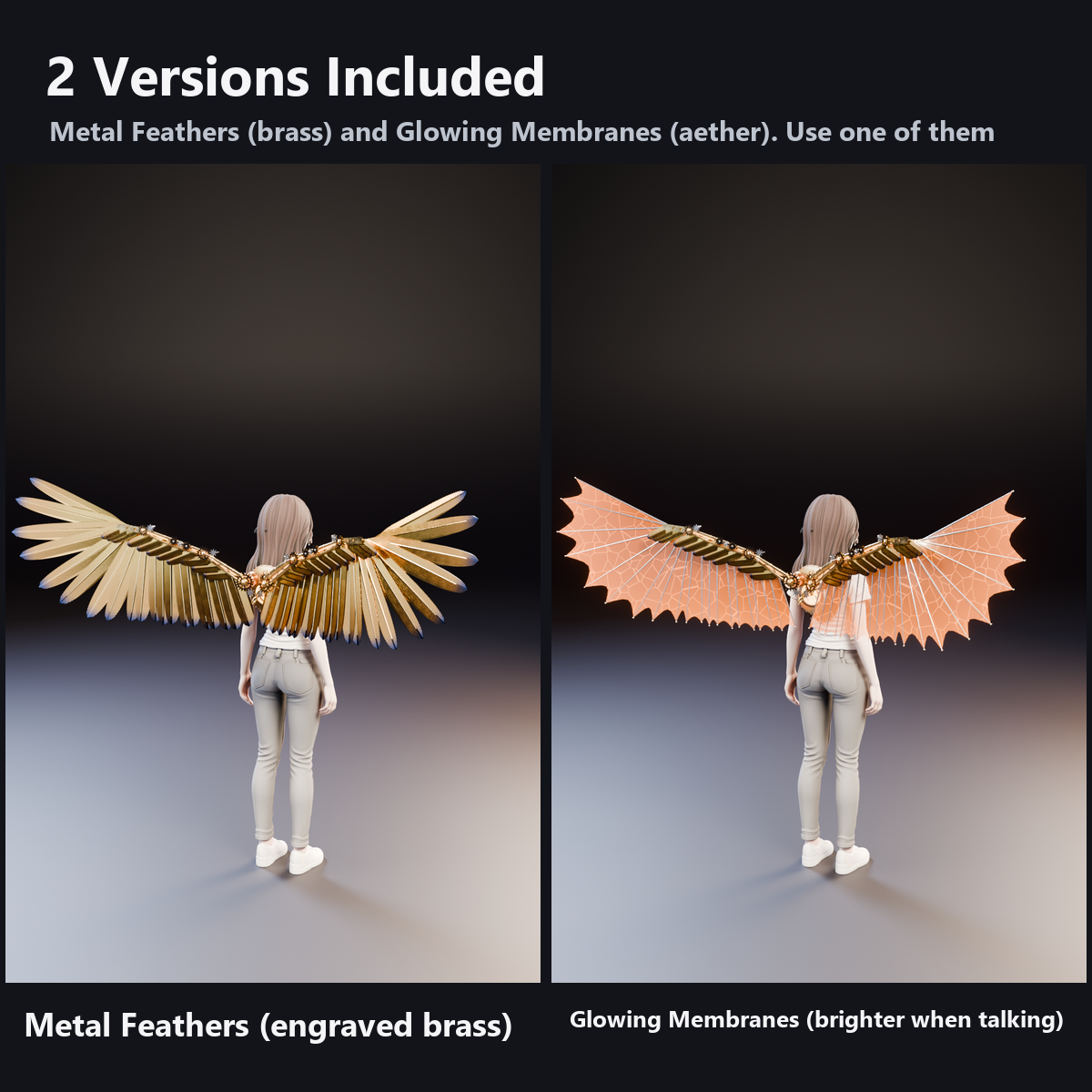
- 40 metal feathers (9 primaries, 8 secondaries and 3 tertials per side) plus coverts: engraved brass plates that shift from brass at the root to copper and heat-blued steel at the tip. Each one has a slightly different angle and tone
- 2 versions included: Metal Feathers (brass) and Glowing Membranes (aether, amber membranes glowing between the ribs). Use one of them
- Folded, the wings lie along your back with the bend of the bones above your shoulders
- Flap When Talking (OFF at first): louder voice, bigger flaps. While spread, the wings breathe gently. The cores in the bones, the joint stones and the furnace window glow amber and brighten when you talk
- Size dial: about 2.0 m wingspan at first (for adult avatars), 0.4 to 1.2 times for chibi avatars or huge wings
- 0 particles, 0 PhysBones, 0 bones, no sound. The motion is computed in custom shaders (no lilToon needed). Modular Avatar ready
- An original design, not based on any existing work
What to know before getting it
- The motion uses custom shaders. If a viewer's Safety settings hide shaders, the wings stay spread without moving and the membranes are not shown.
- Flap When Talking is not synced: each viewer's device builds the flaps from your voice as they hear it.
- The wings are large and can overlap walls and people in tight places; fold them or make them smaller.
- The back plate follows the Spine bone. Fit its position and tilt to your avatar's back in the scene (steps in the manual). On backs with many ornaments, the plate may float slightly.
- In poses that bend the body a lot (sitting, lying down), the wings may overlap the body or the floor.
- Product images and the demo video render the actual model in Blender to recreate the motion (the photo model stands still; only the wings move). They are not in-game captures, so lighting and materials may look a little different in VRChat. We have not checked it in VR headsets.
Menu (English menu prefab)
- Clockwork Wings > Show: show or hide the wings
- Clockwork Wings > Open: ON spreads the wings, OFF folds them (1.5 s; ON at first; saved)
- Clockwork Wings > Flap When Talking: when ON, the wings flap while you talk (OFF at first; saved)
- Clockwork Wings > Size: size of the wings, 0.4 to 1.2 times (0.8 at first = about 2.0 m wingspan; saved)
What's included
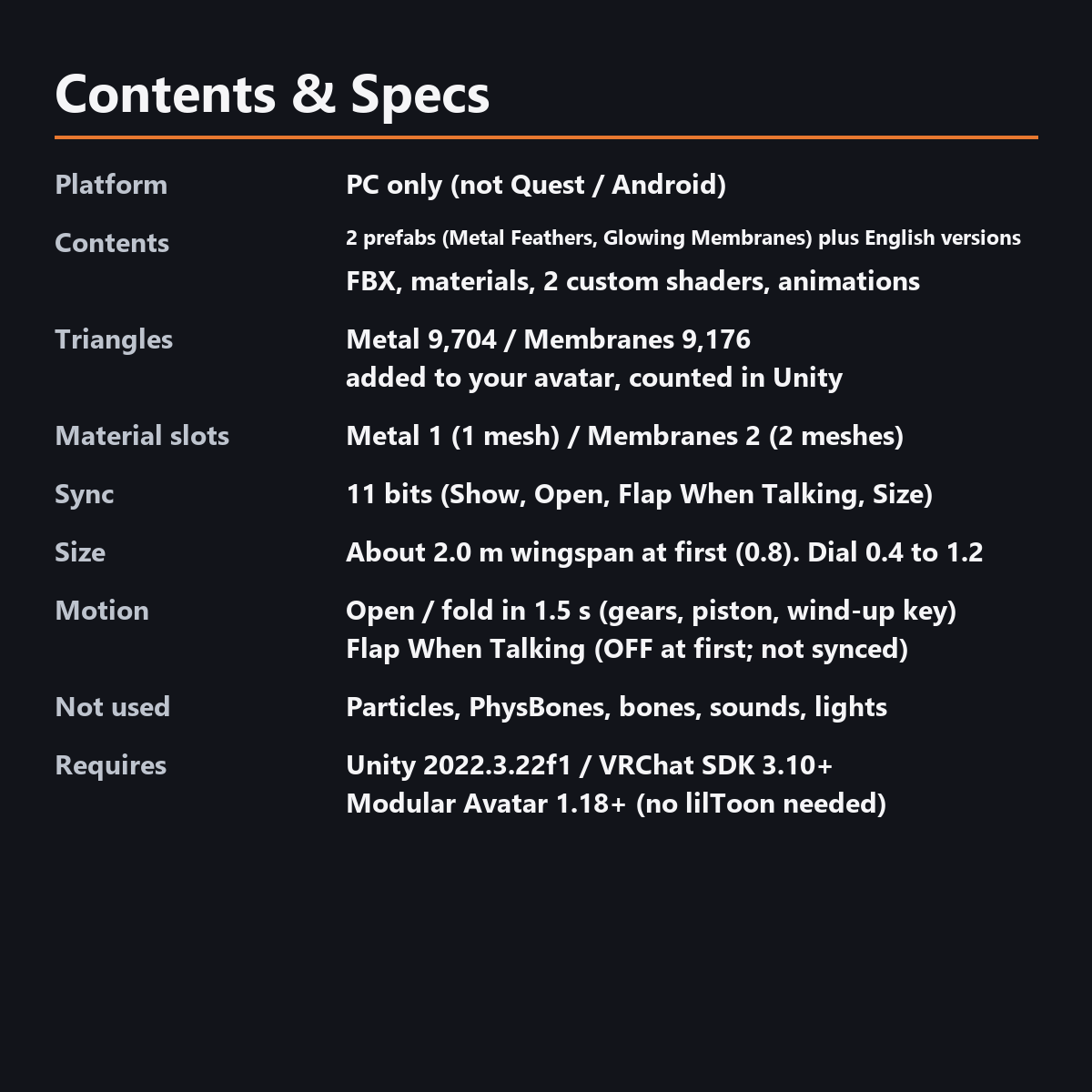
- 2 prefabs (brass and aether) and English-menu prefabs (_EN). Use one of them on an avatar
- 2 FBX files, a color atlas texture, materials, 2 custom shaders (metal, membrane), animations
- Instruction manual and Terms of Use in English and Japanese
Specs
- Added to your avatar (counted in Unity): Metal Feathers 9,704 triangles, 1 mesh, 1 material slot; Glowing Membranes 9,176 triangles, 2 meshes, 2 material slots
- Synced parameters: 11 bits (Show, Open, Flap When Talking, Size)
- No Particle Systems, PhysBones, bones, AudioSources, Contacts or lights
- Size: about 2.0 m wingspan, about 0.7 m tall folded (at Size 0.8)
Requirements
- Unity 2022.3.22f1 (an avatar project made with VRChat Creator Companion)
- VRChat SDK (Avatars) 3.10 or later
- Modular Avatar 1.18 or later
- lilToon is not needed (custom shaders included)
Please note
- PC only. Not supported on Quest / Android.
- The Unity editor shows the wings spread; opening, folding and flapping work inside VRChat.
Terms of use
- You may upload it to VRChat and similar services on your own avatars, edit it, and use it in streams, videos and photos (commercial or not).
- You may not redistribute, resell or share the data (edited or not), or use it to train AI.
- Full text: TermsOfUse_EN.txt in the download.
How this was made (AI-Assisted)
The 3D shapes, materials, shaders and texts of this item were made with scripts written with AI assistance. A person checked how it looks and moves in Unity before release.
Version history
v1.0 (2026-11-03): initial release.