
商品描述
本商品包含 AI 生成的内容。
AI-Assisted: the 3D shapes, materials, shaders and listing texts were made with scripts written with AI assistance. A person checked how it looks and moves in Unity before release.
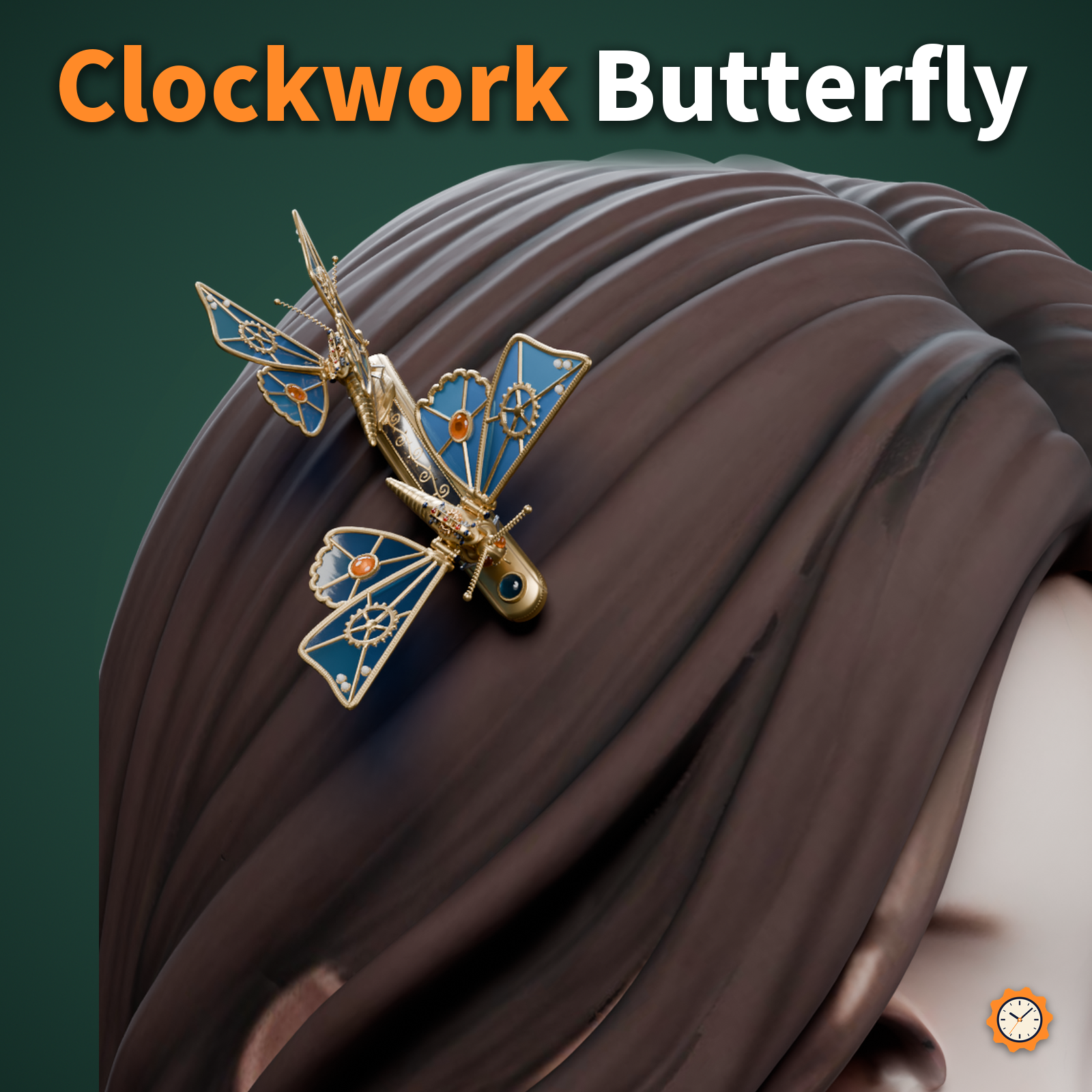
A hairpin with two clockwork butterflies: openwork brass frames set with colored glass.
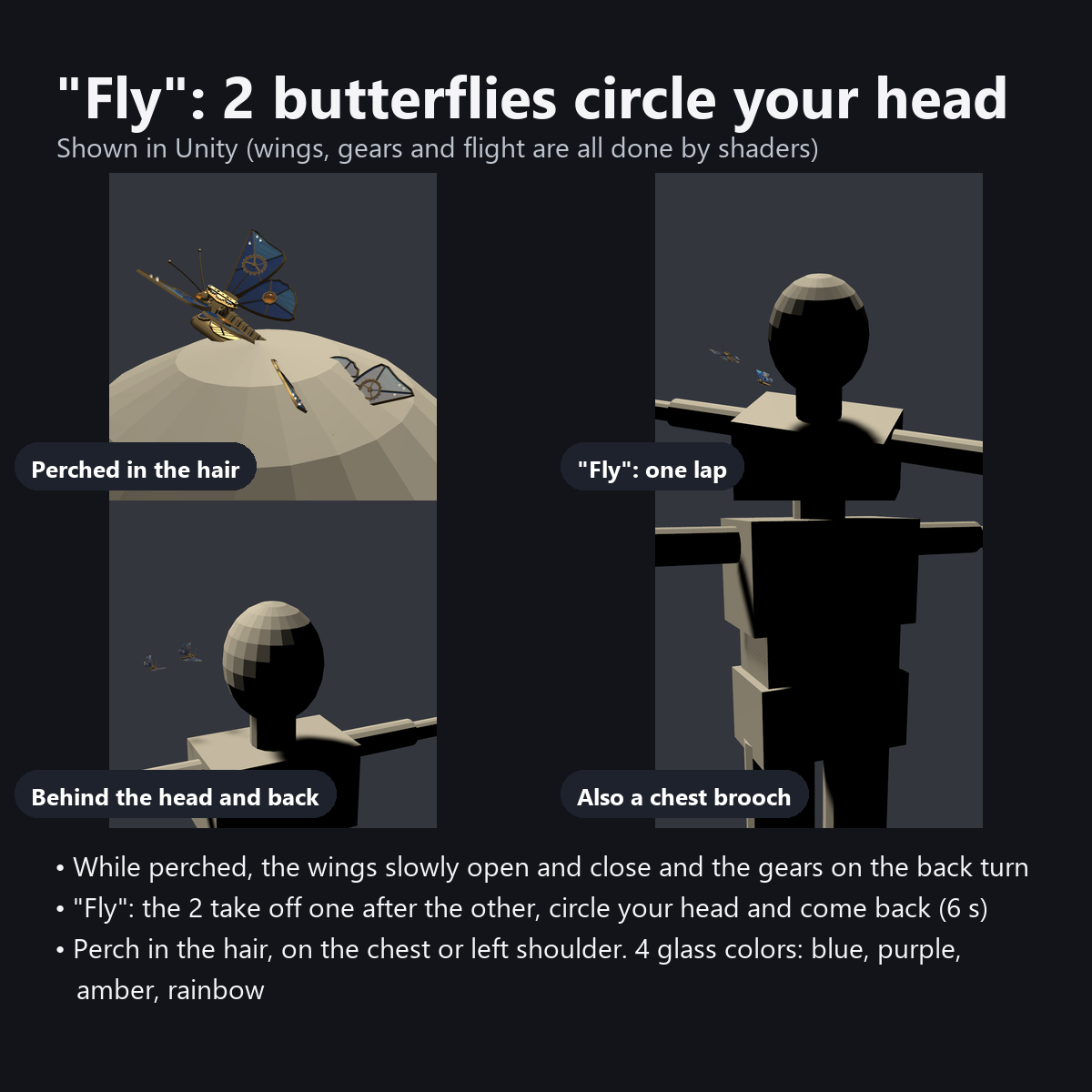
On the plate on each butterfly's back, 3 meshing gears really turn with the wingbeats. Press "Fly" in the menu and the two take off one after the other, circle once around your head, and land back on their leaves.
They are solid butterflies, not particles, so they stay in your photos as they are. Choose where they perch: hair, chest or left shoulder. For steampunk, antique or spring flower avatar edits.
Features
- Gears turn with the wingbeats: 3 meshing gears on the back (15 and 10 teeth) turn at speeds matching their tooth ratio. Slow while perched, fast in flight
- "Fly": the 2 butterflies circle your head once and return to the pin (about 6 seconds). They take off a little apart, bank into the turn, and glide in to land with wings spread
- Even while perched, the wings slowly open and close (out of step between the two), with a quick double flap now and then
- Gear wings: an openwork gear (18 teeth) in the middle of each forewing, an eyespot stone in the middle of each hindwing, and hinge tubes and fan-shaped gears at the wing roots
- Stained-glass wings: two-tone colored glass in brass openwork frames (lighter in the outer cells, deeper toward the roots), milgrain edges and hammered glass. They glow when light shines through from behind
- 4 glass colors in the menu: blue, purple, amber, rainbow (rainbow gives every pane a different color)
- AudioLink: the wing glass glows from root to tip with the bass (can be turned OFF in the menu)
- Perch in the menu: hair / chest (brooch) / left shoulder (the pin moves too; from any spot they fly around your head)
- They fold their wings and sleep when you go AFK, and their wings flutter when you talk
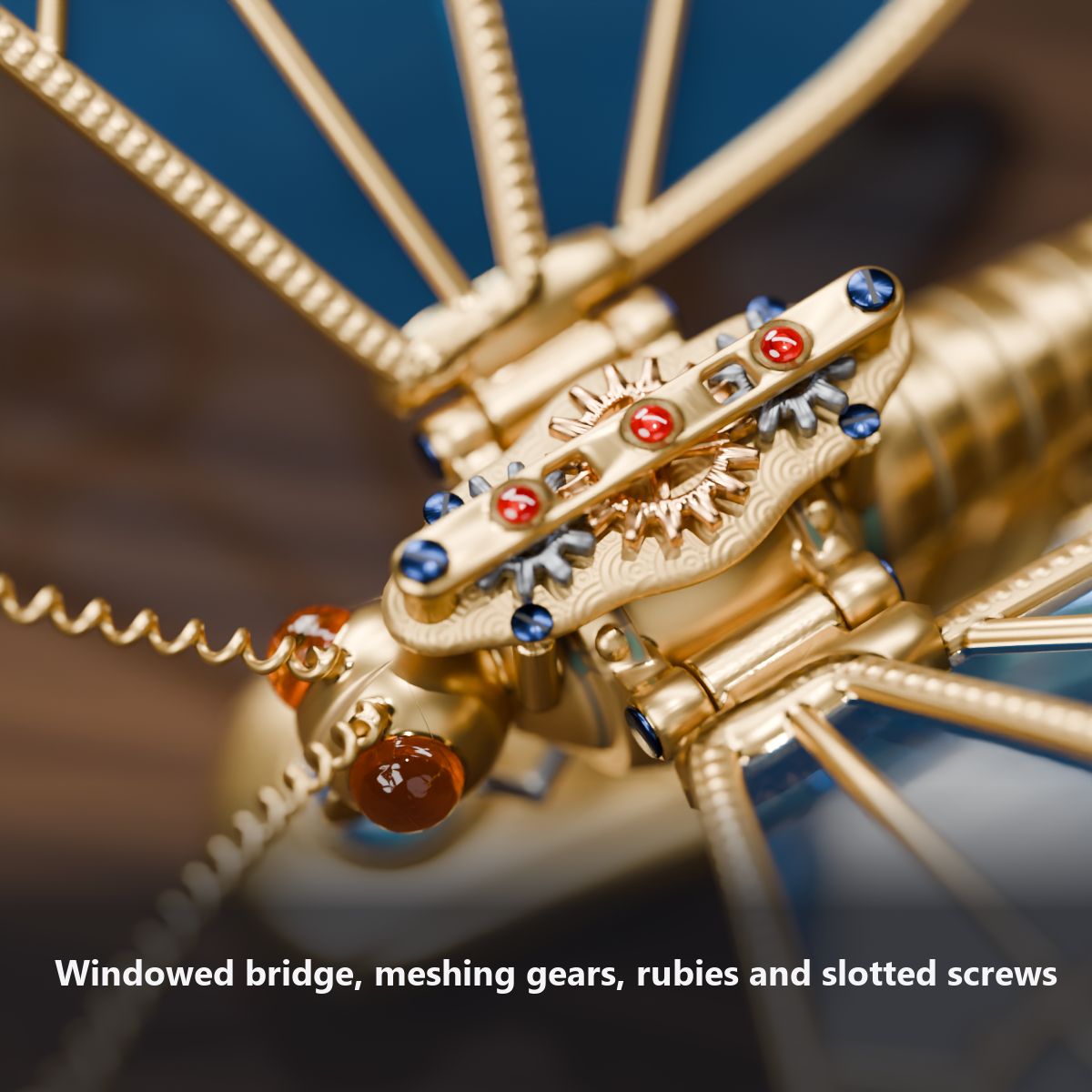
- Details: ruby jewels and slotted blued screws, a bridge with a window that shows the meshing teeth, a plate with perlage (circular grain pattern), a riveted band on the thorax, a 7-segment abdomen with rust color in the recesses, spring antennae, amber eyes, a coiled proboscis, 6 legs (the front legs folded in front of the chest), leaves with engraved veins, and a lacquer band with gold inlaid vines and milgrain edges on the pin
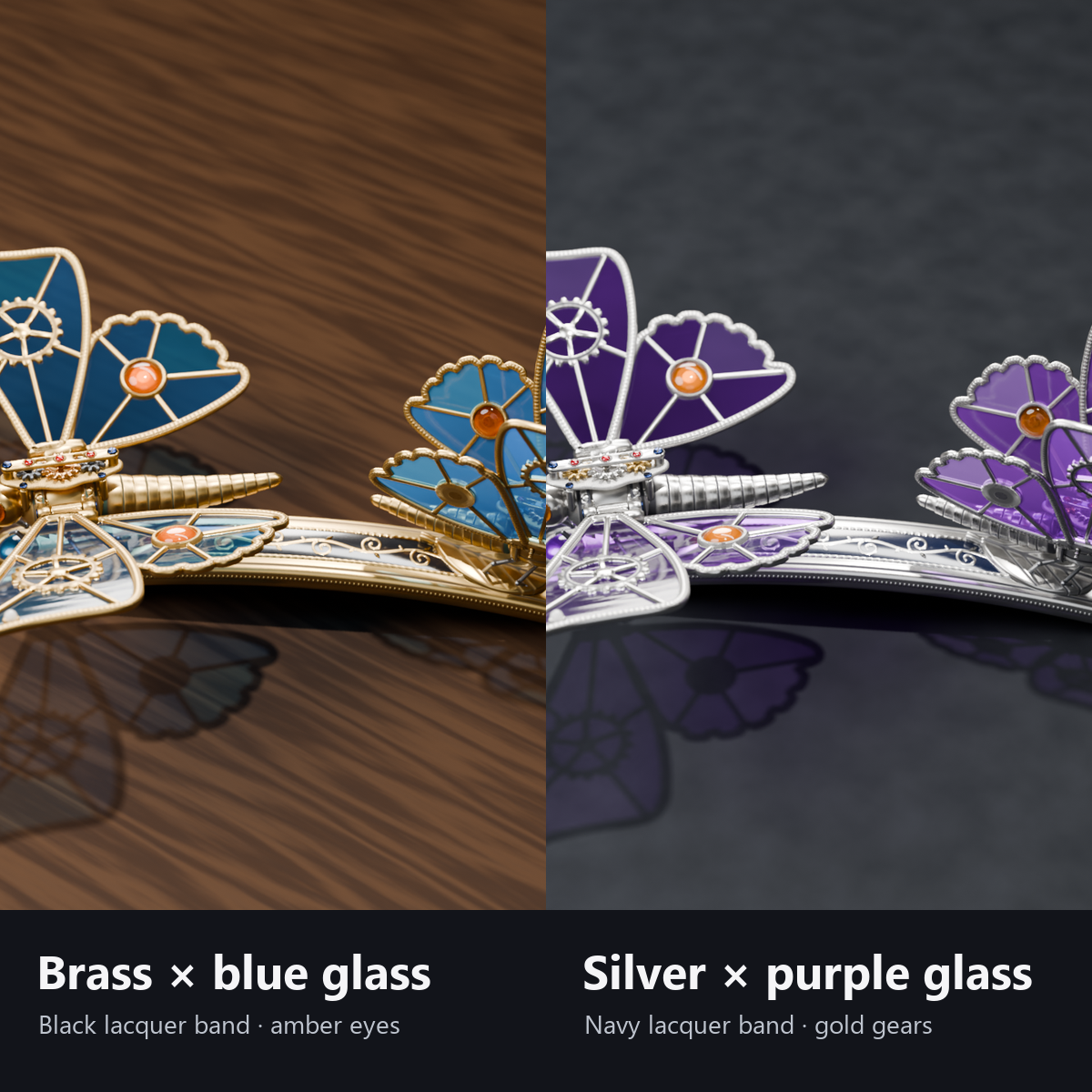
- 2 colors, both included: brass with blue glass (black lacquer band) / silver with purple glass (navy lacquer band, gold gears)
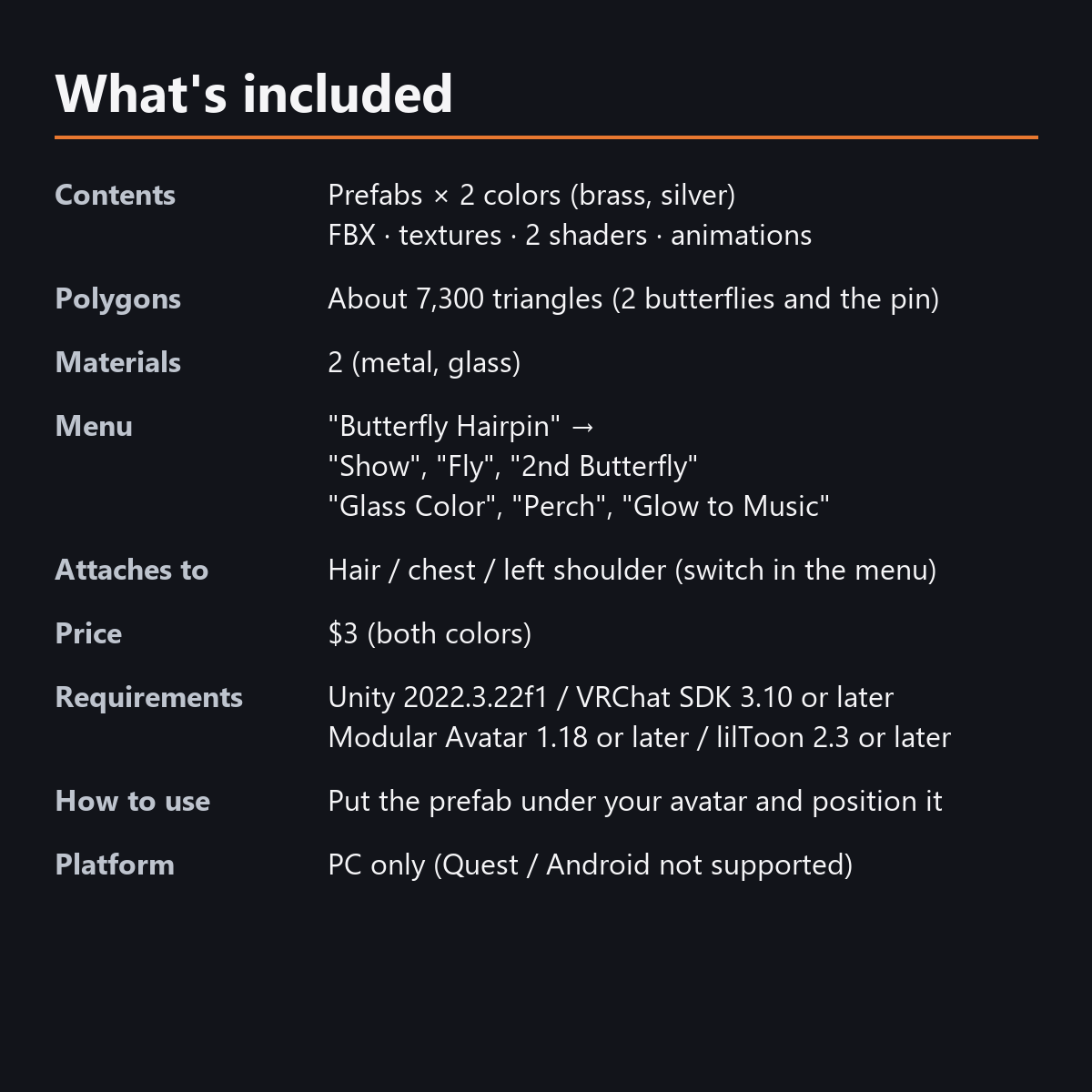
- Load: 7,267 triangles (both butterflies and the pin), 4 material slots, 0 particles, 0 PhysBones, no external shaders needed
- Modular Avatar ready: put it under your avatar and fit the hair, chest and left shoulder anchors
How it works (gears and flight)
- A main gear (15 teeth) and front and rear gears (10 teeth) sit in a row on the plate on the back. One turn of the main gear is one wingbeat, and the front and rear gears turn the other way at 1.5x speed, so the teeth stay in mesh.
- A brass bridge spans the gears, with ruby jewels on the 3 arbors and blued screws at both ends. A window in the bridge, where the teeth mesh, shows them working from above. The plate stands on 4 pillars on the thorax.
- The wings pivot on hinges on each side of the thorax (brass tubes and blued pins). Fan-shaped gears at the wing roots raise and lower the wings from the mechanism in the plate.
- "Fly" takes 6 seconds: straight up off the leaf, into the circle, once around the head (bobbing gently and banking inward), a glide over the leaf with wings spread, and back onto the leaf.
- The 2nd butterfly takes off slightly later and flies a slightly wider, lower circle, and both land together. The pin stays in the hair (or on the clothes).
- The wings, gears, antennae and flight are all moved by shaders (no particles, bones or PhysBones).
Menu (English menu prefab)
- Butterfly Hairpin > Show: hairpin on/off
- Butterfly Hairpin > 2nd Butterfly: the smaller butterfly on/off (ON at first)
- Butterfly Hairpin > Fly: press and the 2 butterflies fly once around your head and come back
- Butterfly Hairpin > Glass Color: Blue / Purple / Amber / Rainbow (Blue at first on brass, Purple on silver)
- Butterfly Hairpin > Perch: Hair / Chest / Left Shoulder (Hair at first)
- Butterfly Hairpin > Glow to Music: the wing glass glows in AudioLink worlds (ON at first)
What's included
- Prefabs x 2 colors (brass, silver)
- FBX, textures (color swatches and detail images), 2 butterfly shaders (metal, glass), animations
- English-menu prefabs (_EN) next to the Japanese-menu prefabs. Use one or the other on an avatar, not both.
- Instruction manual and Terms of Use in English and Japanese
Specs
- Added to your avatar (counted in Unity): 7,267 triangles, 4 meshes, 4 material slots (2 kinds of material), 0 PhysBones
- Synced parameters: 21 bits (Show, Fly, Glass Color, 2nd Butterfly, music, Perch, AFK)
- All counts follow VRChat's rules (hidden parts are counted too) and show how much one prefab adds to your avatar.
- The VRChat performance rank depends on the total with your avatar, so this item alone does not decide it.
- 0 particles, 0 PhysBones, no bones
- Size: pin 70 mm, wingspan of the larger butterfly about 56 mm (at scale 1.0)
- No extra skinned mesh (all motion is done by shaders)
Requirements
- Unity 2022.3.22f1 (an avatar project made with VRChat Creator Companion)
- VRChat SDK (Avatars) 3.10 or later
- Modular Avatar 1.18 or later
- lilToon is not needed (custom shaders included)
Please note
- PC only. Not supported on Quest / Android.
- The flight plays on each viewer's device, so the moment they take off may look slightly different for different viewers.
- The flight circle is set for an avatar about 1.5 m tall. For small avatars, scale "..._Model" to about 0.7x (the circle shrinks with it).
- These are a clockwork ornament, not living creatures. They cannot be grabbed and do not follow you around.
- In worlds without AudioLink, the glass does not glow with music (it still shines with light from behind).
- If a viewer's Safety settings hide shaders, the wings stay still and the glass is a see-through single color.
- "Flying on their own now and then" and gear and wing sounds are planned for a future free update.
- No designs from real brands or existing works are used (the butterfly shape, wing frames, gears and pin are all original).
- The flapping, the menu controls (Show, 2nd Butterfly, Fly, Glass Color, Perch, Glow to Music) and the AFK / voice reactions: they move only inside VRChat (including Build & Test) or with Gesture Manager. If they look still in the Unity Editor, nothing is broken.
Terms of use
- You may upload it to VRChat and similar services on your own avatars, edit it, and use it in streams, videos and photos (commercial or not).
- You may not redistribute, resell or share the data (edited or not), or use it to train AI.
- Full text: TermsOfUse_EN.txt in the download (Japanese original: TermsOfUse_JA.txt).
How this was made (AI-Assisted)
The 3D shapes, materials, shaders and texts of this item were made with scripts written with AI assistance. A person checked how it looks and moves in Unity before release.