
Dangling Kanzashi - Plum Hairpin with Rippling, Sparkling Strips | VRChat
商品描述
本商品包含 AI 生成的内容。
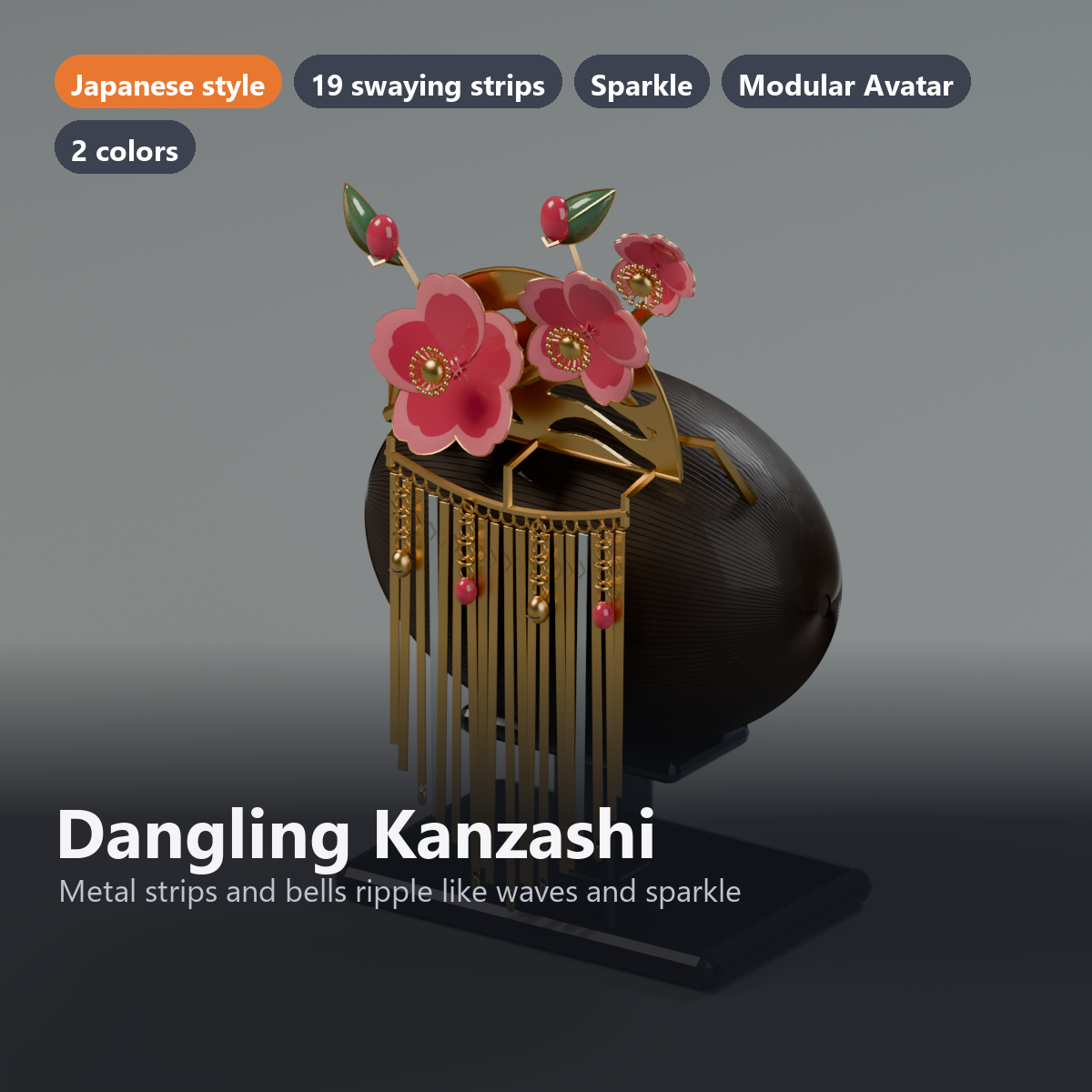
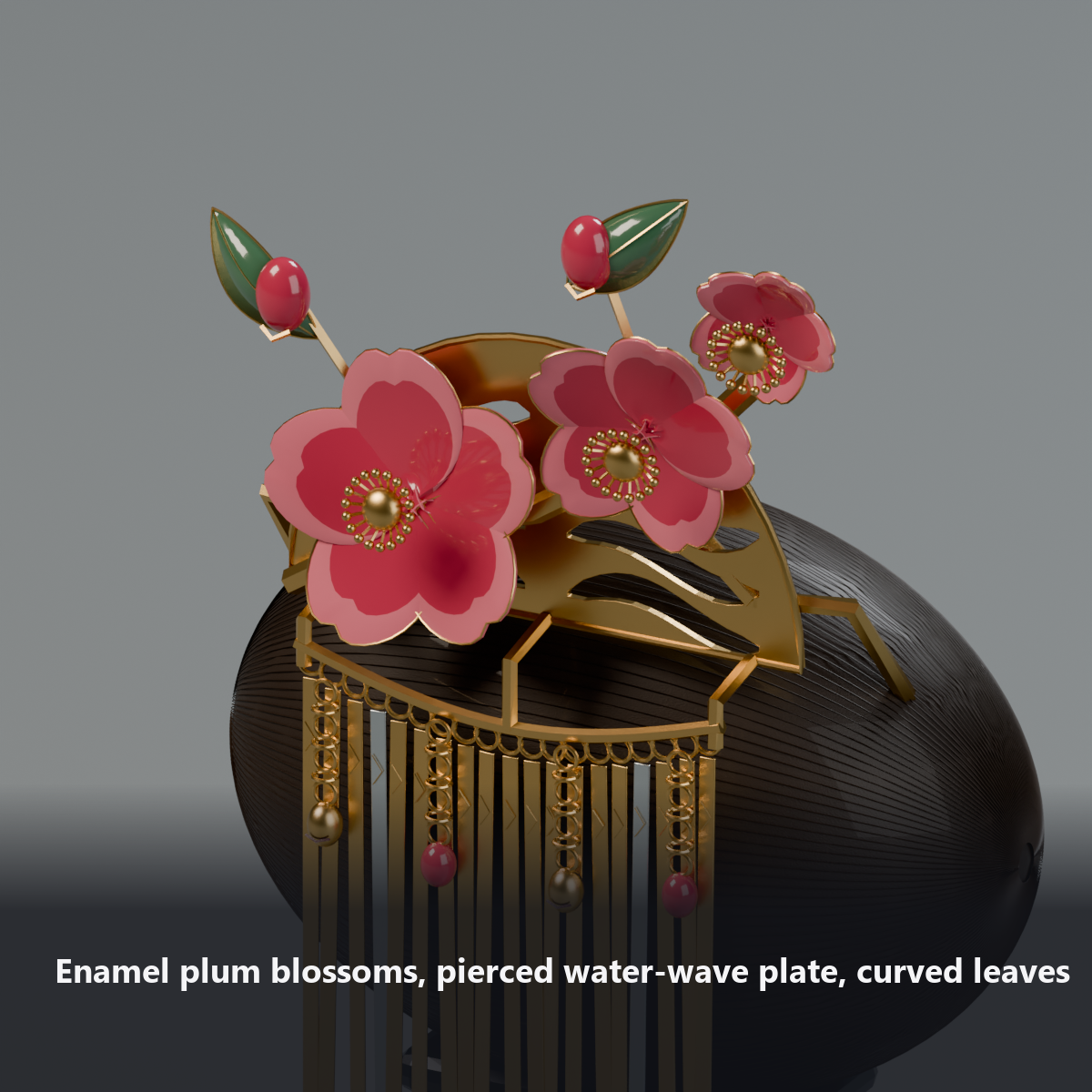
A bira-kanzashi (dangling hairpin) with three enamel plum blossoms on a fan-shaped plate pierced with a flowing-water pattern. From the bridge under the plate hang 19 gold and silver strips and 4 chains with bells and enamel beads.
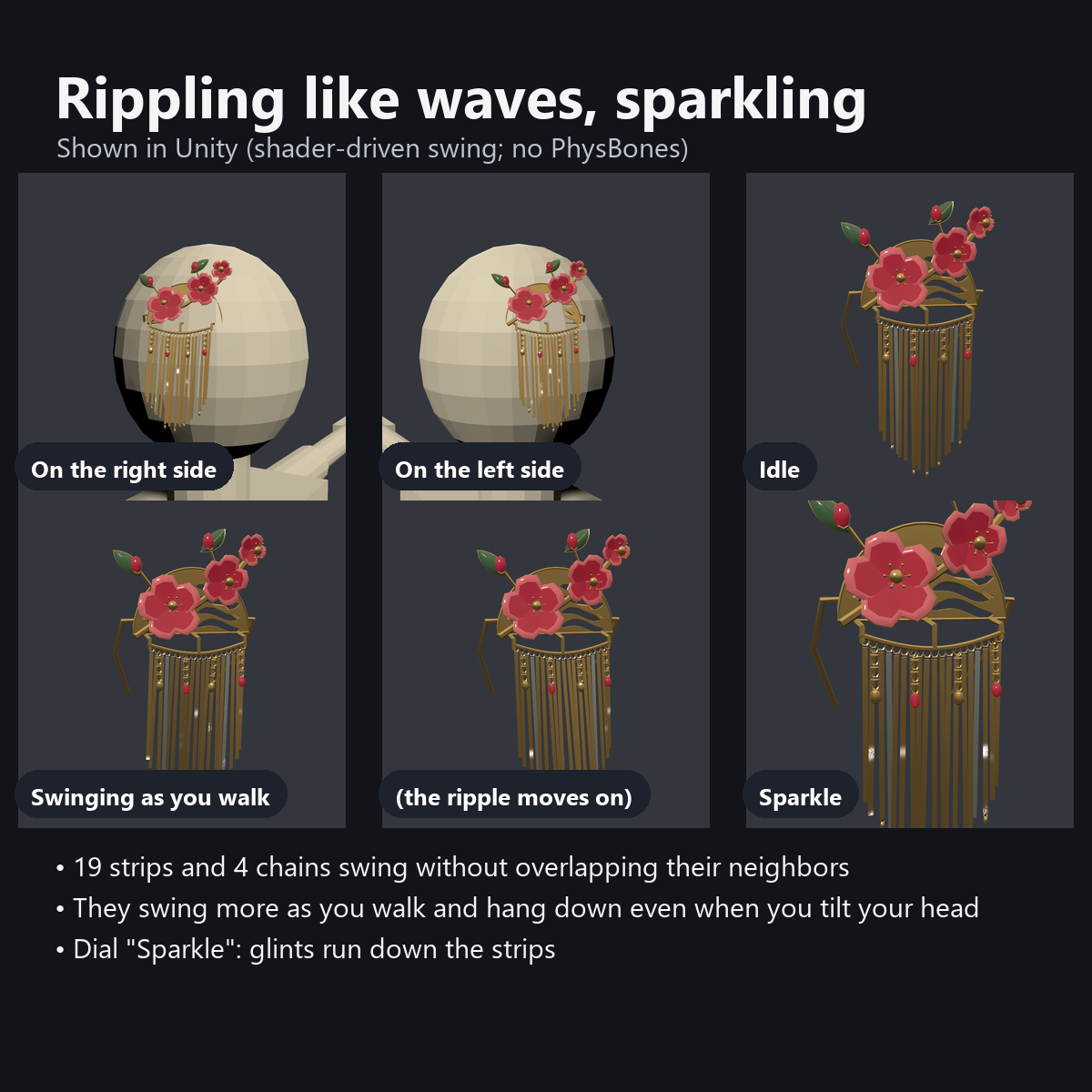
The strips ripple like waves, each slightly behind the next. They swing more when you walk and settle when you stop, and they hang down even when you tilt your head. The "Sparkle" dial sends small glints down the strips.
"Attach To" in the menu switches between the right side and the left side of the head. The two-pronged pin points into the hair.
Features
- 19 strips and 4 chains that swing: the front-back swing moves along the row like a ripple, and the side swing moves them all together, so neighboring strips never overlap
- Swings more when you walk and settles when you stop (no PhysBones; the walking speed sets the size of the swing). Hangs down when you tilt your head
- Sparkle: a dial for the glints that run down the gold and silver strips (0 turns them off), plus a bright flash when a strip turns toward the light
- Two places: right side / left side (above the temple; the blossoms face outward and the pin goes into the hair)
- Details: enamel plum blossoms (paler inner petals) with gold rims and 18 stamens, 2 buds, curved leaves with gold veins, a 1.2 mm fan-shaped plate with a pierced flowing-water pattern, 17 gold and 2 silver strips with 5 drop charms, chains with bells and enamel beads
- All motion is done by shaders (0 particles, 0 PhysBones, 0 bones). No lilToon needed (custom shader included)
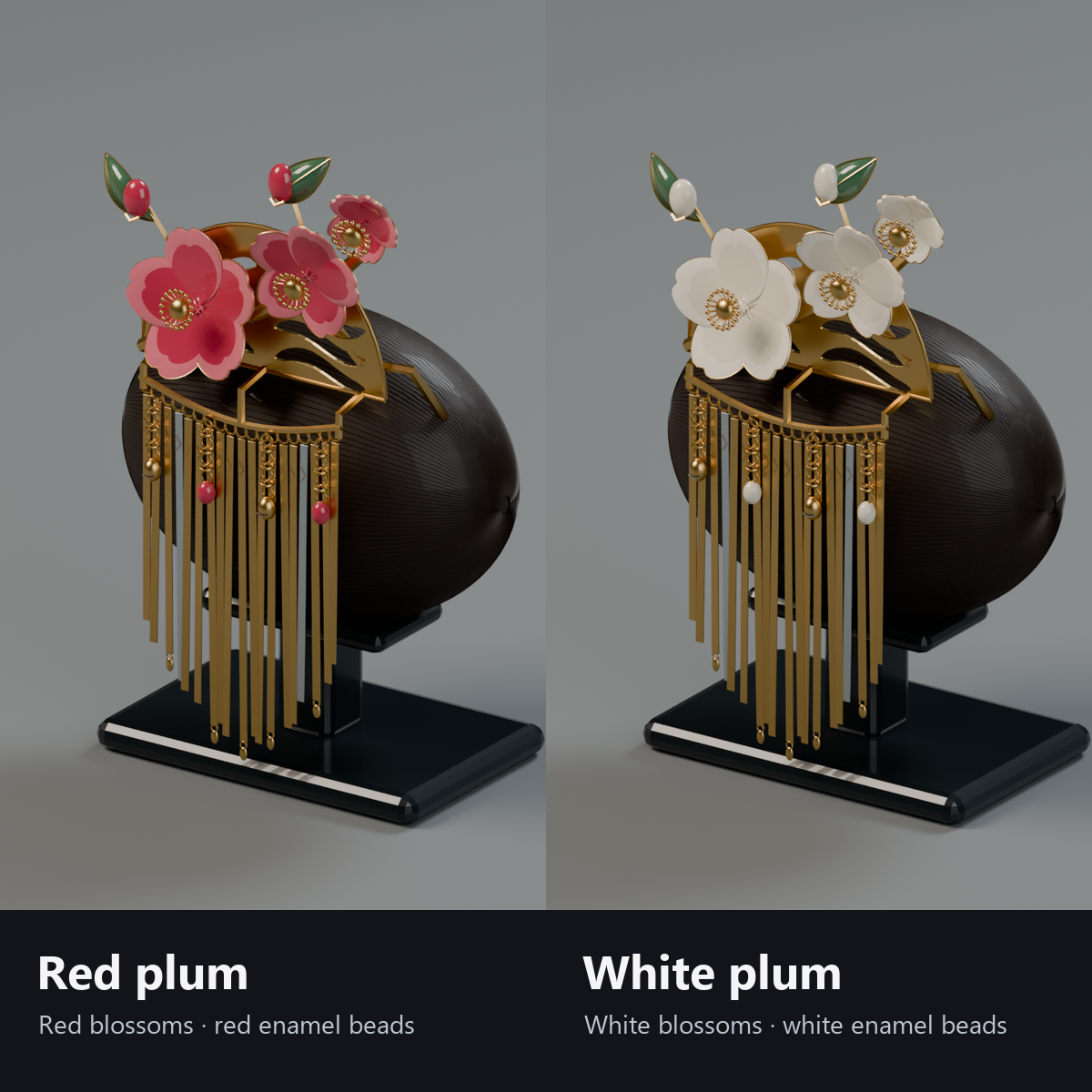
- 2 colors, both included: red plum (red blossoms and buds, red beads) / white plum (white blossoms and buds, white beads)
- Original design
How it moves
- The 23 dangles (19 strips and 4 chains) are one mesh. The hanging point of each dangle is stored in the mesh, and the shader turns each one around its own hanging point (still 1 material and 1 renderer).
- The front-back swing is delayed a little along the row, so it looks like ripples. The side swing moves all of them together, so neighbors do not overlap. The chains hang slightly in front of the strips, so they do not sink into them.
- The dangles always hang toward the world's down direction (toward the hair only a little).
- The swing size follows how fast your avatar walks (VRChat's VelocityMagnitude, smoothed): 0.35x when standing, 1x when walking. It uses no synced parameters.
Menu (English menu prefab)
- Dangling Kanzashi > Show: kanzashi on/off
- Dangling Kanzashi > Sparkle: a dial (0 turns the glints off)
- Dangling Kanzashi > Attach To: Right Side / Left Side
What's included
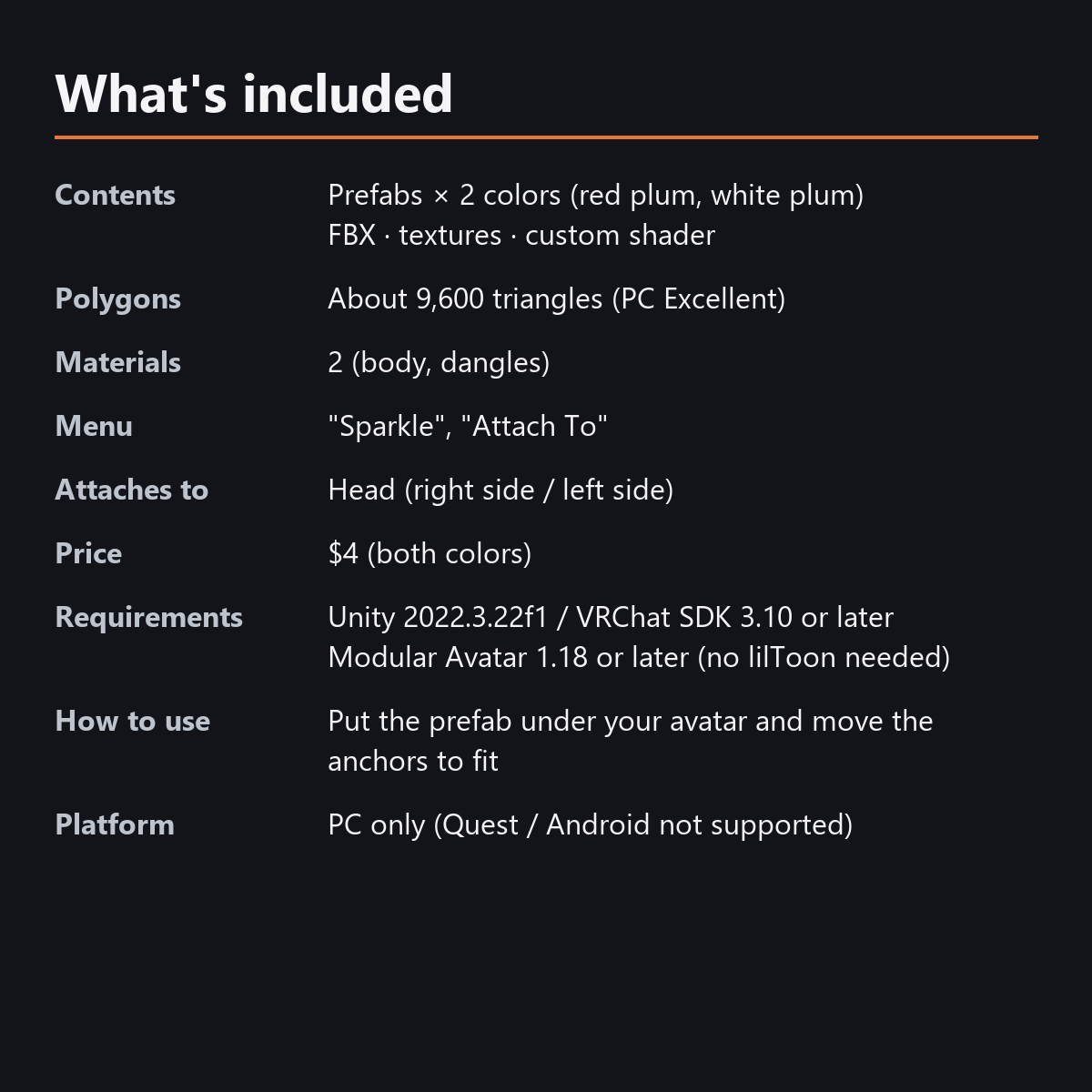
- Prefabs x 2 colors (red plum, white plum)
- FBX, textures (color atlas), 1 custom shader (shared by body and dangles), animations
- English-menu prefabs (_EN) next to the Japanese-menu prefabs. Use one or the other on an avatar, not both.
- Instruction manual and Terms of Use in English and Japanese
Specs
- Triangles: about 9,600 (9,588)
- Materials: 2 (body, dangles) / renderers: 2
- Synced parameters: 17 bits (Show, Sparkle, Attach To). The walk-driven swing uses no sync
- 0 particles, 0 PhysBones, 0 AudioSources
- Performance rank: PC Excellent overall (checked in the Unity test)
- Size: plate about 72 mm wide, blossoms about 80 mm across, strips about 60-82 mm long
- No extra skinned mesh
Requirements
- Unity 2022.3.22f1 (an avatar project made with VRChat Creator Companion)
- VRChat SDK (Avatars) 3.10 or later
- Modular Avatar 1.18 or later
- lilToon is not needed (custom shader included)
Please note
- PC only. Not supported on Quest / Android.
- The swing grows with your walking speed. Shaking your head alone does not make it swing much (the hanging direction does follow the tilt of your head).
- The swing is made by a shader, not physics. You cannot push it with your hand, and there is no sound.
- The strips move toward the hair only a little. On avatars with a lot of hair, move the anchor outward or tilt it more.
- Items attached to the head are normally hidden in VRChat's first-person view (mirrors, cameras and other people see them). Not yet checked inside VRChat.
- If a viewer's Safety settings hide shaders, the kanzashi is shown with a standard look and does not swing.
Terms of use
- You may upload it to VRChat and similar services on your own avatars, edit it, and use it in streams, videos and photos (commercial or not).
- You may not redistribute, resell or share the data (edited or not), or use it to train AI.
- Full text: Terms_of_Use.txt in the download.
Also on BOOTH
This item is also sold on BOOTH, the Japanese marketplace.
How this was made (AI-Assisted)
The 3D shapes, materials, shaders and texts of this item were made with scripts written with AI assistance. A person checked how it looks and moves in Unity before release.