
商品描述
本商品包含 AI 生成的内容。
AI-Assisted: the 3D shapes, materials, shaders and listing texts were made with scripts written with AI assistance. A person checked how it looks and moves in Unity before release.
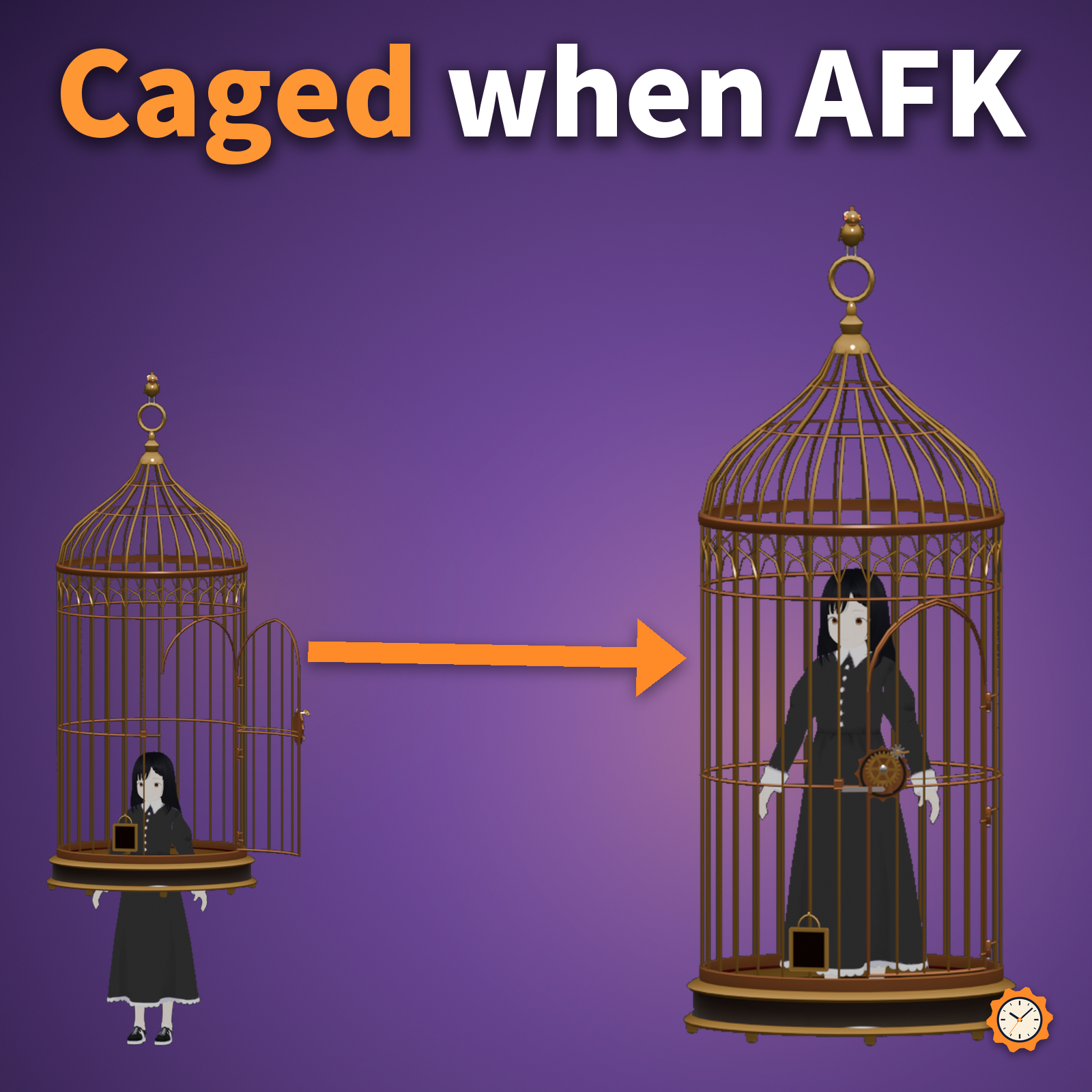
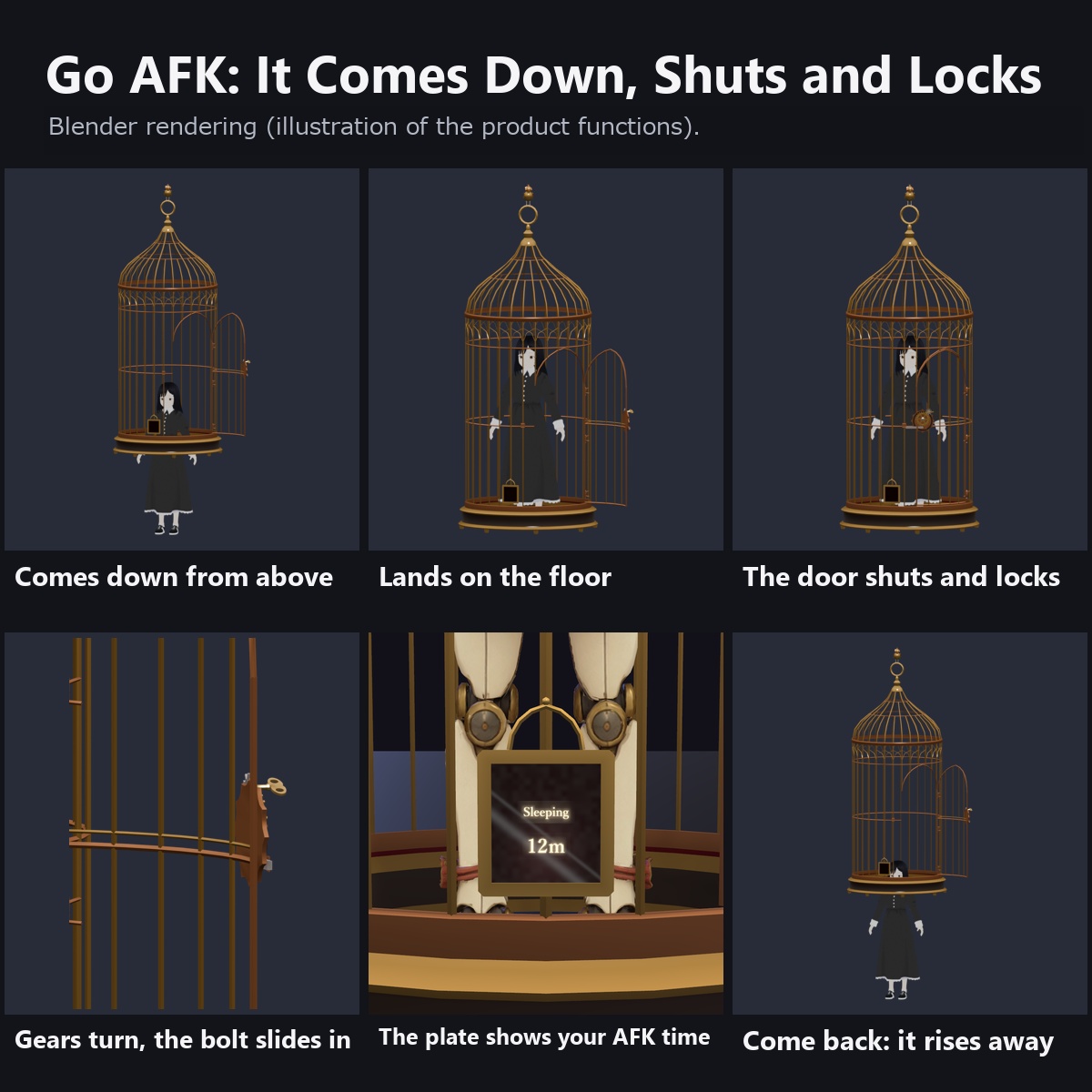
Go AFK and a brass birdcage comes down from above your head. When it lands, the door shuts, a wind-up key turns and a geared lock clicks into place. The little brass bird on top tilts its head now and then.
Come back and it unlocks, the door opens, and the cage rises and fades away.
Features
- Automatic when you go AFK: it watches VRChat's AFK state. The cage appears, comes down, shuts and locks. Use Get In in the menu to lock yourself in by hand
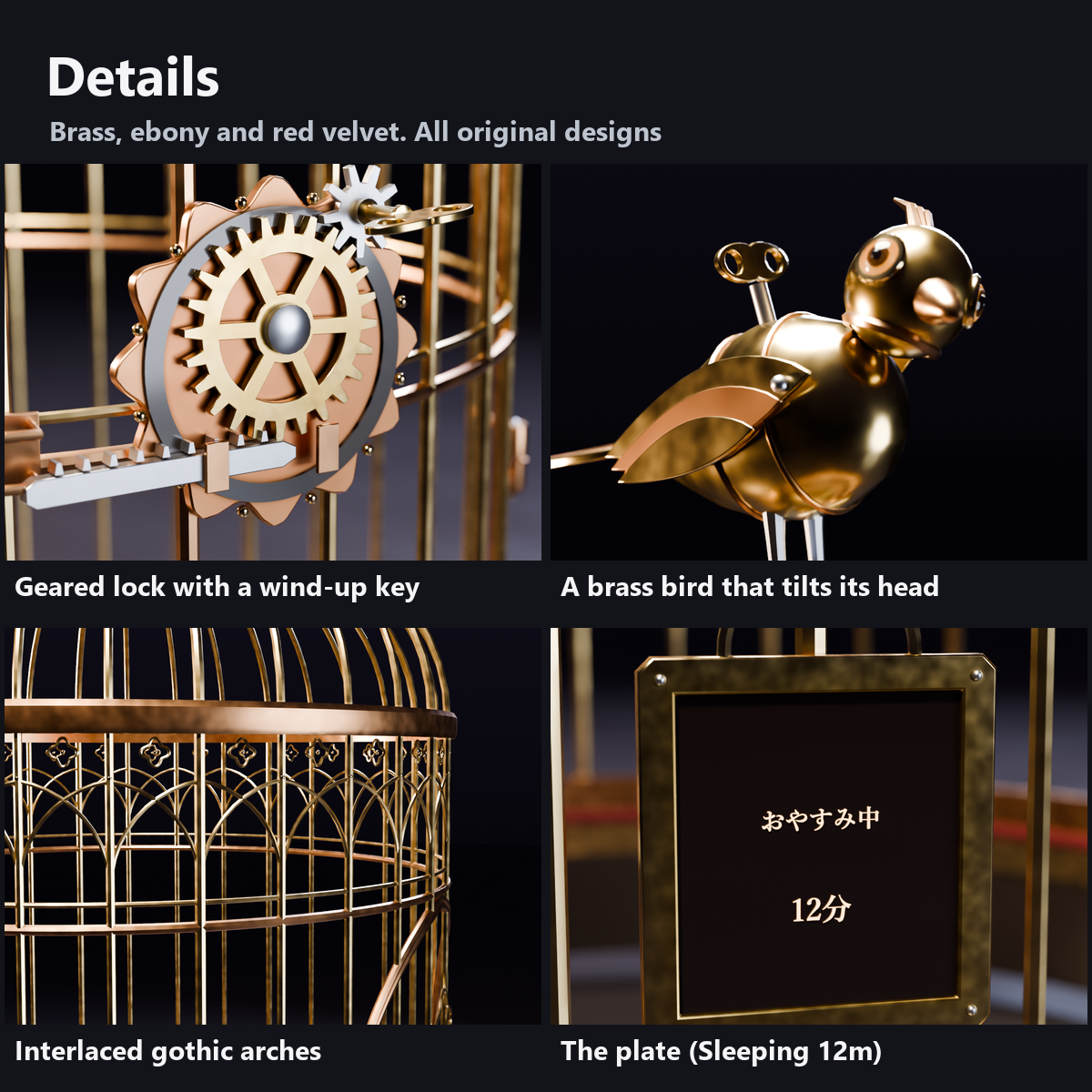
- Geared lock: the wind-up key turns the large gear, and a toothed bolt slides into the catch
- A brass bird on top: a little bird with a wind-up key on its back tilts its head and looks around every 7 seconds
- The plate: once locked, a small plate lights up with "Sleeping" and how long you have been away (12m, 1h 05m...)
- Gothic details: a bell-shaped dome, interlaced pointed arches and quatrefoils, a pointed-arch door with scrolls, an ebony base with ball feet, a red velvet rim
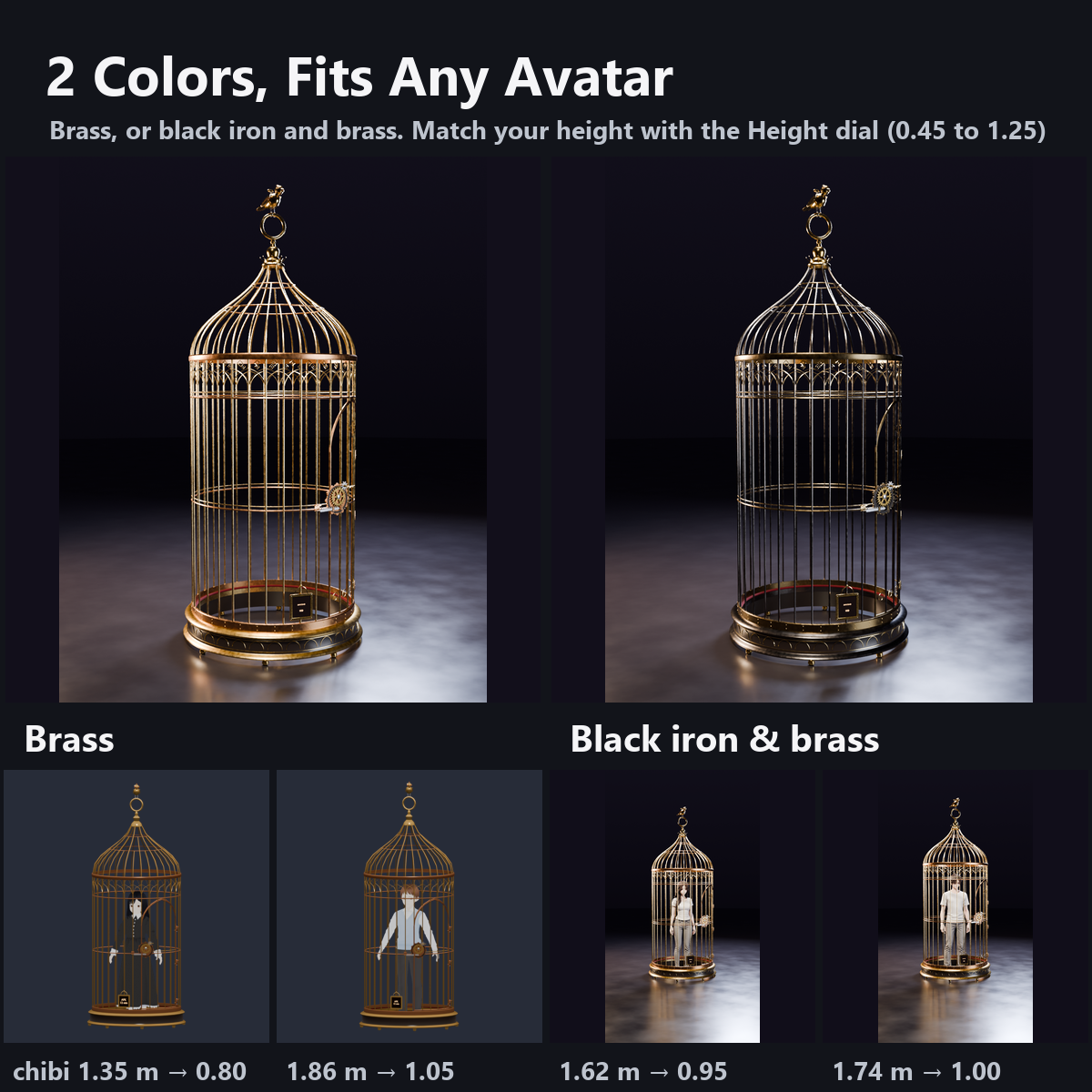
- 2 colors: brass, and black iron with brass ornaments
- Fits any avatar: it does not change your pose, it just surrounds you. The Height dial (0.45 to 1.25) fits avatars from chibi (about 1.2 m) to 1.85 m
- Everything moves with shaders and animations: 0 particles, 0 PhysBones, no sound. Custom shaders included (no lilToon needed)
- Modular Avatar ready. The cage stands on the floor at your feet. All designs are original
What to know before getting it
- VRChat decides when you are AFK: taking off the headset (proximity sensor) or pressing the End key. On desktop, use the End key.
- AFK motions that lie down or sit make the body go outside the cage. Turn them off, or turn Auto Close OFF and use Get In. Arms held out in a T-pose also go through the bars.
- The timer counts on each viewer's device from when they saw the cage come down; late arrivals see it from 0 minutes.
- We checked the movement with the Unity test and with a video played with the same animation values. We have not checked it in VR headsets.
Menu (English menu prefab)
- AFK Birdcage > Show: use the birdcage or not (when OFF it does not come down even if you go AFK)
- AFK Birdcage > Auto Close: when ON, it comes down and locks automatically when you go AFK (ON at first)
- AFK Birdcage > Get In: lock yourself in by hand (press again to unlock; the cage rises and disappears)
- AFK Birdcage > Height: cage size 0.45 to 1.25 times (1.0 at first), to match your avatar's height
What's included
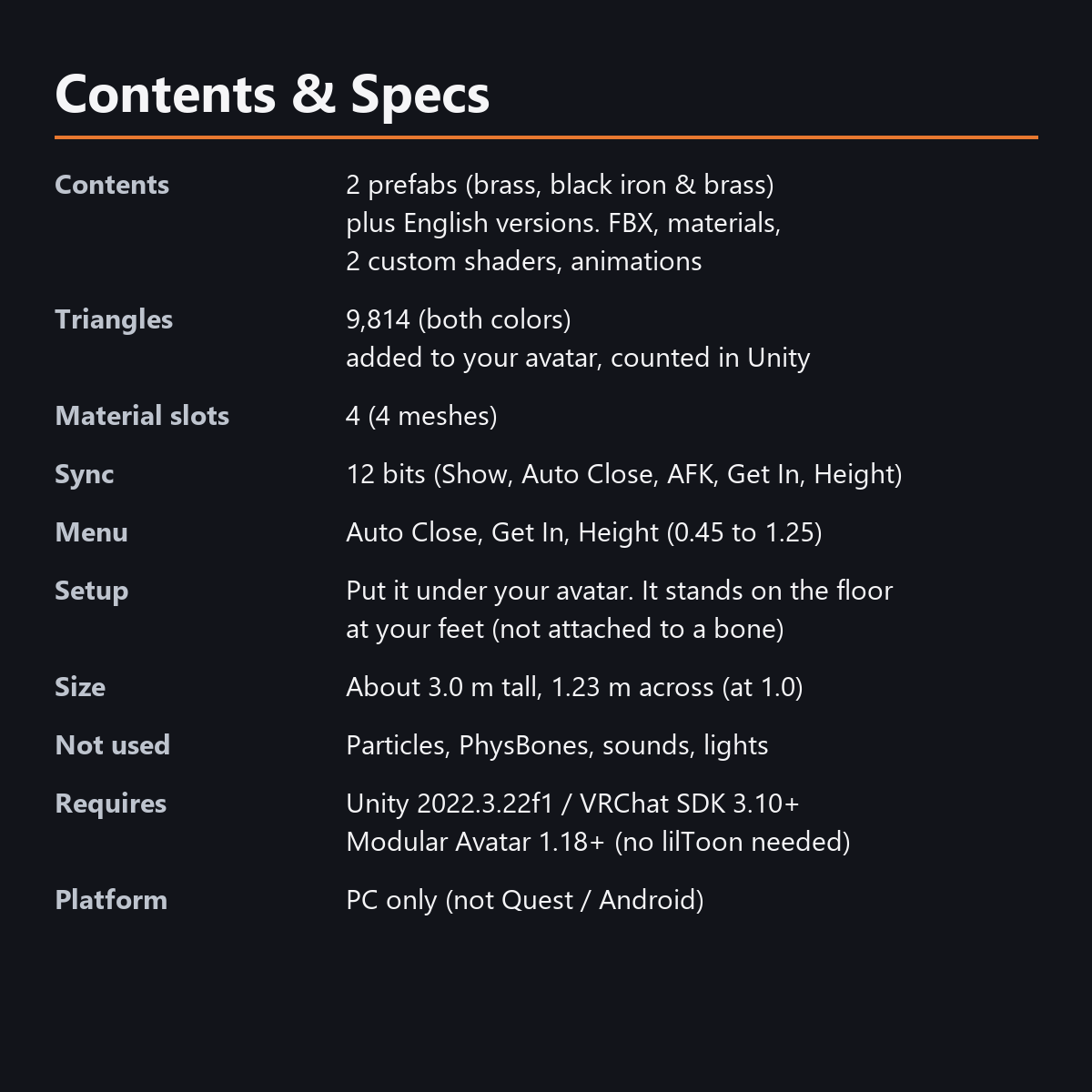
- 2 prefabs (brass and black iron) and English-menu prefabs (_EN). Use one of them on an avatar
- 2 FBX files, textures (color atlas, plate text), materials, 2 custom shaders (cage, plate), animations
- Instruction manual and Terms of Use in English and Japanese
Specs
- Added to your avatar (counted in Unity): 9,814 triangles, 4 meshes, 4 material slots
- Synced parameters: 12 bits (Show, Auto Close, AFK, Get In, Height)
- No Particle Systems, PhysBones, AudioSources, Contacts or lights
- Size: about 3.0 m tall and 1.23 m across at Height 1.0
Requirements
- Unity 2022.3.22f1 (an avatar project made with VRChat Creator Companion)
- VRChat SDK (Avatars) 3.10 or later
- Modular Avatar 1.18 or later
- lilToon is not needed (custom shaders included)
Please note
- PC only. Not supported on Quest / Android.
- In the Unity editor it stands still (door shut, lock open, sample plate). The motion happens inside VRChat.
- If a viewer's Safety settings hide shaders, the cage is shown with a standard look and the effects are not shown.
Terms of use
- You may upload it to VRChat and similar services on your own avatars, edit it, and use it in streams, videos and photos (commercial or not).
- You may not redistribute, resell or share the data (edited or not), or use it to train AI.
- Full text: TermsOfUse_EN.txt in the download.
How this was made (AI-Assisted)
The 3D shapes, materials, shaders and texts of this item were made with scripts written with AI assistance. A person checked how it looks and moves in Unity before release.
Version history
v1.0 (2026-10-31): initial release.