
商品描述
本商品包含 AI 生成的内容。
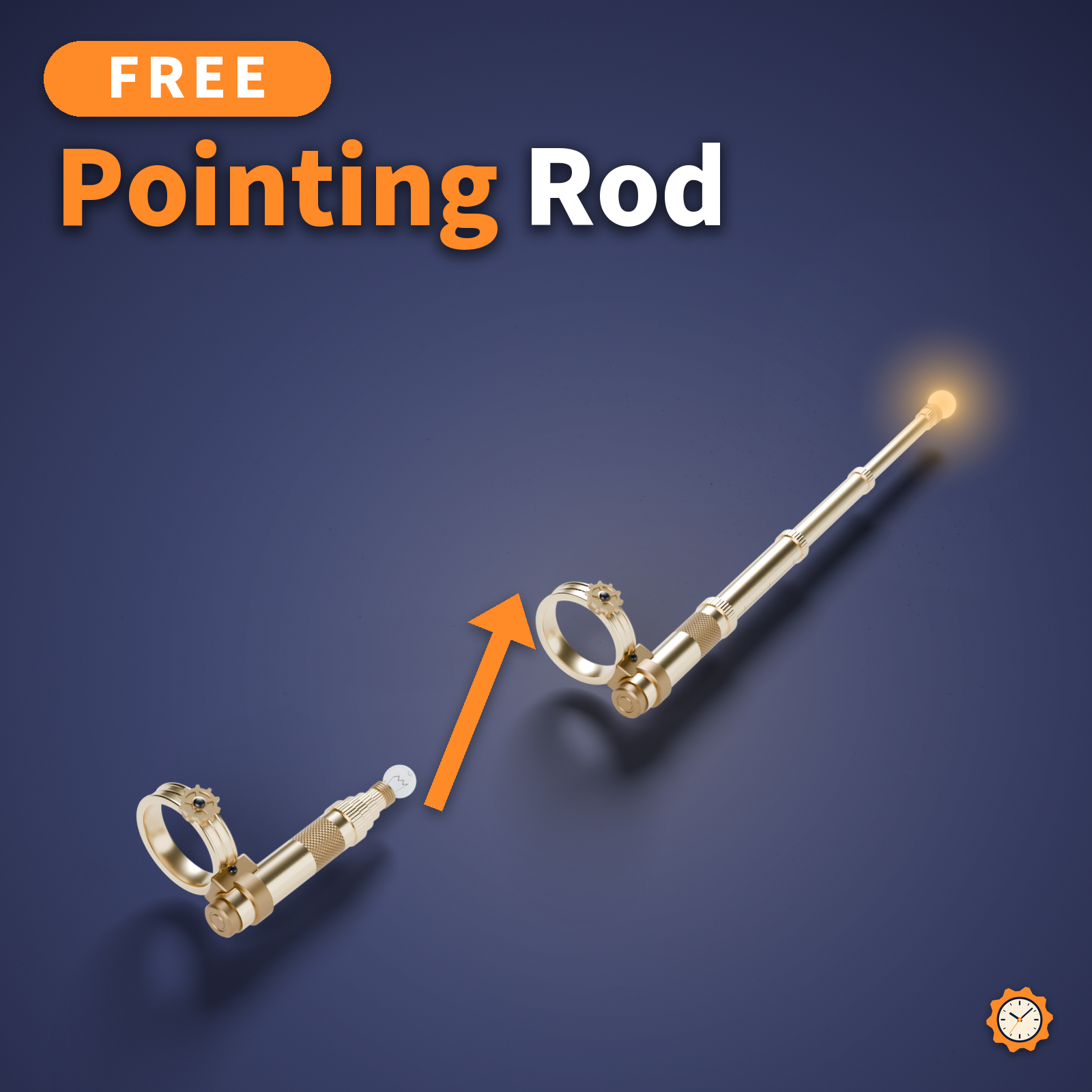
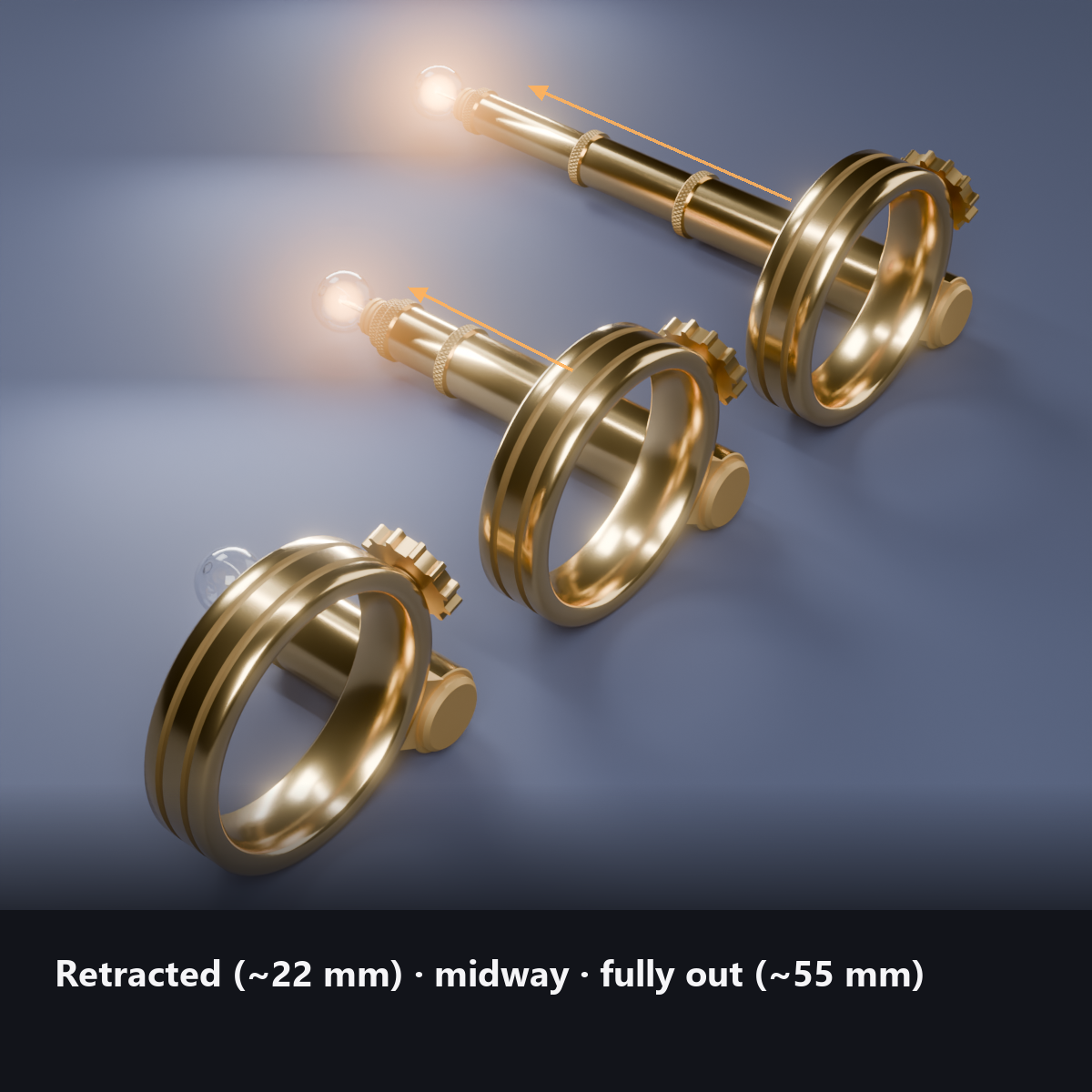
A pointer that sits on a ring at the base of your index finger: a base tube and three telescoping sections (about 22 mm closed, about 55 mm fully extended).
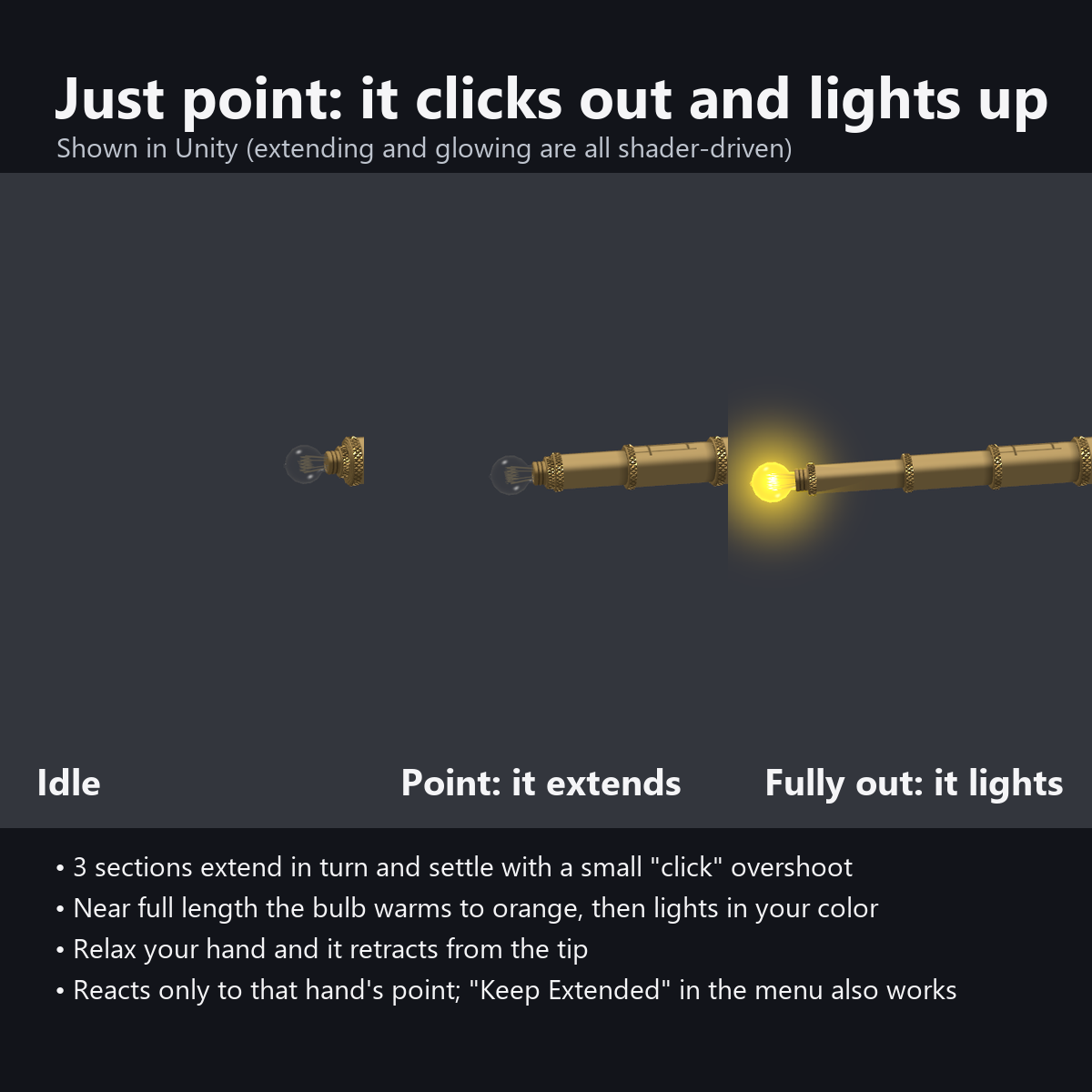
Make the pointing gesture and the sections click out one after another from the base, then the small bulb at the tip lights up. Relax your hand and it retracts, tip section first. You do not need your other hand or the menu.
Useful for explaining, guiding people, and "over here!" in group photos.
This item is free, so you can try out Karakuri Komono's items. If you like it, following the shop helps a lot.
Features
- Extends when you point: hold the pointing gesture with the hand it is on for 0.15 seconds, and the three sections extend with a slight delay between them (about 0.5 seconds)
- Mechanical motion: each section overshoots a little and settles with a "click", the gear on the ring turns as it extends, and thin shadows appear at the joints when it is fully out
- A bulb you can see into: the filament glows orange first and then turns the chosen color, like an incandescent bulb, with a soft glow around it
- Lamp color by dial (red to purple to pink, then white and rainbow). Same color table as our Penlight and LED Wristband
- In AudioLink worlds the bulb flickers with the bass (no menu needed; turns off automatically in other worlds)
- Choose the hand: right index finger (default) or left index finger. On the left hand the shape is mirrored so the gear always sits on the thumb side
- "Keep Extended" in the menu extends it without the gesture (for desktop users and people who do not use gestures)
- 2 sizes: for realistic hands, and "_S" (0.85x) for stylized hands
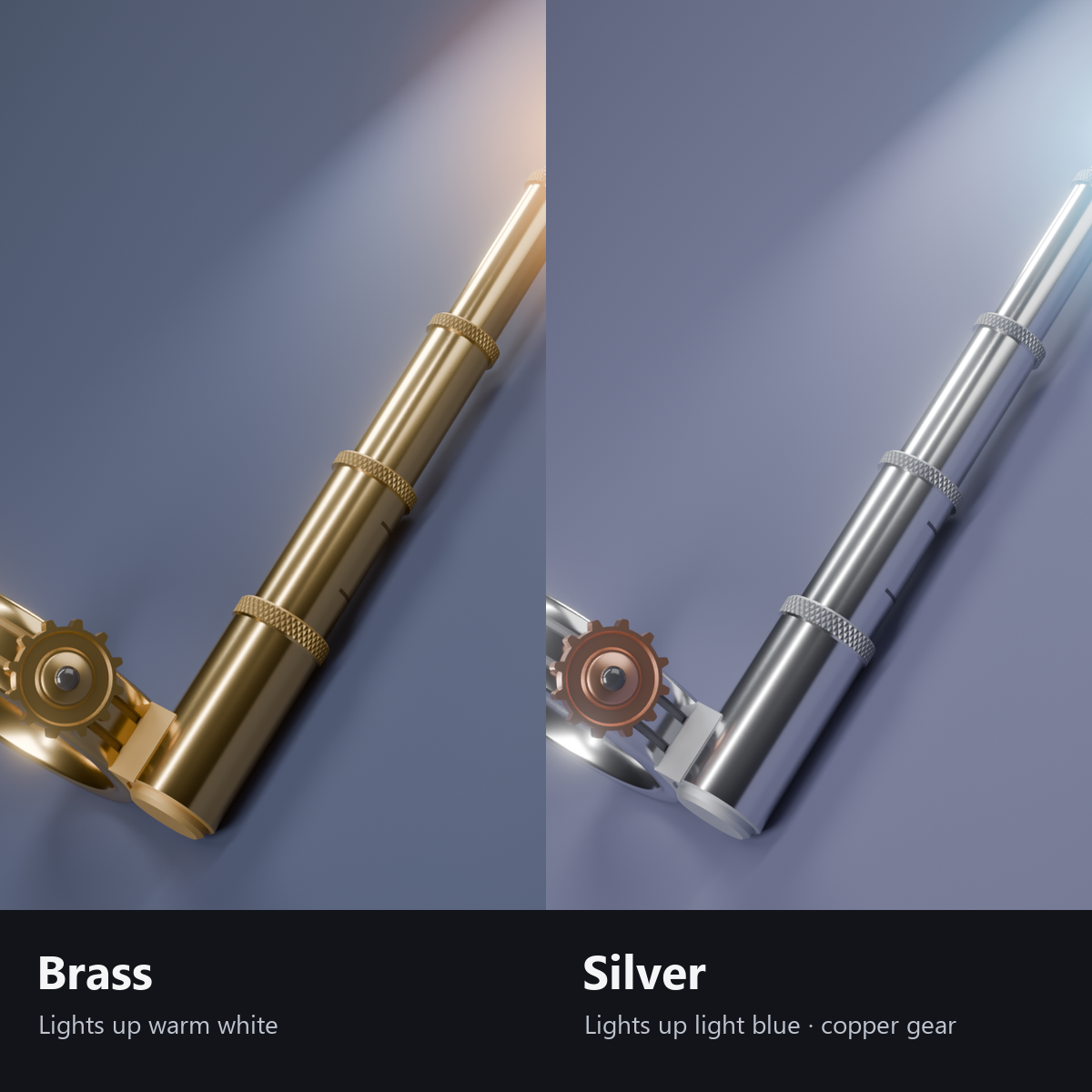
- 2 colors: Brass (lamp starts in warm white) / Silver (lamp starts in light blue, copper gear)
- Details: diamond-knurled collar, scale marks on the first section, two grooves on the ring, a threaded bulb socket, a 12-tooth gear with black enamel pin heads, and a filament inside the glass bulb
- Custom shaders included; no need to install lilToon
- Modular Avatar ready: put it under your avatar and fit it to the base of the index finger (switch right/left in the menu)
How it works
- Your own device watches the pointing gesture (VRChat's standard gestures) of the hand it is on and passes it to everyone through one synced bit. It reacts only after 0.15 seconds, so it does not extend while your hand is passing through other shapes.
- Each device smooths the extension, and a shader moves the sections one by one (no bones, PhysBones or animated parts).
- The bulb starts to light just before the pointer is fully extended.
Menu (English menu prefab)
- Pointer > Show: pointer on/off
- Pointer > Keep Extended: keep it extended without pointing (for desktop users and photos)
- Pointer > Lamp Color: dial (red, yellow, green, light blue, blue, purple, pink, then white and rainbow at the right end)
- Pointer > Hand: Right Index Finger / Left Index Finger
What's included
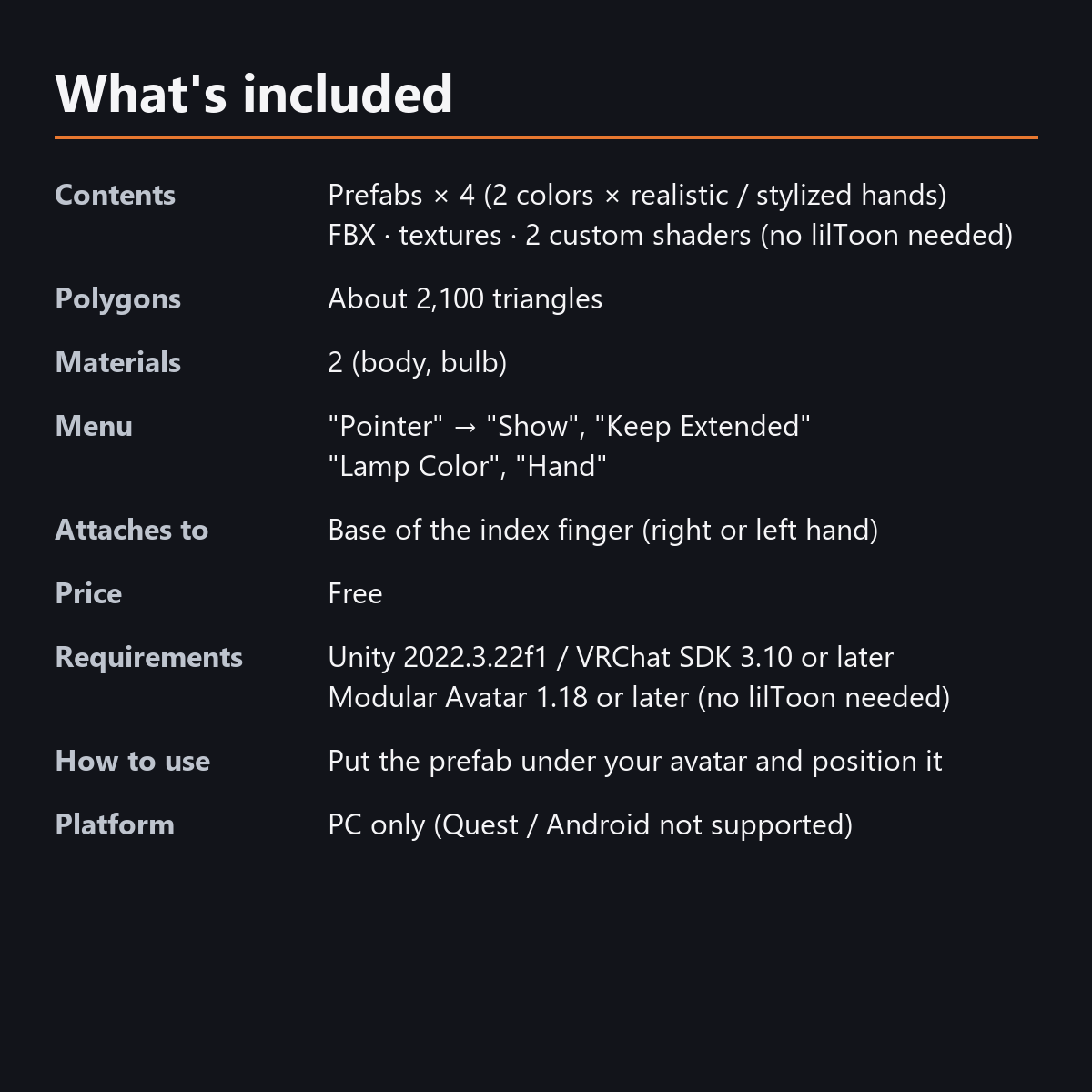
- Prefabs x 4 (brass and silver, each for realistic hands and for stylized hands "_S")
- FBX, textures, 2 custom shaders (body, bulb), animations
- English-menu prefabs (_EN) next to the Japanese-menu prefabs. Use one or the other on an avatar, not both.
- Instruction manual and Terms of Use in English and Japanese
Specs
- Added to your avatar (counted in Unity): 2,062 triangles, 2 meshes, 2 material slots (body, bulb), 0 PhysBones
- Synced parameters: 20 bits (Show, right point, left point, Keep Extended, Hand, Lamp Color)
- All counts follow VRChat's rules (hidden parts are counted too) and show how much one prefab adds to your avatar.
- The VRChat performance rank depends on the total with your avatar, so this item alone does not decide it.
- Pointing uses VRChat's standard gestures (GestureRight / GestureLeft), so it works on other people's screens too
- No Particle Systems, PhysBones, Contacts or Lights
- No extra skinned mesh
Requirements
- Unity 2022.3.22f1 (an avatar project made with VRChat Creator Companion)
- VRChat SDK (Avatars) 3.10 or later
- Modular Avatar 1.18 or later
- lilToon is not needed (custom shaders included)
Please note
- PC only. Not supported on Quest / Android.
- It extends only when the hand it is on makes the pointing gesture. Pointing with the other hand does nothing.
- On avatars with changed gesture assignments, it extends only with the point gesture (Gesture 3). Use "Keep Extended" in that case.
- Put only one size on an avatar (realistic-hand or "_S"). They share the same menu and synced parameters.
- It does not extend in the Unity editor. Use "Extend (manual / preview)" on the material to check the extended shape.
- If a viewer's Safety settings hide shaders, the tube is shown fully extended and the bulb is hidden.
- The rod that extends with your pointing gesture, and the menu controls: they move only inside VRChat (including Build & Test) or with Gesture Manager. If they look still in the Unity Editor, nothing is broken.
Terms of use
- You may upload it to VRChat and similar services on your own avatars, edit it, and use it in streams, videos and photos (commercial or not).
- You may not redistribute, resell or share the data (edited or not), or use it to train AI.
- Full text: TermsOfUse_EN.txt in the download (Japanese original: TermsOfUse_JA.txt).
Update history
- v1.2 (2026-10-13): Uploads without pressing Auto Fix in VRChat SDK 3.10 (fixed mesh Read/Write, Legacy Blendshape Normals). The shaders support Single Pass Instanced rendering in VR (the look outside VR is unchanged). Manual and description updated (counts are now what the item adds to your avatar, measured in Unity; how it looks in the Editor). The included documents now have English-only file names. The GUIDs are the same as before, so importing it over the old version replaces it.
- v1.1: English-menu prefabs (_EN) and English documents
- v1.0: First release
Also on BOOTH
This item is also sold on BOOTH, the Japanese marketplace.
How this was made (AI-Assisted)
The 3D shapes, materials, shaders and texts of this item were made with scripts written with AI assistance. A person checked how it looks and moves in Unity before release.