
商品描述
VRCGuardian: crash protection for VRChat
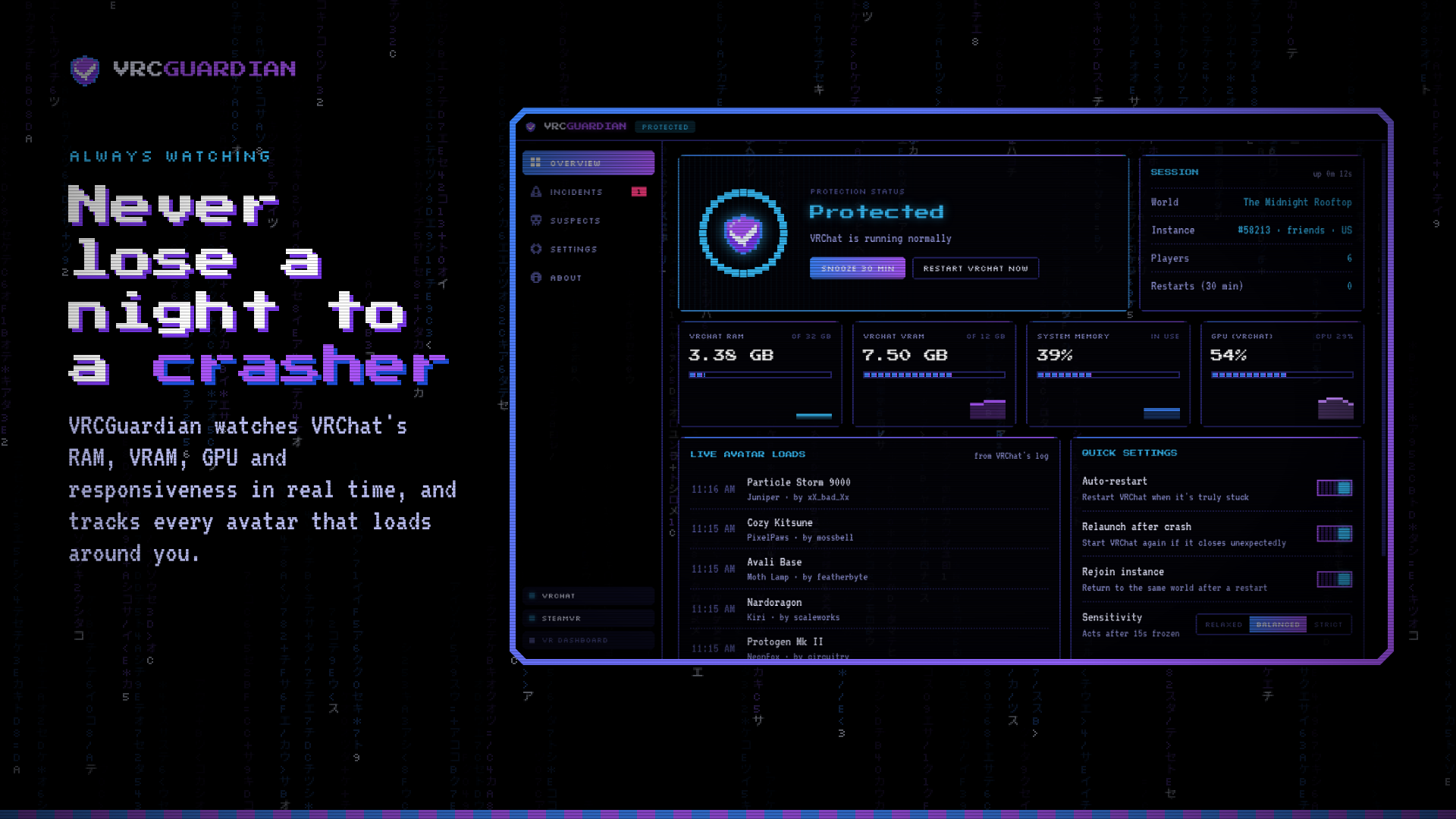
Tired of crasher avatars ending your night? VRCGuardian watches VRChat in the background. When it truly freezes or crashes, VRCGuardian restarts it and puts you back in the instance you were in.
Smart, not annoying
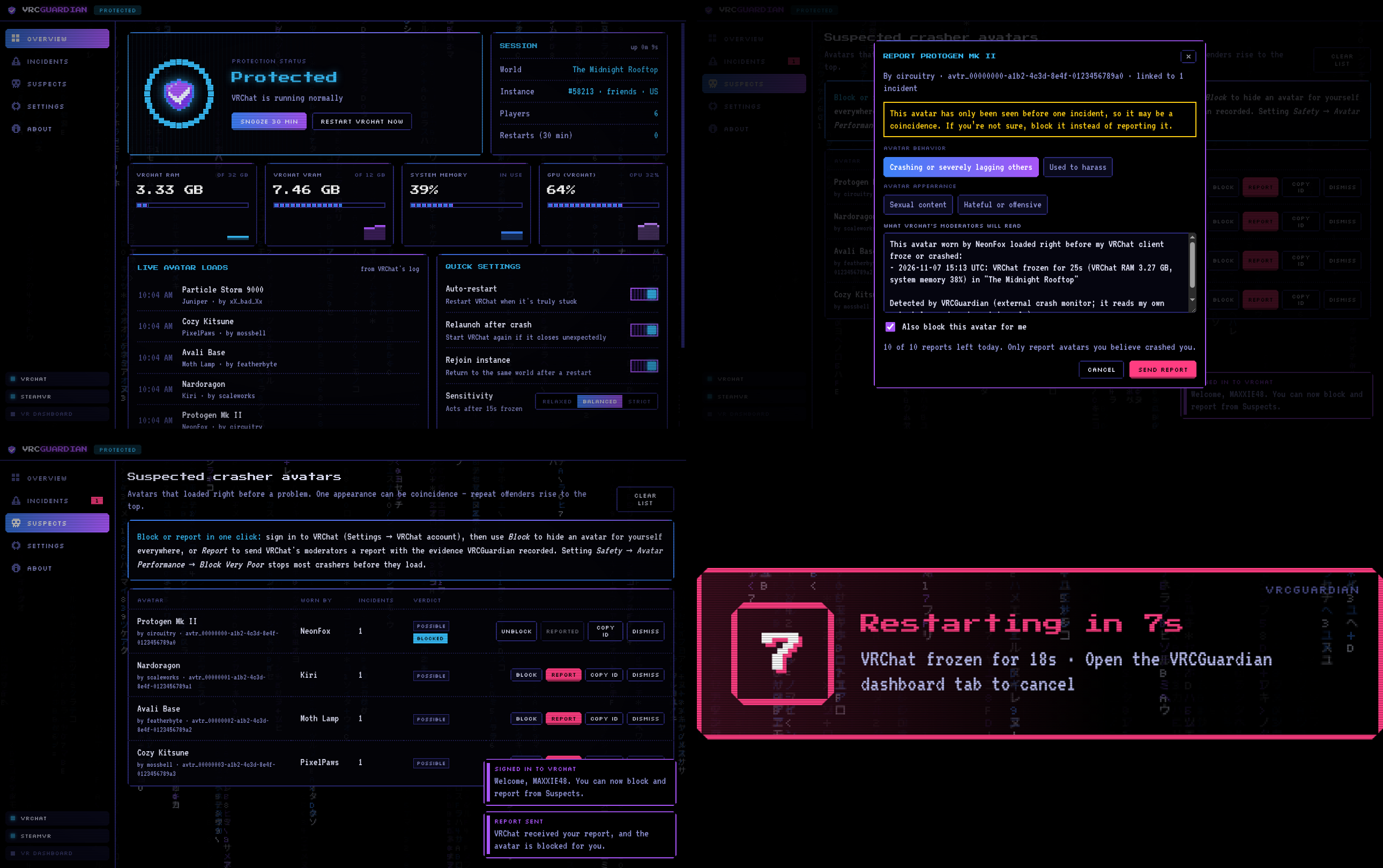
VRCGuardian only steps in when VRChat is really stuck: a long freeze, memory running out, or a crash. It gives VRChat extra time while worlds load and right after launch, so normal loading hitches never trigger a restart. Before it acts, you get a countdown you can cancel, and if VRChat recovers on its own, nothing happens. A built-in limit means it can never get stuck restarting over and over.
Find out who did it
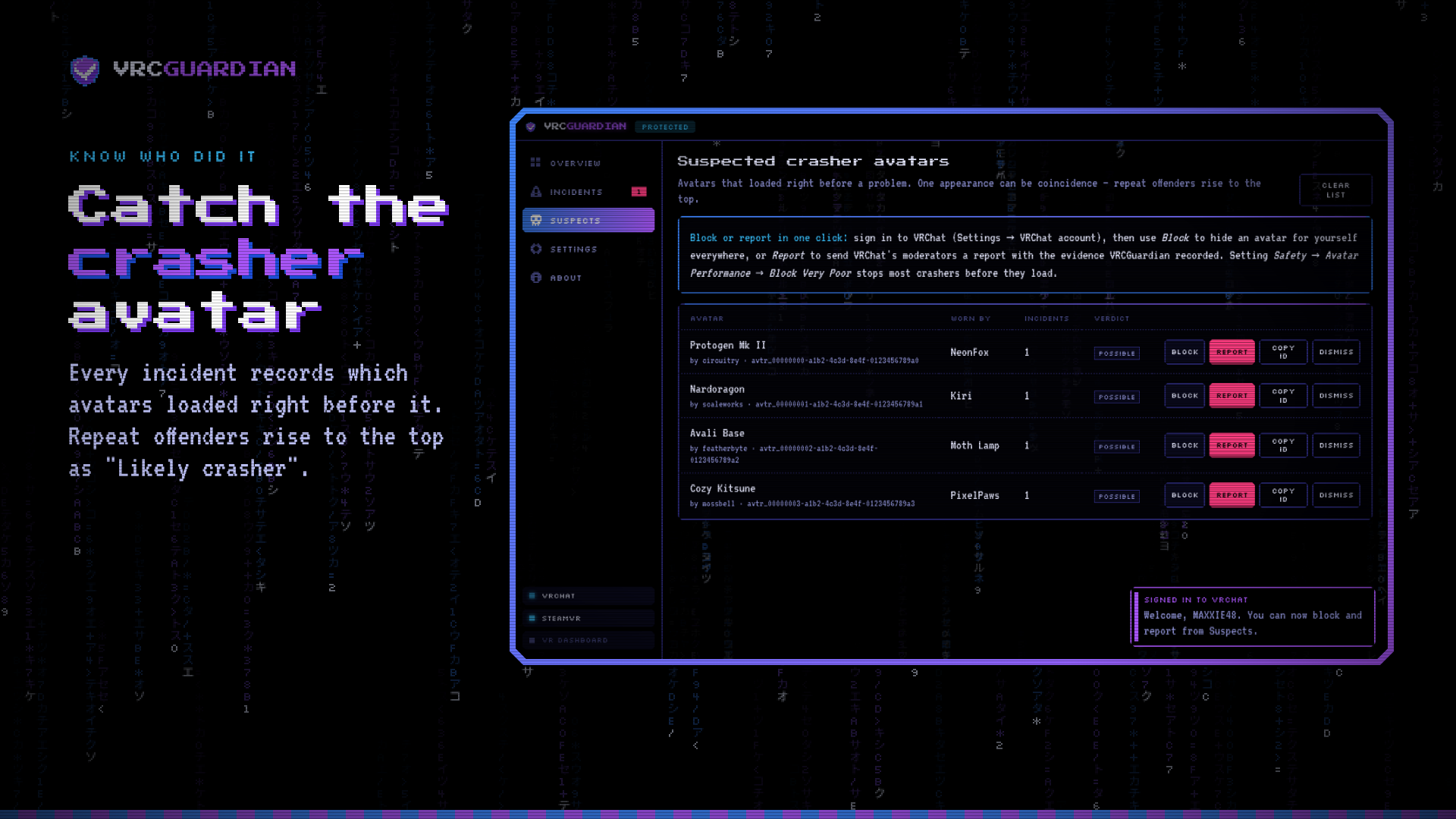
Every incident records which avatars loaded right before the problem. Avatars that keep showing up get flagged as “Likely crasher”, along with who was wearing them.
Block or report in one click
Sign in with your VRChat account to block a crasher avatar for yourself, or report it to VRChat’s moderators. The report comes pre-filled with what VRCGuardian recorded. Your password goes only to VRChat and is never saved.
Made for VR
VRCGuardian has its own tab in the SteamVR dashboard that works with your laser pointer, and it shows countdowns right in your headset. It starts automatically with SteamVR, and it works for desktop mode too.
Safe by design
VRCGuardian never injects into VRChat, reads its memory, or modifies its files. It only reads VRChat’s own log files and the same system stats Task Manager shows, so it doesn’t interfere with Easy Anti-Cheat.
Features
- Automatic recovery from freezes and crashes
- Rejoins your instance after a restart, or sends you Home if that instance keeps crashing you
- Live RAM, VRAM, GPU and CPU monitoring
- Incident history and a suspect list
- One-click avatar block and report (needs a VRChat sign-in)
- SteamVR dashboard tab and in-headset alerts
- Setup wizard that also updates or repairs an existing install
- Dark pixel-art interface with matrix rain
Requirements
- Windows 10 or 11 (64-bit)
- VRChat on PC. SteamVR is optional and needed only for the VR dashboard.
VRCGuardian is an independent tool and is not affiliated with or endorsed by VRChat Inc. or Valve.