
Evening Star Warden's Lace Hat Set - VRChat Avatar Accessory / CP34
标签
商品描述
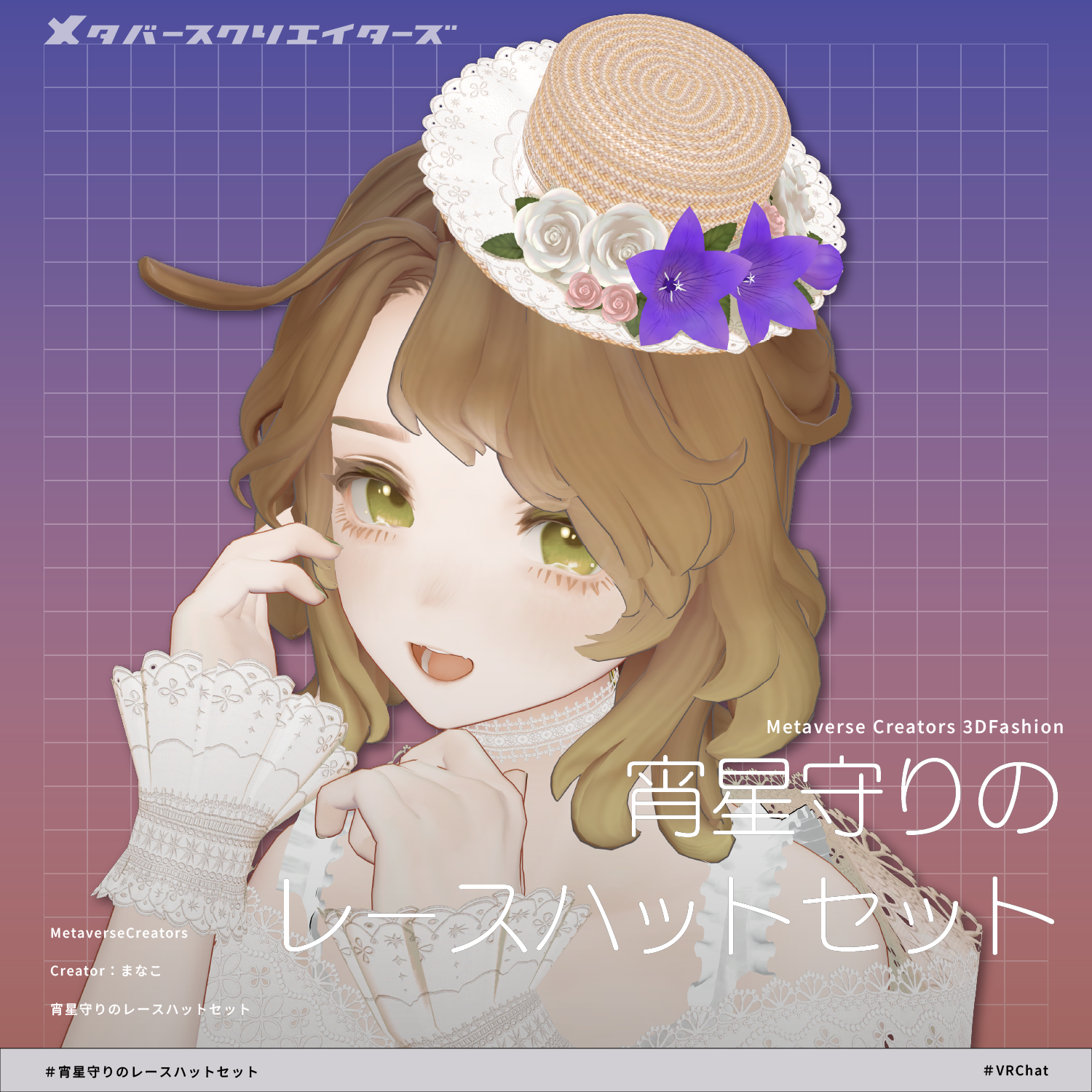
◆ Evening Star Guardian Lace Hat Set ◆
Creator: Siroikumazadan / Manaco
"Memories of Adornment"
The voice of you,
Floating within the light
Of the evening star.
Without even realizing I was waiting,
I bind this flower guardian.
As the first star lights up the twilight sky,
I suddenly remembered a beautiful voice,
Seeming to arrive from somewhere far away.
With a faint hope bound into the flower guardian,
I let it gently bloom upon my attire.
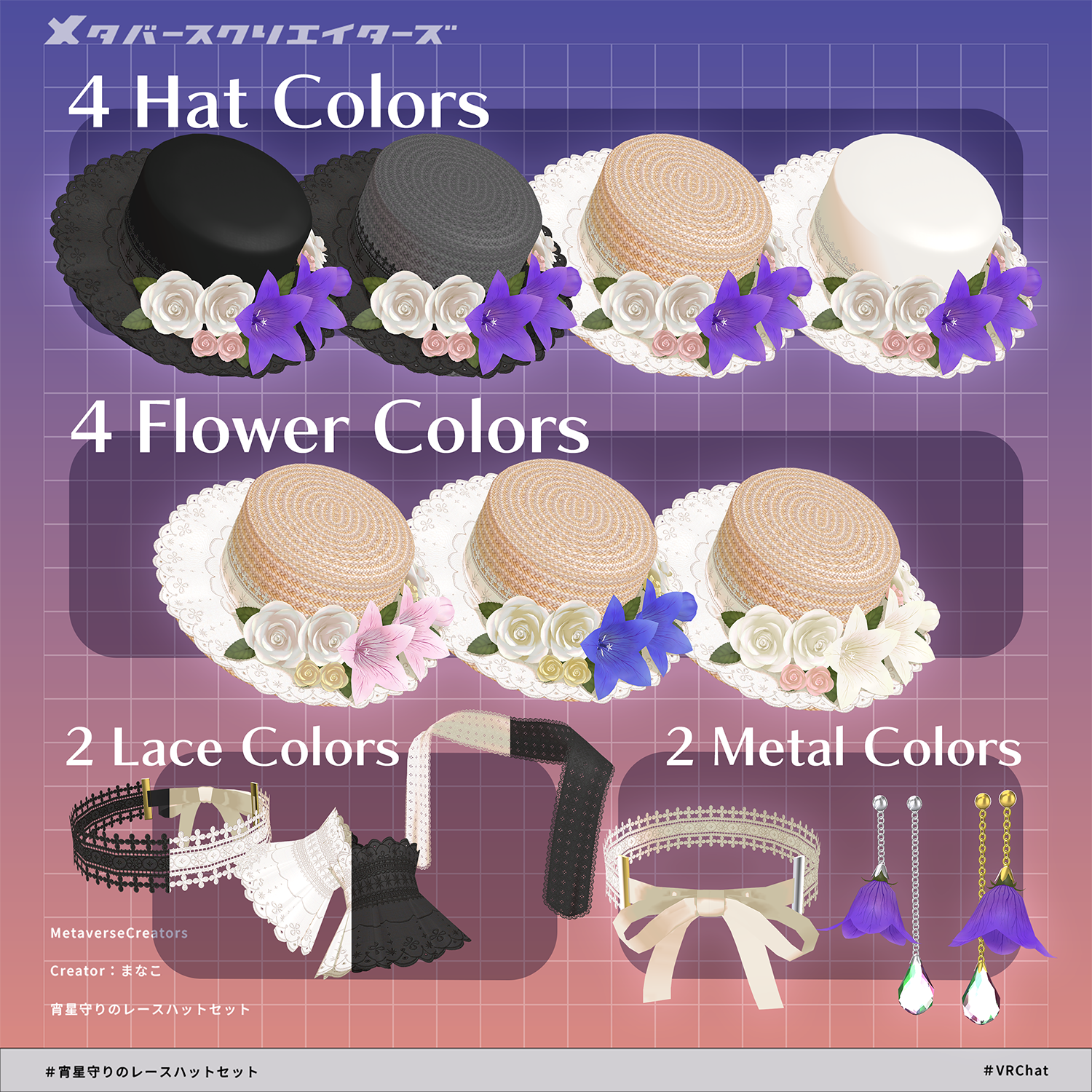
Combining bellflower ornaments reminiscent of stars with delicate lace,
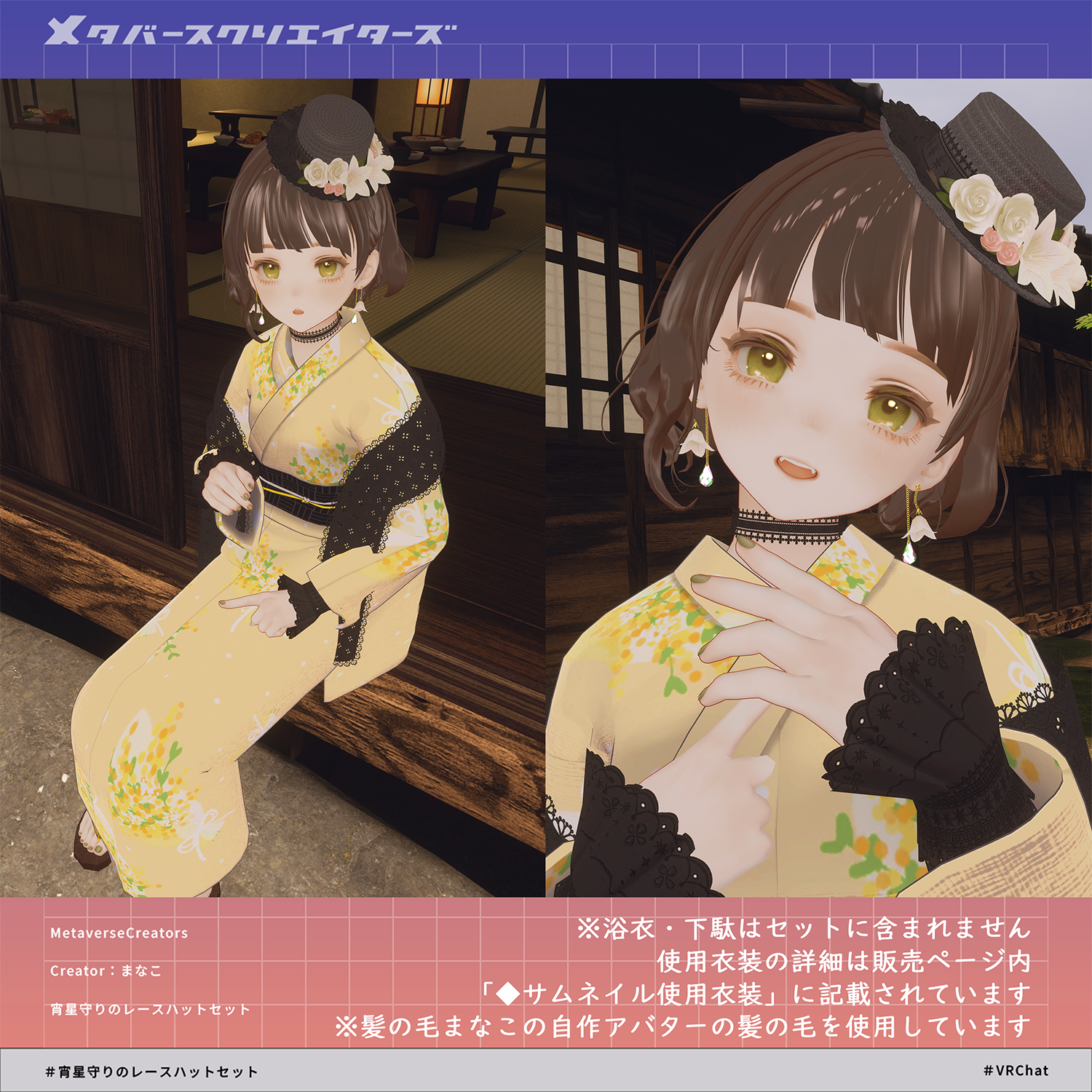
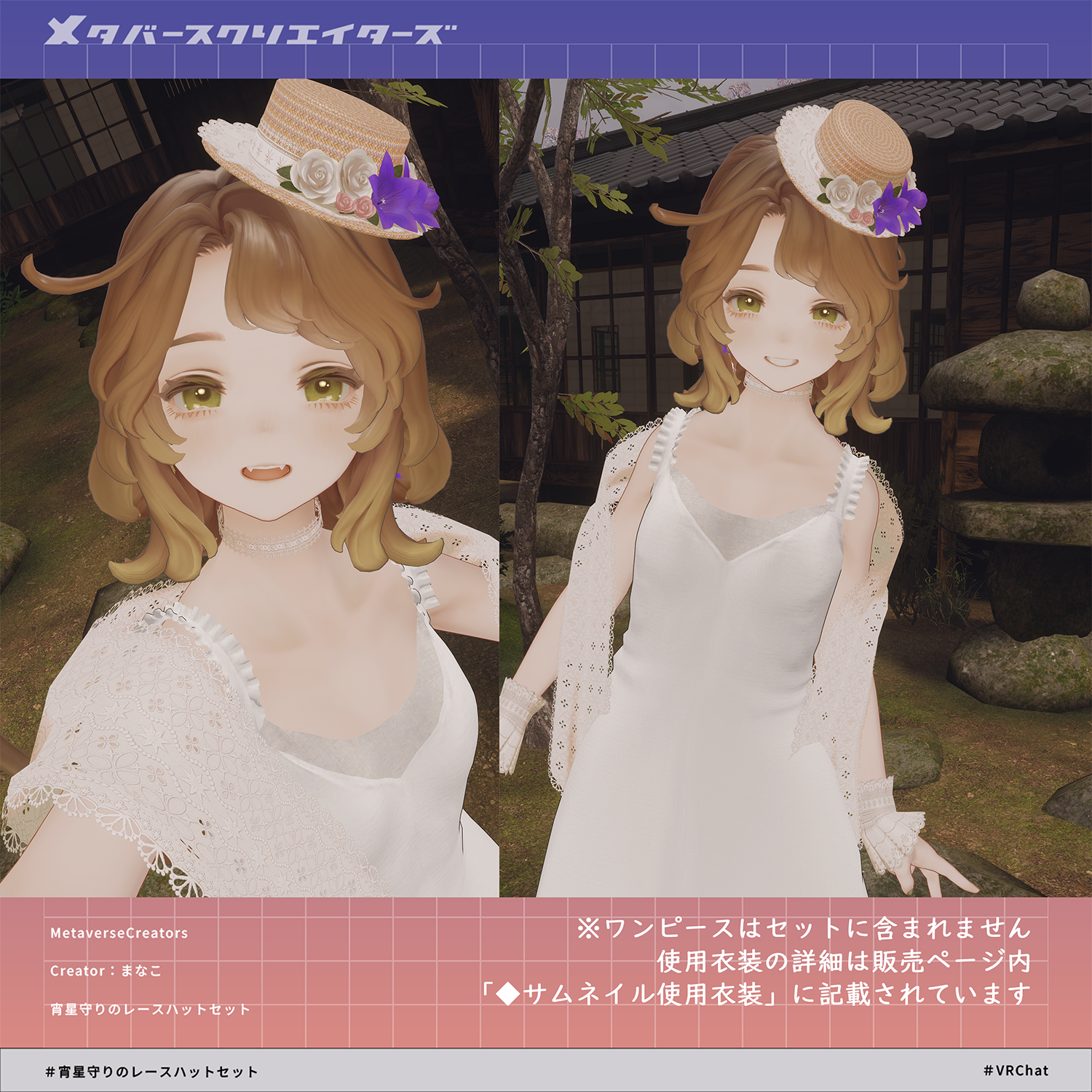
this set is designed to beautifully complement both Western and Japanese attire.
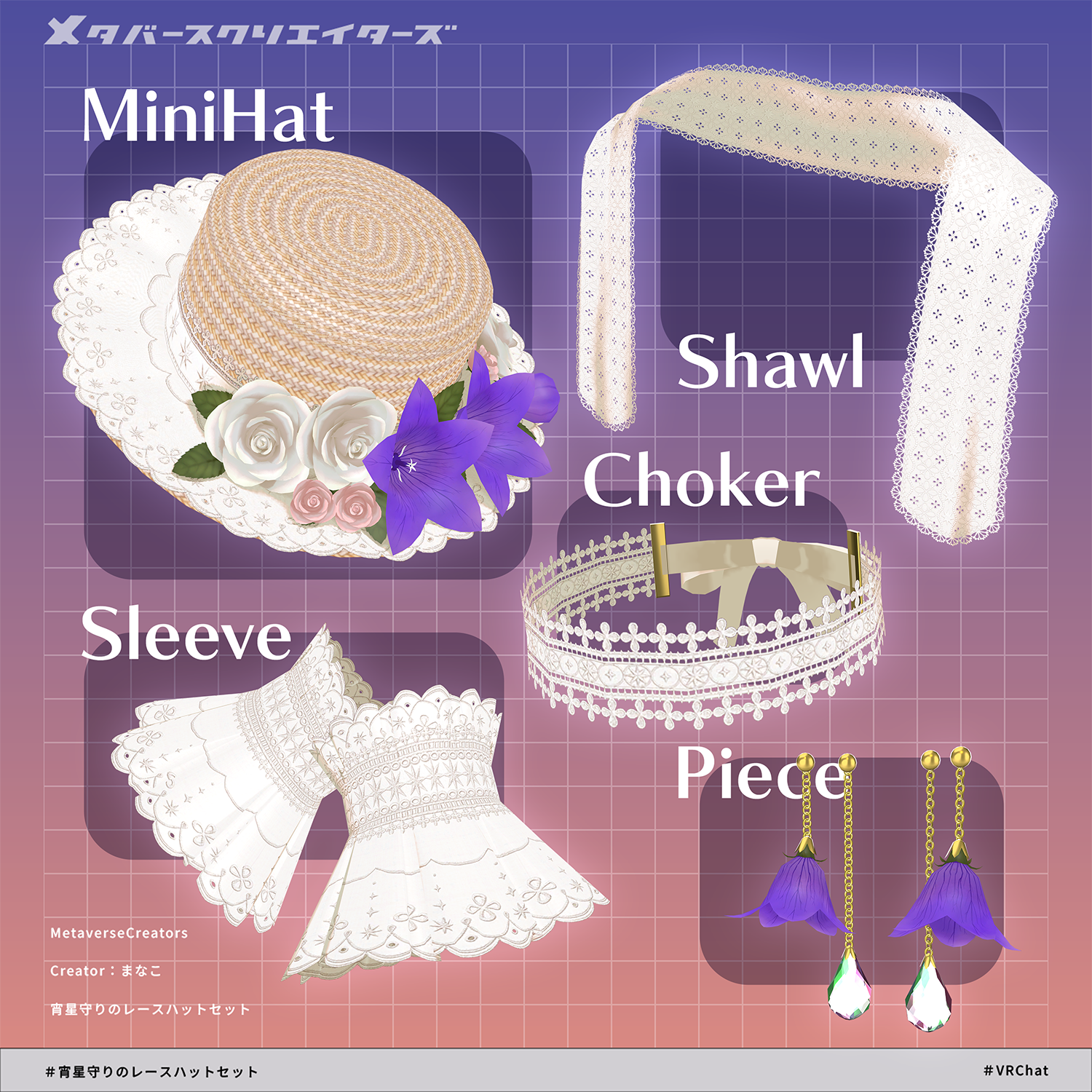
This is an accessory set containing a mini hat, choker, earrings, shawl, and detachable sleeves.
While designed compatibility-wise for Marycia, it is an accessory set that can fit various avatars.
This product is an accessory model for avatars. The avatar body data is not included.
Due to the nature of digital download products, returns and refunds are not accepted. Please check and agree to the product description and terms of use before purchasing.
◆ Item Overview
● Contents
EveningStarCharm_ACC.Unitypackage
FBX
Textures
PSD file for modification
ReadMe.txt (Main text)
Shaders Used
liltoon
https://lilxyzw.booth.pm/items/3087170
Required Assets
Modular Avatar
https://modular-avatar.nadena.dev/ja/docs/intro
● Model Data
Total Polygon Count: 10,649 polygons
├ EStarCharm_ACC_MiniHat: 6,873 polygons
├ EStarCharm_ACC_Shawl: 320 polygons
├ EStarCharm_ACC_SleeveL/R: 432 polygons each
├ EStarCharm_ACC_Choker: 226 polygons
└ EStarCharm_ACC_pierceL/R: 1,163 polygons each
Mesh Count: 7
Material Count: 4
PhysBone Components: 9
Folder Path Upon Import
Assets > MetaverseCreators_CP > Siroikumazadan > Item_EStarCham_ACC
◆ Installation Steps
Set up the latest version of the VRC SDK via VCC (VRChat Creator Companion).
Install the required assets (liltoon, Modular Avatar) in VCC.
Import this package data into your project.
Drag and drop your avatar (or its outfit/customization prefab, if applicable) into the Scene Hierarchy.
If necessary, hide or set any unnecessary default outfits or undergarments on your avatar to Editor Only.
Drag and drop EveningStarCharm_ACC_XXXX.Prefab directly under the root of your avatar.
In the Scene, move, scale, rotate, adjust bones, or use shape keys on the EveningStarCharm_ACC_XXXX prefab to fit it to your desired position.
Upload your avatar via the VRC SDK.
◆ Item Details
■ Mini Hat Main Body (EStarCharm_ACC_MiniHat)
Modular Avatar pre-configured.
Position can be adjusted to fit the heads of various avatars.
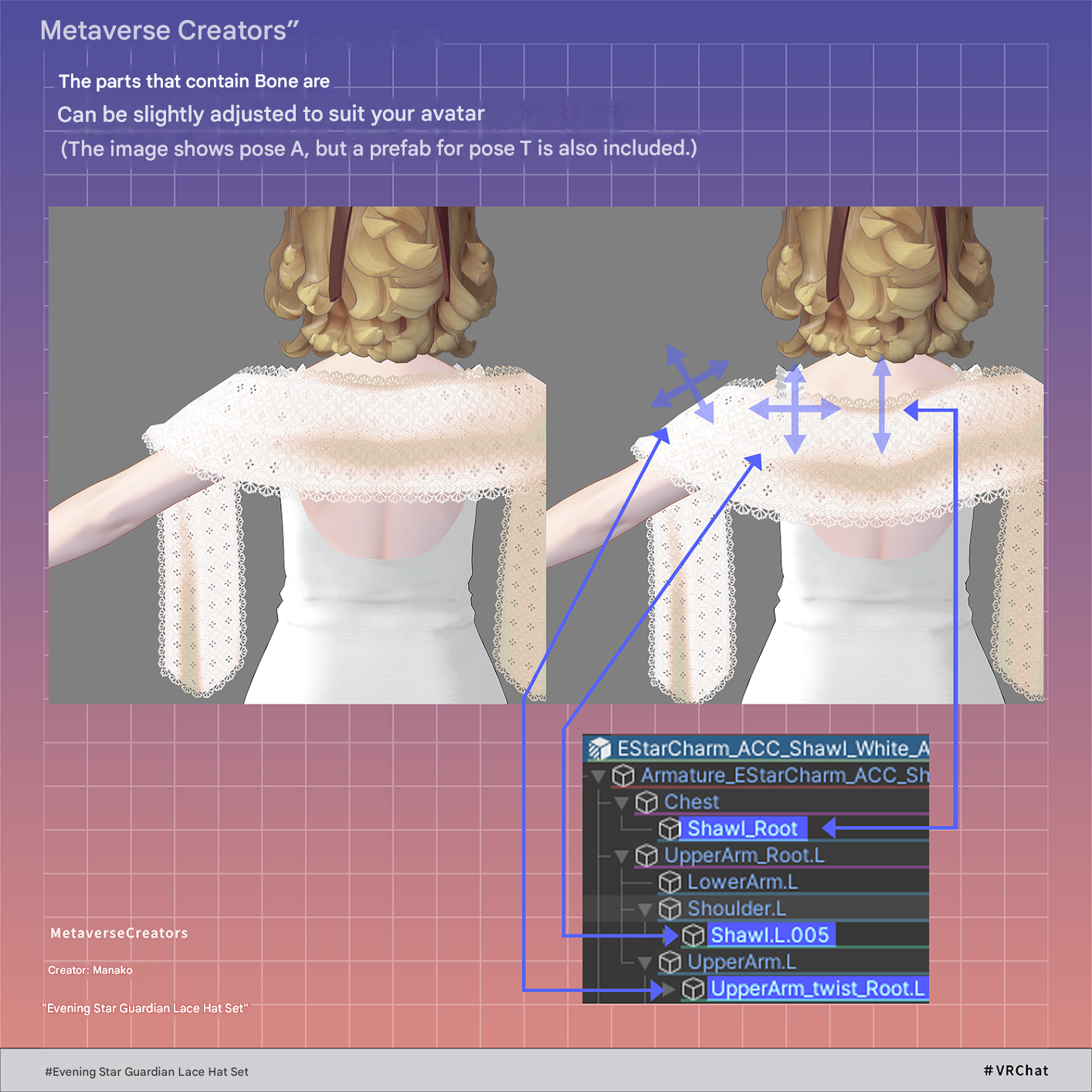
■ Shawl (EStarCharm_ACC_Shawl)
Modular Avatar pre-configured.
PhysBone compatible.
Includes separate prefabs for Normal Pose / T-Pose.
The base position of the shawl can be finely adjusted using each rootBone:
└ UpperArm_twist_Root.L/R (The part resting on the arms)
└ Shawl_Root (Center back position)
└ Shawl.L.005 / Shawl.R.005 (Mid-back positions)
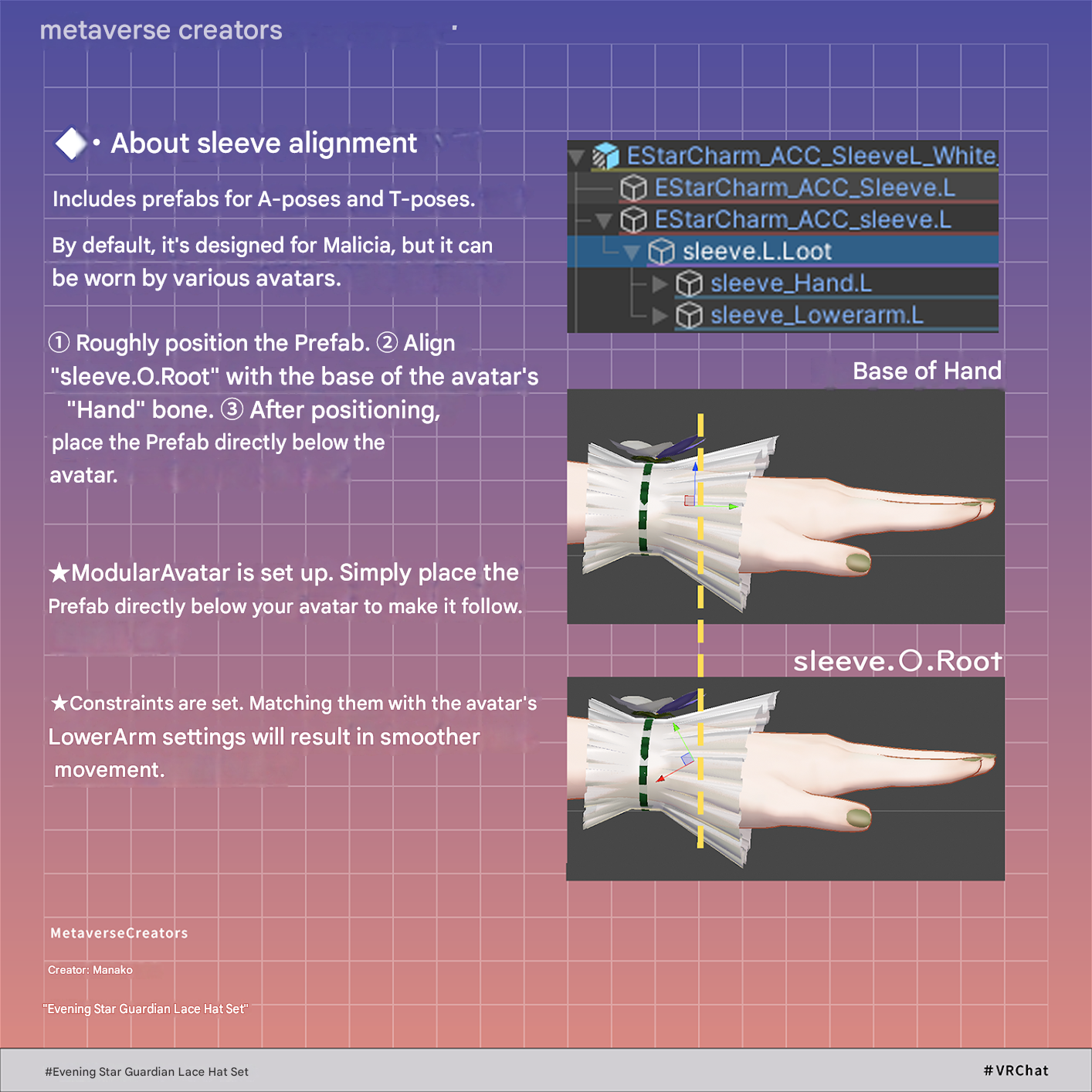
■ Detachable Sleeves (EStarCharm_ACC_SleeveL/R)
Decorative detachable sleeves.
Modular Avatar pre-configured.
Rigged with bones.
PhysBone compatible.
Includes separate prefabs for Normal Pose / T-Pose.
Supports various avatars by placing the root bone near the avatar's wrist bone (move inside the avatar hierarchy after positioning).
■ Choker (EStarCharm_ACC_Choker)
Neck accessory.
Modular Avatar pre-configured.
Rigged with bones (position and shape can be adjusted to match clothing).
PhysBone compatible.
Includes shape keys for width and depth adjustments.
■ Earrings (EStarCharm_ACC_pierce.L / R)
Ear accessories.
Modular Avatar pre-configured.
Rigged with bones.
Flower size can be adjusted via bones.
■ Dynamic Elements (PhysBone Compatible)
The following parts support PhysBones:
Shawl
Sleeve
Choker
pierce.L / R
◆ Color Customization
Color-varied Prefabs are included in the package.
Alternatively, you can change them by swapping the materials inside the Common > Material folder.
Feel free to customize the colors using the included PSD file.
◆ Terms of Use
https://drive.google.com/drive/folders/1qRMXoIxM1ZgacBPfwOigQRtXP1vCbNMn?usp=sharing
Please ensure you follow the terms of use of your base avatar as well.
◆ Creation Environment
Modeling: Blender Ver 5.1.0
Textures: Photoshop
Setup: Unity Ver 2022.3.22f1
VRChat SDK - Avatars Ver 3.10.3 (VCC)
liltoon 2.3.2
ModularAvatar 1.17.1
◆ Sample Images Credits
Avatar Used / Compatible Avatar / Photo World
Marycia (マリシア) - Original 3D Model #Marycia3D
https://brn.booth.pm/items/6305948
Taihaku Mansion (太白邸) by Lieutenant Colonel Keto <Keto_LC>
Outfits Used in Thumbnails
Shop Name: えれさとのお店 (Elesato's Shop)
Creator: えれさと (Elesato)
Shop URL: https://elesato.booth.pm/
Outfit: 【VRChat】Marycia-exclusive Dress + Ribbon Shoes (MA Compatible)
Outfit URL: https://booth.pm/ja/items/6757513 (Images 1, 4, 7)
Shop Name: FROST
Creator: つらら (Tsurara)
Shop URL: https://frost-icicle.booth.pm/
Outfit: 【Multi-Avatar Support】FROST Yukata 【VRChat / MA Pre-configured】
Outfit URL: https://booth.pm/ja/items/7192407 (Image 6)
◆ Credits
Creator: Siroikumazadan / Manaco
https://x.com/0manaco0
https://siroikumazadan.booth.pm/ (Personal BOOTH)
Inquiries & Support
https://discord.gg/bmw3PWE37M