
After Hours // Bedside - VRChat Clothing / CP9
标签
商品描述
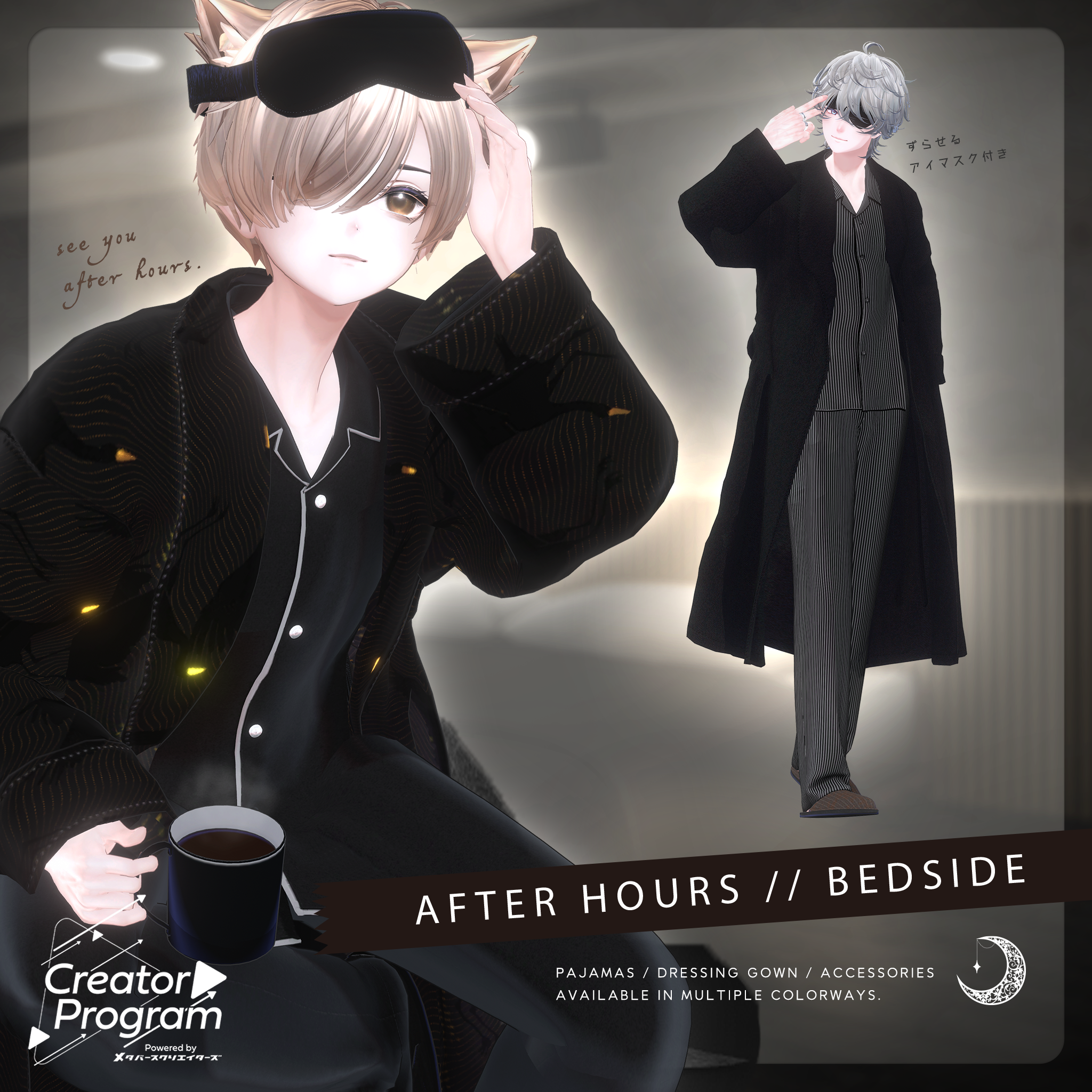
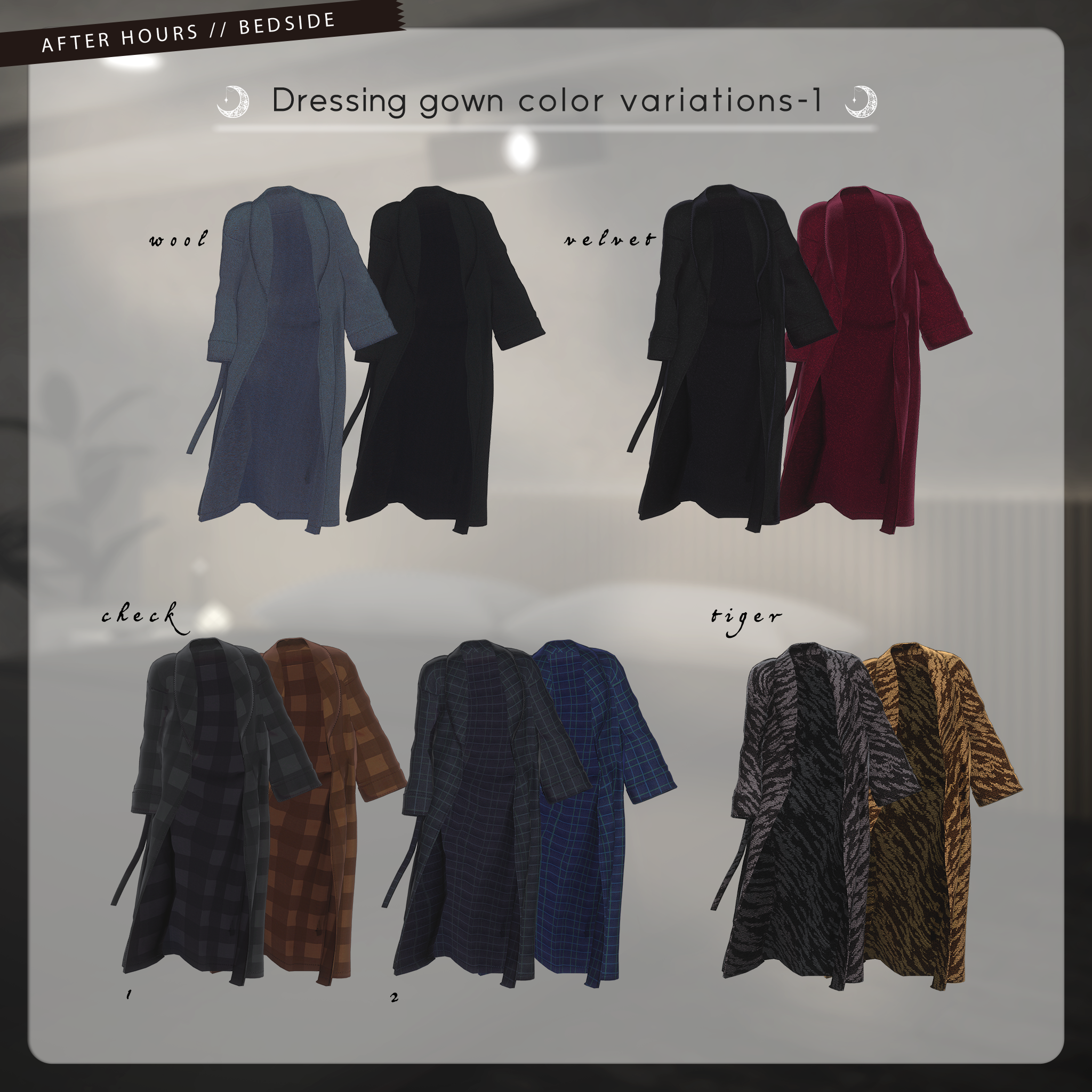
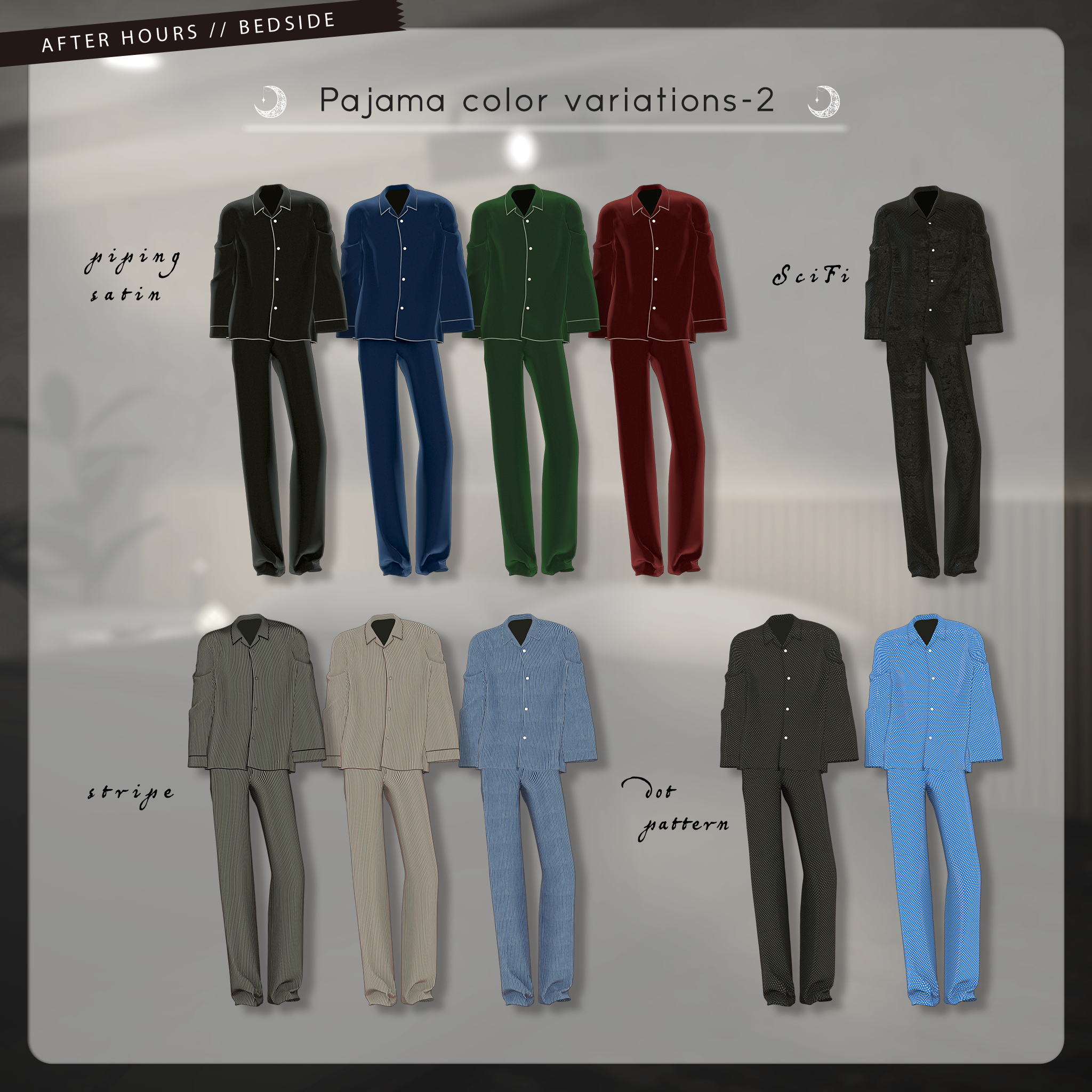
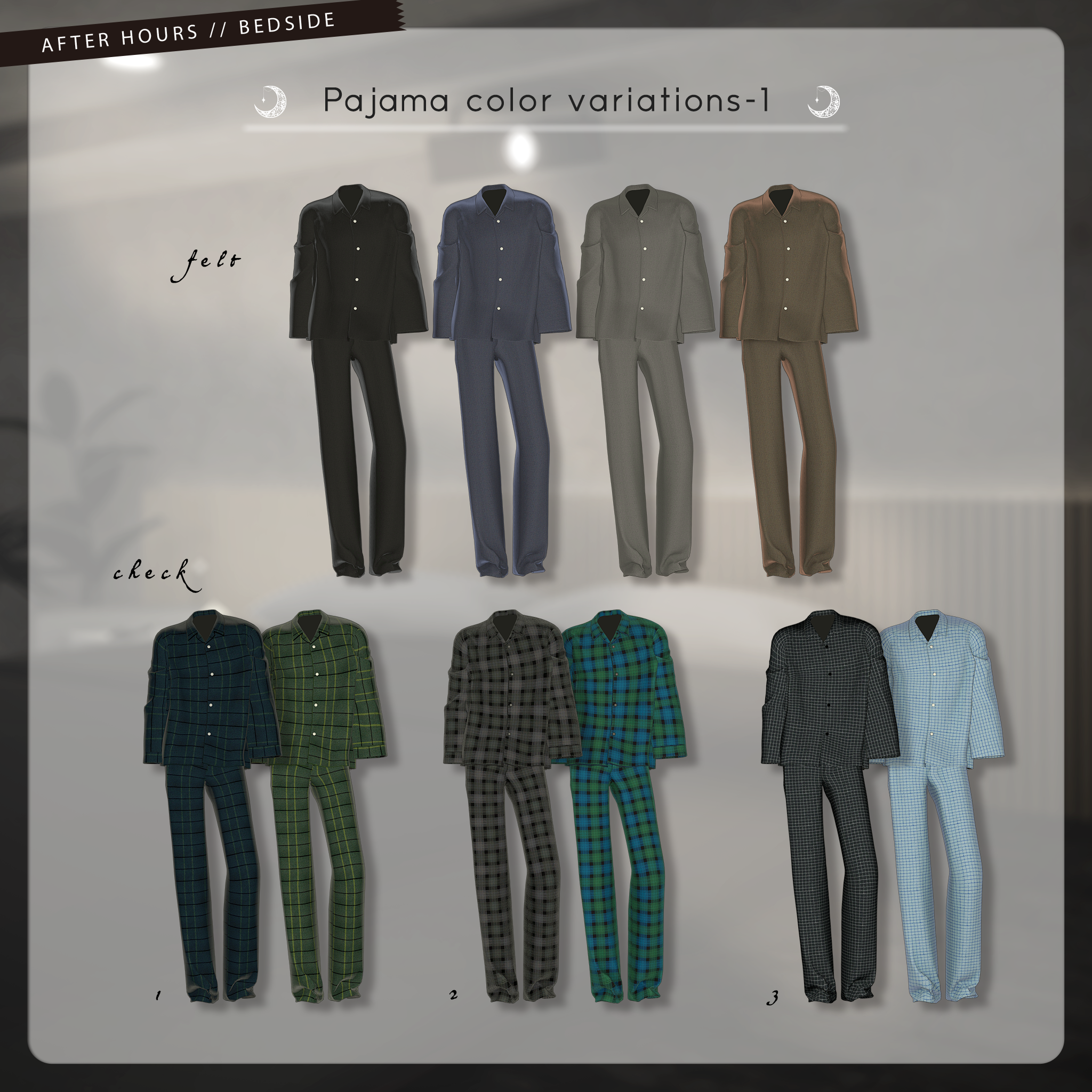
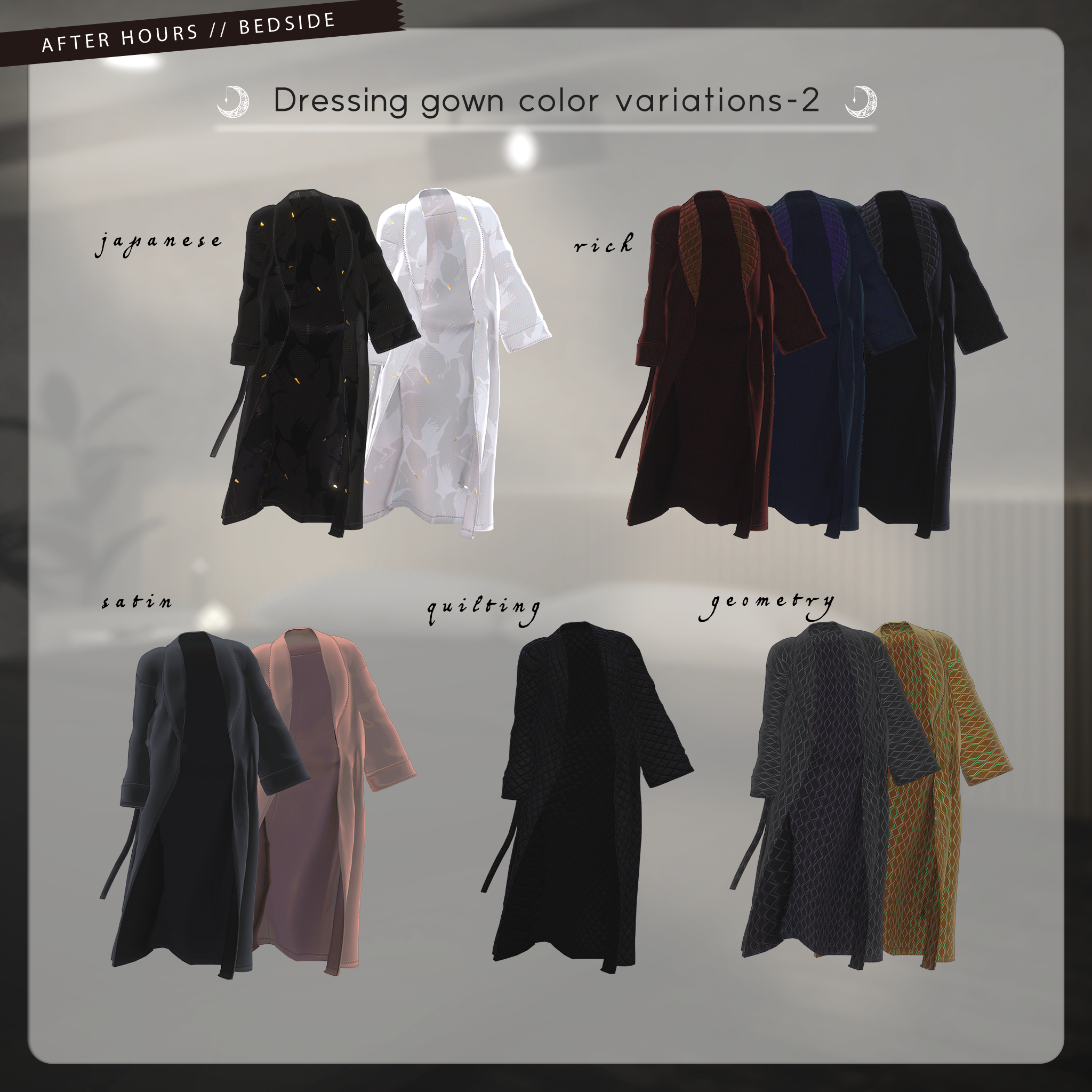
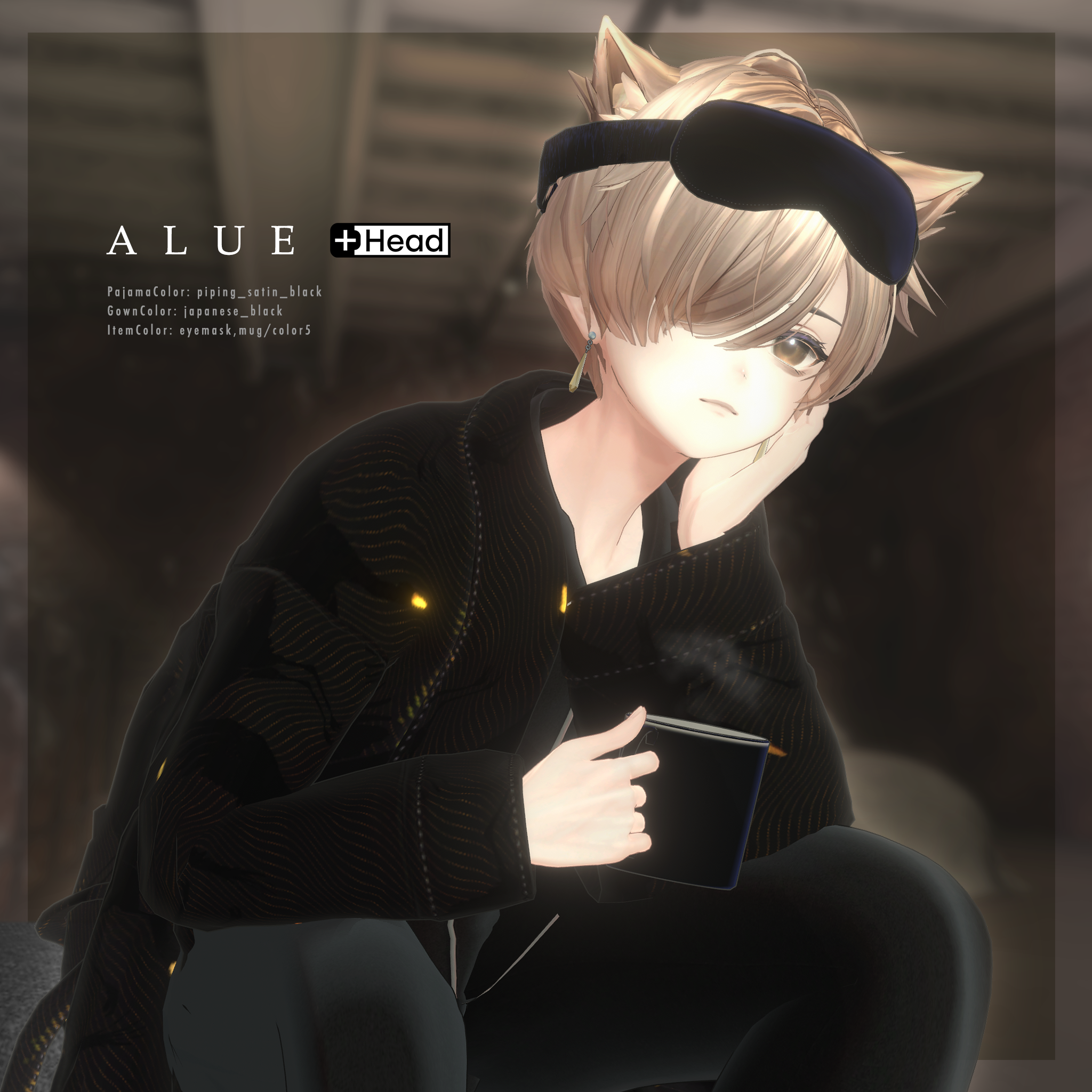
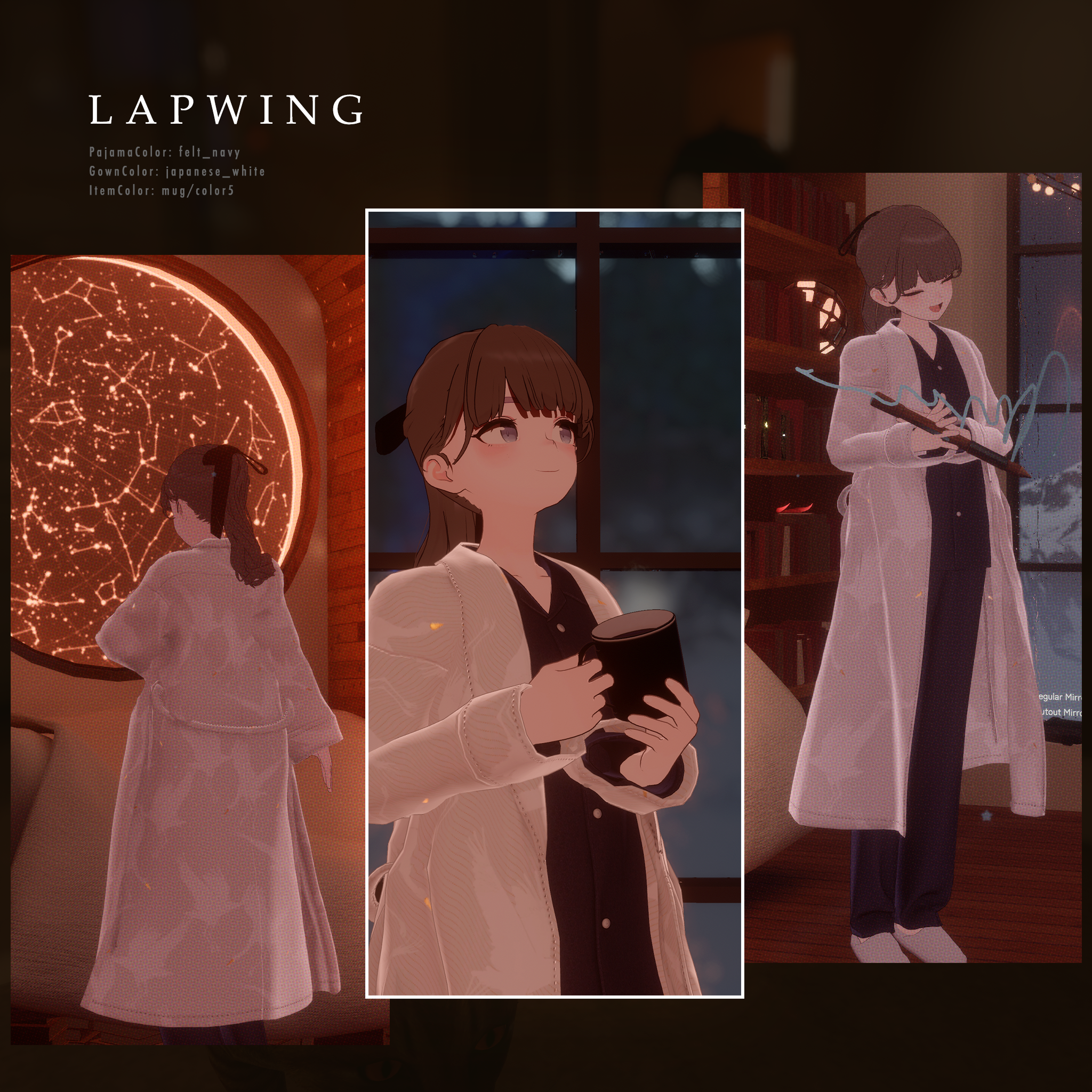
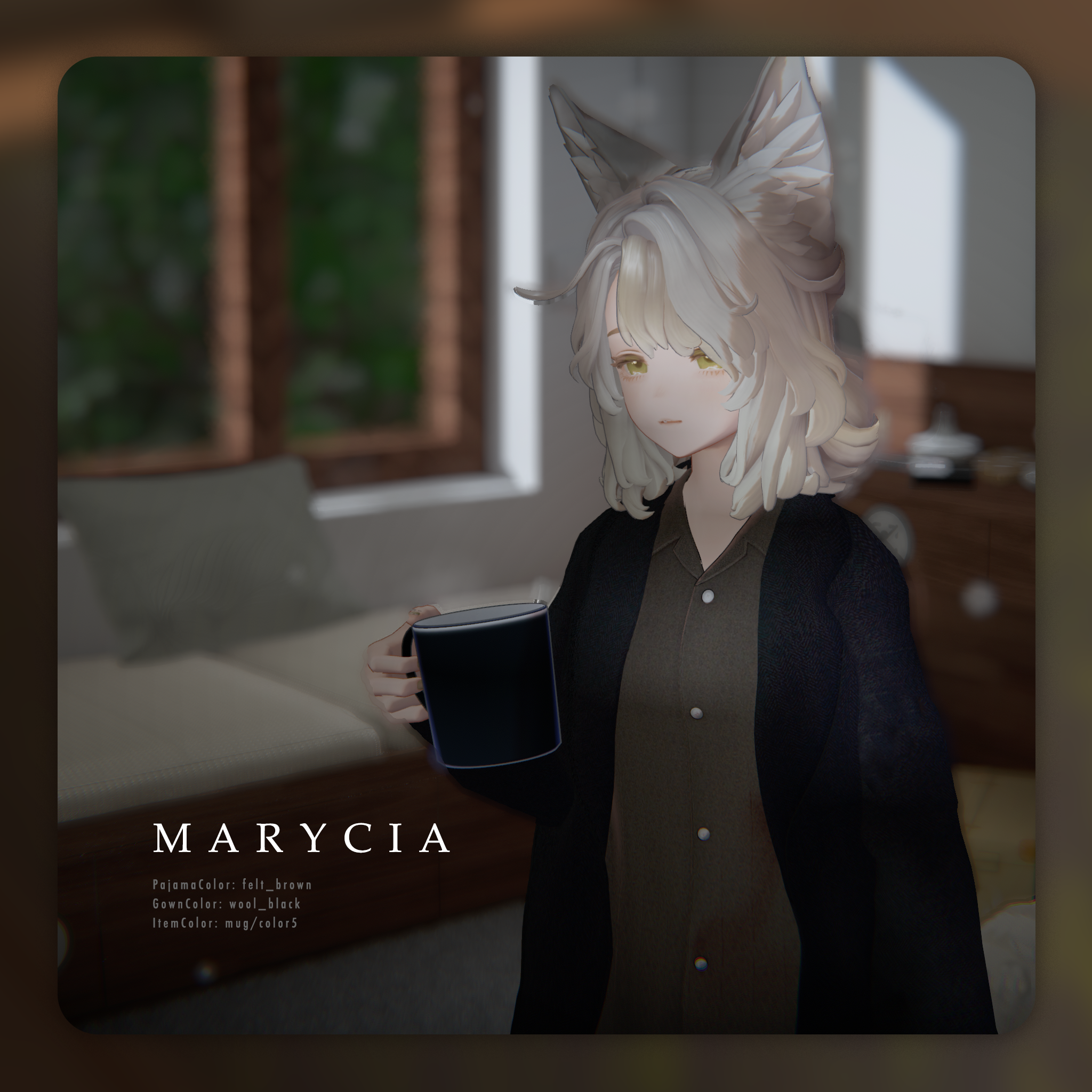
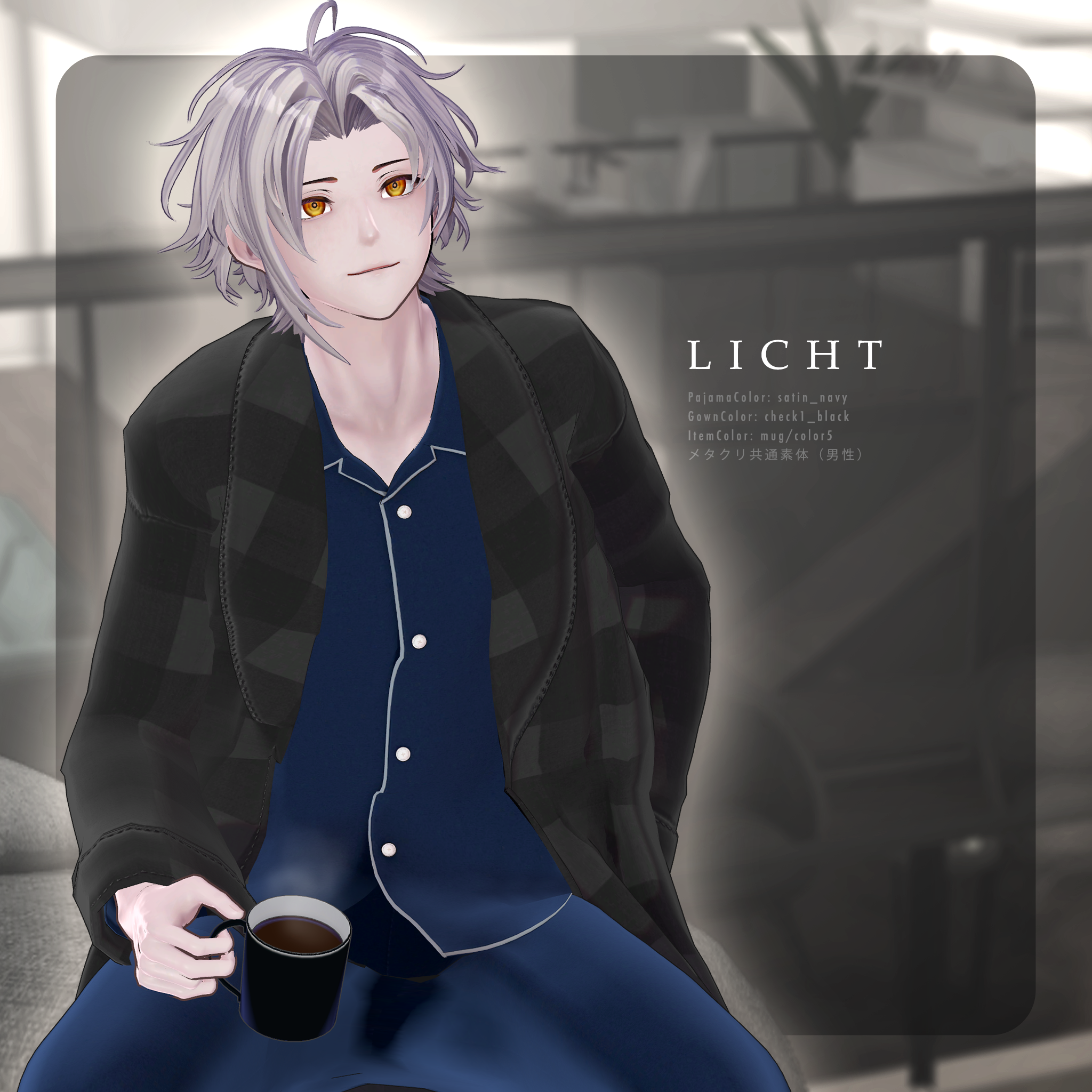
Both the pajamas and dressing gown come in 20 materials each, allowing you to mix and match your favorite styles!
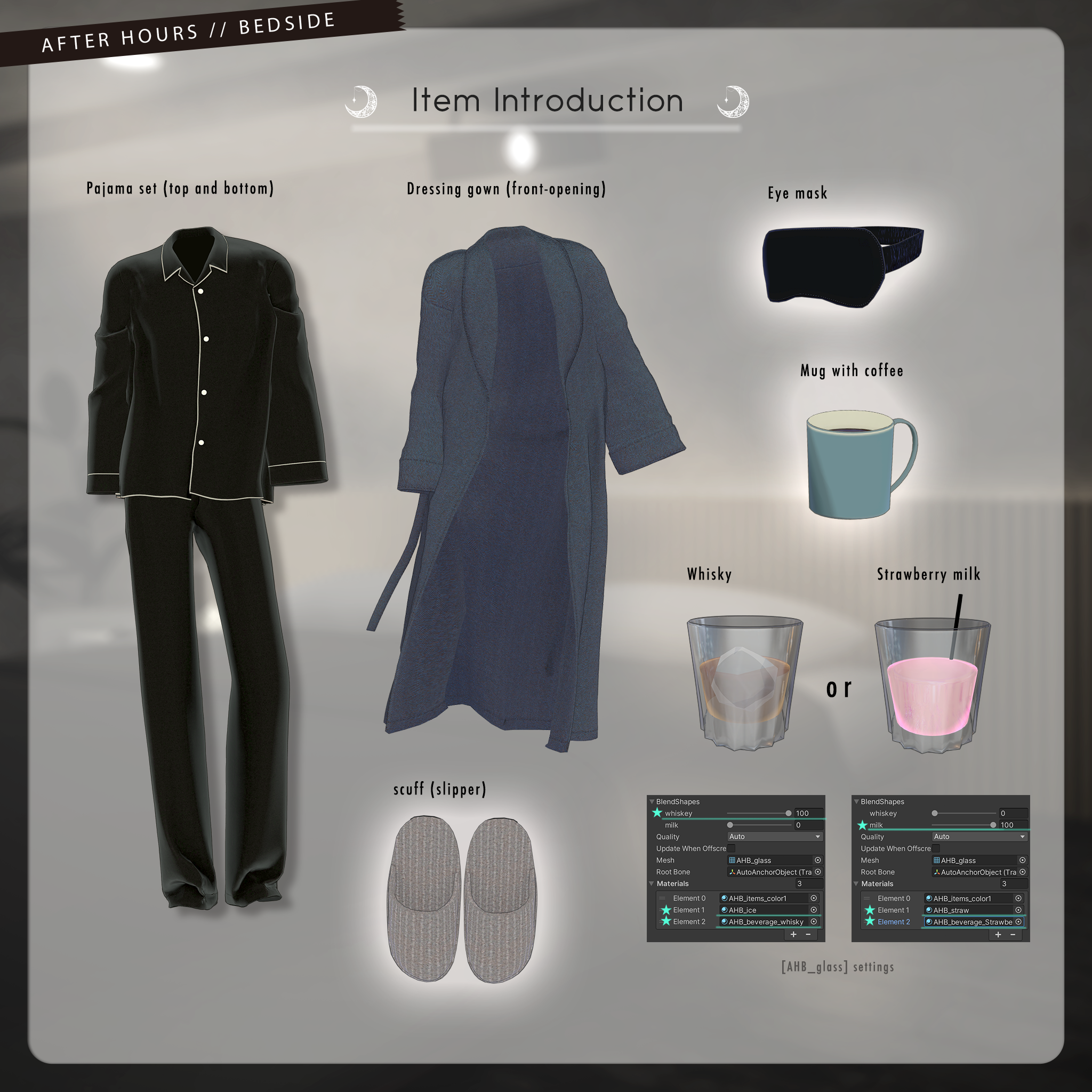
The set includes pajamas, a long dressing gown, room slippers, an adjustable eye mask, and interactive drink props for glasses and mugs.
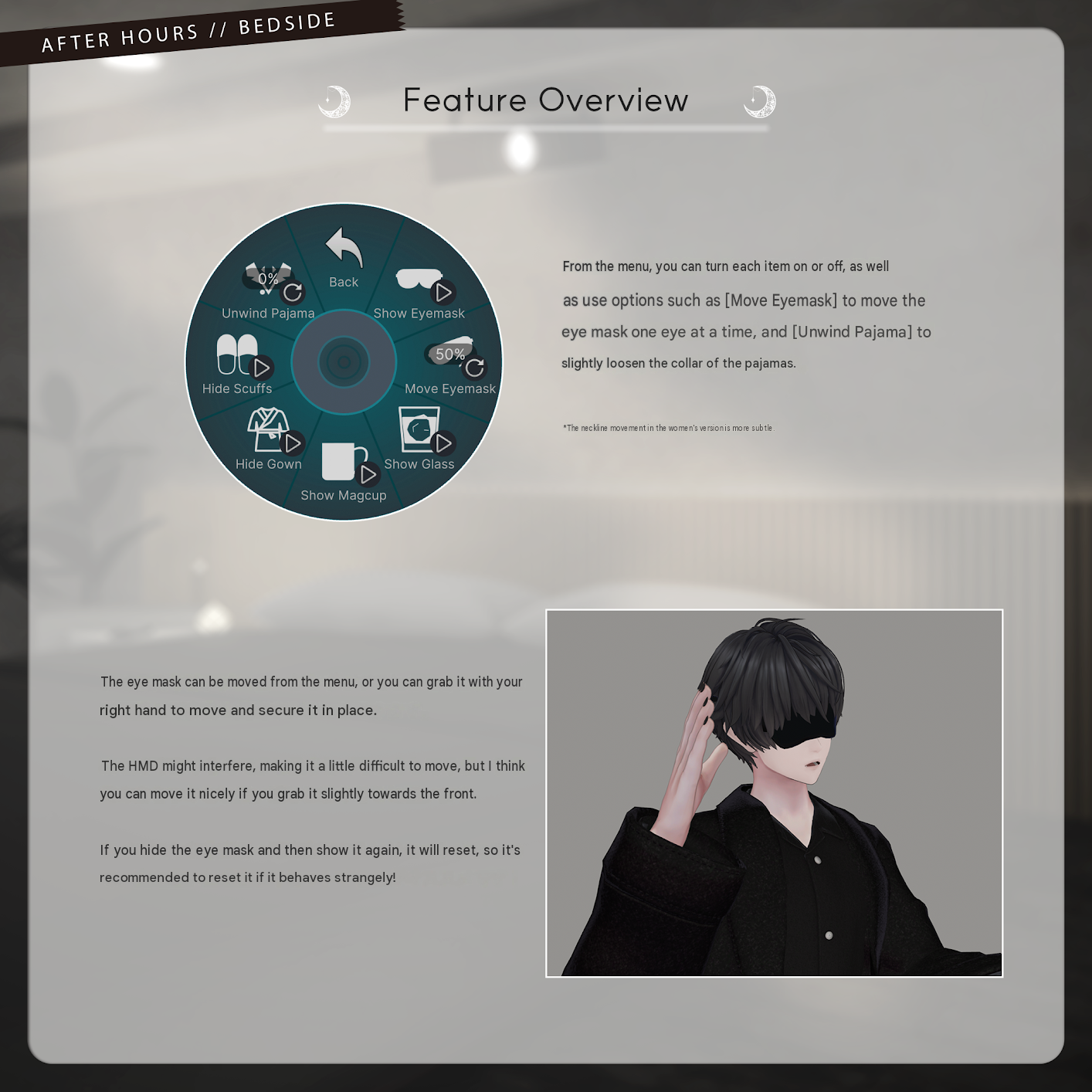
*Eye Mask Adjustments
The back strap can be adjusted using shape keys. It is pre-fitted to supported avatars, but adjustments may be needed for different hairstyles or PlusHead avatars. First, adjust the EyeMask_main bone to fit the face, then fine-tune the strap using shape keys.
*Changing Drinks
Switch between whisky and strawberry milk by changing the shape keys and materials. Refer to the product showcase images for instructions.
*Glasses and Mugs
Displaying a glass or mug locks the avatar's right-hand movement to match the prop. Glass sizes may vary depending on the avatar.
Please Note
This is an avatar clothing model. The avatar itself is not included.
Digital downloads are non-refundable. Please review the product description and Terms of Use before purchasing.
◆ Item Details
Included Files
AfterHoursBedside_v_XX.Unitypackage
AfterHoursBedside_Common.Unitypackage
PSD customization files
ReadMe.txt
Shader: liltoon
https://lilxyzw.booth.pm/items/3087170
Required Asset: Modular Avatar
https://modular-avatar.nadena.dev/ja/docs/intro
Model Specifications (may vary by avatar)
Total: 43,221 polygons
AHB_gown: 11,677
AHB_pajama_tops: 15,274
AHB_pajama_pants: 11,506
AHB_scuffs: 1,692
AHB_EyeMask: 736
AHB_glass: 1,272
AHB_magcup: 1,064
Meshes: 7
Materials: 5
PhysBone components: 8
Constraints: 2–4
Particle systems: 1
Import Path:
Assets > MetaverseCreators_CP > marchmaru_Unclassics > AfterHoursBedside
◆ Installation Instructions
Set up the latest VRChat SDK through VCC (VRChat Creator Companion).
Install liltoon and Modular Avatar through VCC.
Import the latest package for your avatar.
Import this product's Common package.
Import the package for your specific avatar.
Drag the avatar or its modification prefab into the Scene Hierarchy.
Hide unwanted clothing, such as default outfits or underwear, or set it to Editor Only if needed.
Drag the OutfitName_AvatarName.Prefab onto the avatar.
Upload the avatar through the VRChat SDK.
MA Shape Changer and MA Mesh Cutter
The outfit uses these Modular Avatar components to automatically enable body shape keys or hide mesh sections, helping prevent clipping between the outfit and avatar body. You may remove or adjust these components if desired.
PlusHead Note: The MA Shape Changer may not work correctly if the avatar's body mesh has a different name. The included setup uses the mesh name PlusHead. Rename the mesh or adjust shape keys manually if necessary.
If any body parts become unintentionally slimmed after fitting the outfit, reset the relevant shape keys to 0 and check that the body displays correctly.
◆ Color Customization
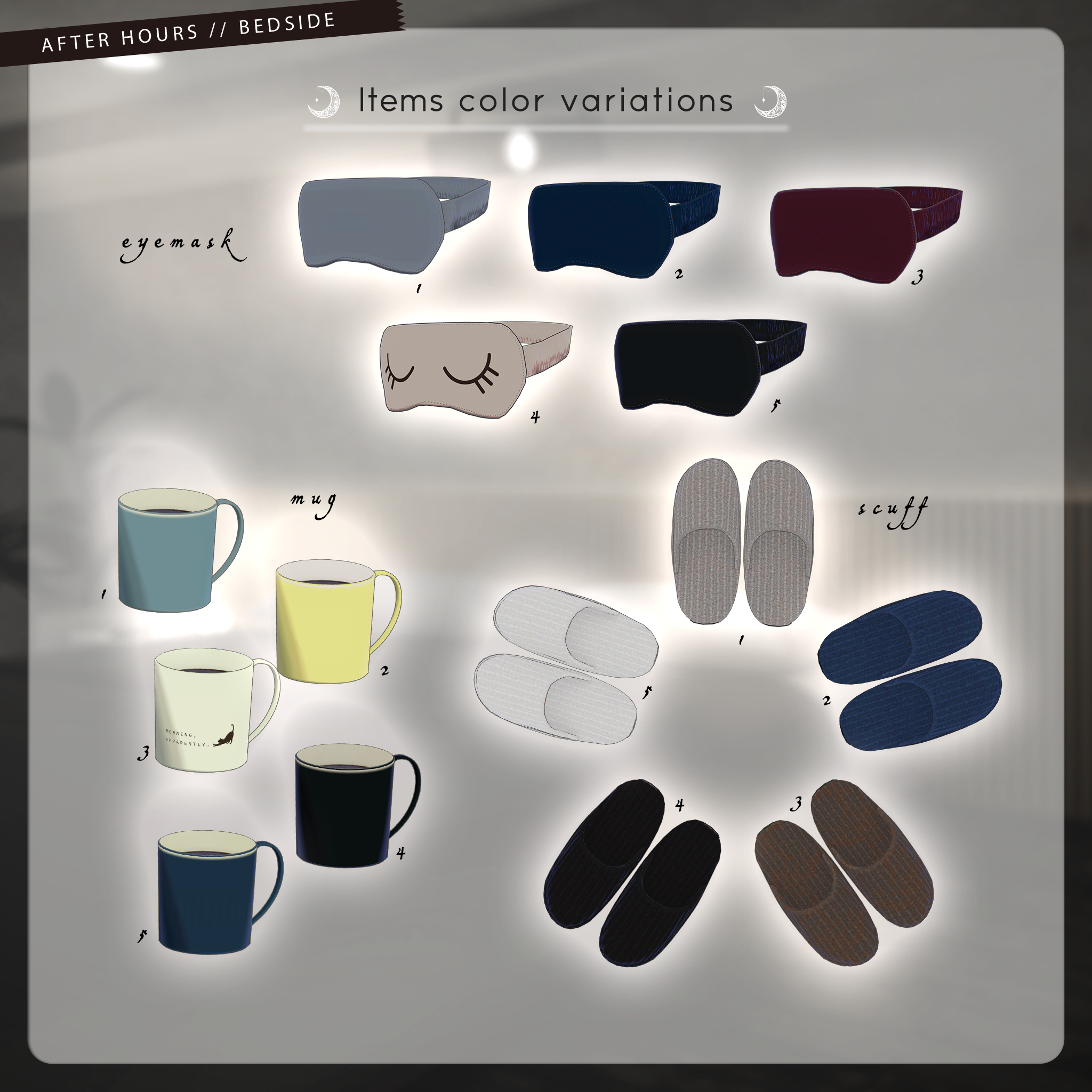
Replace materials in Common > Material to use the included color variations. You can also customize the colors using the included PSD files.
◆ Terms of Use
https://drive.google.com/drive/folders/1qRMXoIxM1ZgacBPfwOigQRtXP1vCbNMn?usp=sharing
Please also follow the terms of use for the original avatar.
◆ Worlds Used for Photography
Amber Wavelet “Kohaku_iro” — puri_san
https://vrchat.com/home/world/wrld_7b5d6275-e654-4838-b614-21568ddf5a08/info
Attic in the Rain — sizimityper
https://vrchat.com/home/world/wrld_343bcc5d-a151-4b1e-8d58-af4f0df37e2e/info
Holiday - Day — DAGINATSUKO
https://vrchat.com/home/world/wrld_2826e2c8-7567-497d-a516-d21b24749c99/info
The Chill Warehouse — ottpossum
https://vrchat.com/home/world/wrld_6c5ee2f0-bfa0-4ba2-88bf-6c66748474ce/info
London 2084 — -Jo-
https://vrchat.com/home/world/wrld_5766aa71-73cc-468c-a4ac-72a148e2b806/info
Marvelous — Ozen
https://vrchat.com/home/world/wrld_f2cfc900-b289-436c-a160-d341b45e6471/info
FOGTOPIA #101 — Fu
https://vrchat.com/home/world/wrld_6f5622cb-4560-4720-825c-0f2920eaa371/info
Cozy Library Reimagined — YoruVII
https://vrchat.com/home/world/wrld_39dc1cca-303e-4c07-ad7c-2b04348bf13f/info
AM3:24 — Hamanako Nako
https://vrchat.com/home/world/wrld_3dc16703-5eff-4bb5-824a-b4cdff37353e/info
◆ Assets Used for Photography
Clubroom — G.ssam: https://gssam.booth.pm/items/8570466
Garage House — La Fille: https://lafille.booth.pm/items/5731754
◆ Development Environment
Modeling: Blender 4.2.9
Texturing: Photoshop 2026
Setup: Unity 2022.3.22f1
VRChat SDK – Avatars: 3.9.0 (ALCOM)
liltoon: 2.3.2
Modular Avatar: 1.15.1
◆ Credits
Creator: marchmaru / Unclassics
https://unclassics.booth.pm/
https://lit.link/marchmaru
For inquiries or support, please contact the creator via BOOTH messages.