
商品描述
本商品包含 AI 生成的内容。
Find out what's wrong with your avatar before VRChat does.
Short description
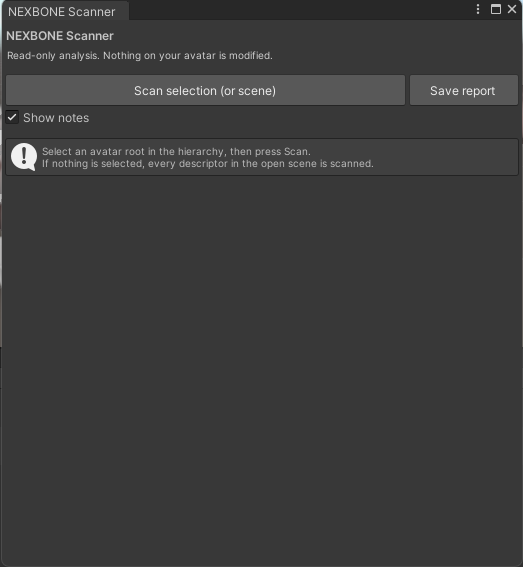
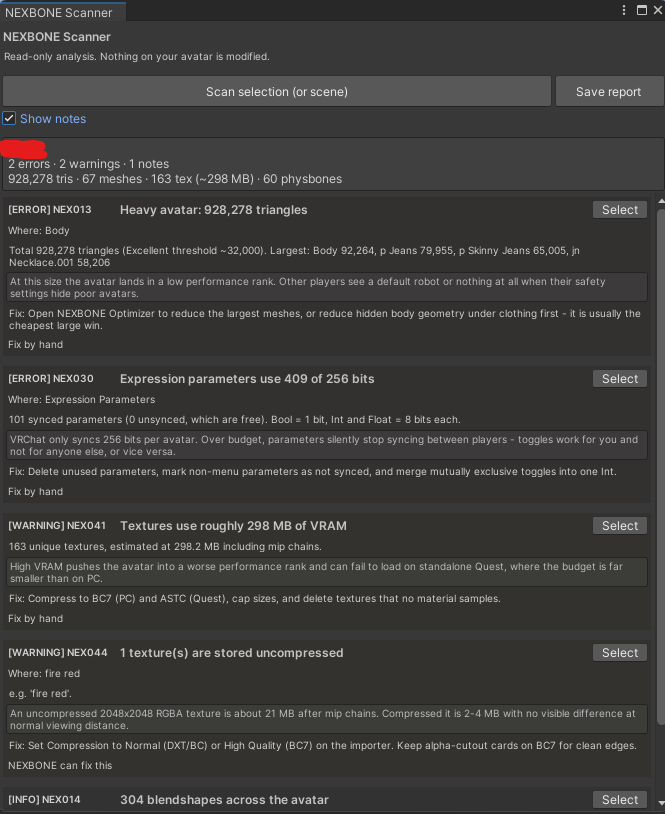
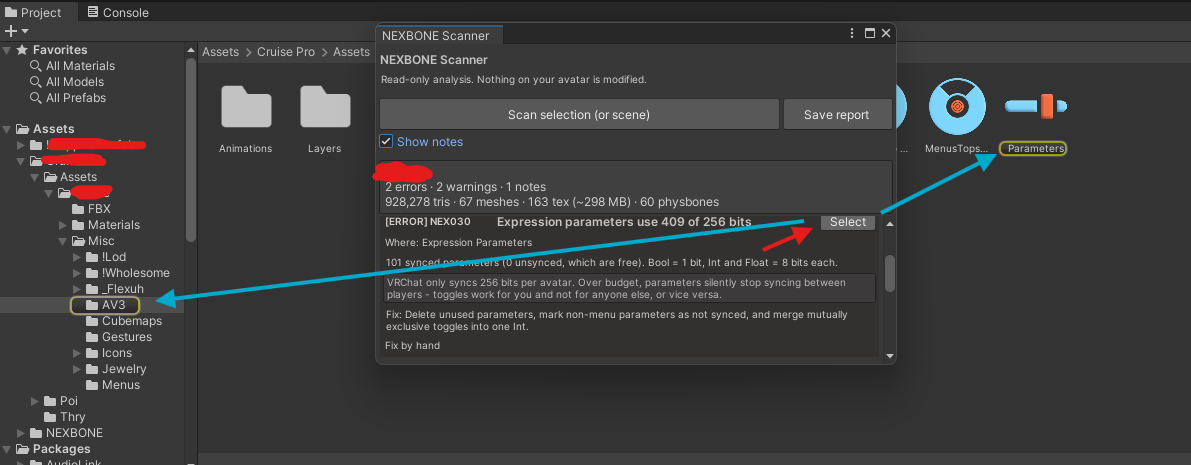
A read-only diagnostic tool for VRChat avatars. Point it at a prefab, and it reports what's actually broken — rig problems, missing PhysBones, broken materials, expression parameters over budget, uncompressed textures — with the measurement, why it matters, and how to fix it.
It never modifies your avatar. There is no upload button and no network code.
What it finds (25 rules)
- Rig — missing descriptor, duplicate descriptors, non-humanoid rig, missing humanoid
bones, viewpoint at the origin or far from the head
- Skinning — empty skinned meshes, no bones, no root bone, meshes not read/write enabled
-PhysBones — hair and cloth chains with no physics, no colliders, simulation cost
-Expressions — synced parameters over the 256-bit budget, custom expressions with no
assets assigned, empty animator layers
-Assets — oversized and uncompressed textures, VRAM estimate, missing mipmaps,
long audio clips, missing shaders, empty material slots
-Cost — triangle budget against VRChat's performance ranks, blendshape count
What it will not do
- It does not fix anything. It tells you what to fix.
- It does not upload, and it never contacts the VRChat API.
- It does not judge your art. It reports measurements, not taste.
- It will not catch everything. It covers the mechanically checkable set by design.
Requirements
Unity 2022.3 · VRChat SDK Avatars 3.x
Install
1. Unzip.
2. In Unity: **Window → Package Manager → + → Add package from disk…**
3. Select `package.json` from the unzipped folder.
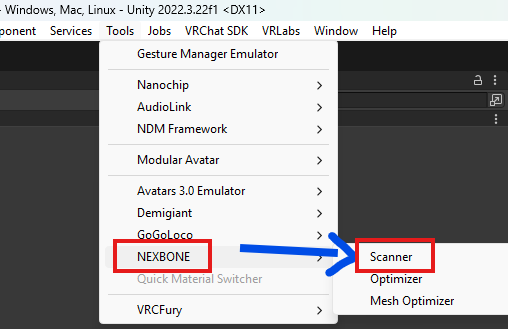
4. Open Tools → NEXBONE → Scanner.
Honest note
Two rules were removed after testing against a real 925,000-triangle avatar because they
were wrong, not merely noisy. The changelog says which and why. A tool that has never been
tested on real avatars is a tool that will waste your afternoon.