商品描述
本商品包含 AI 生成的内容。
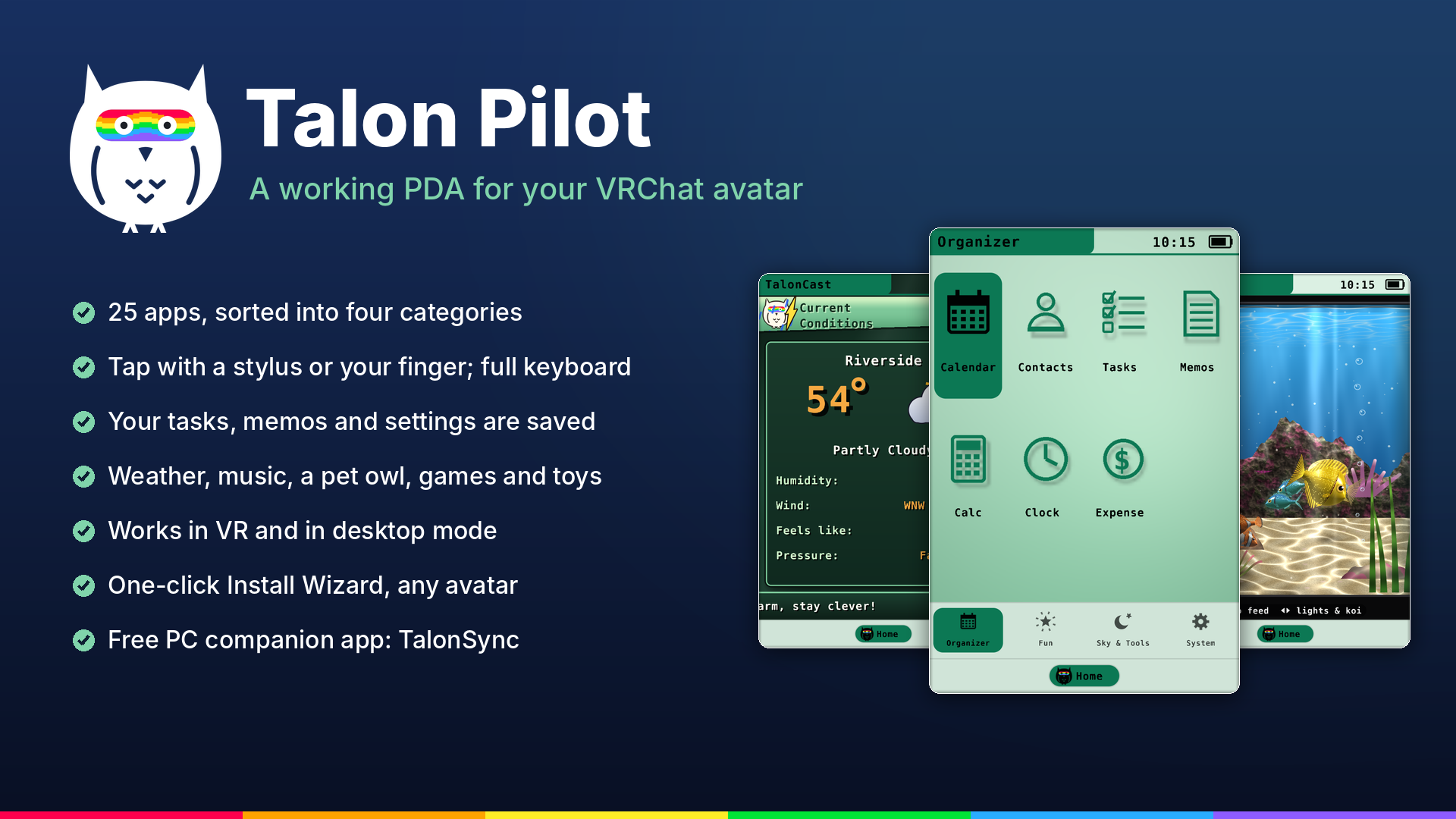
Talon Pilot puts a working retro-style PDA in your avatar's hand. Tap it with the stylus or your finger, type on a full
keyboard, keep your tasks and memos, check the weather, feed your pet owl and show off your own theme. Everything runs
on the PDA itself, and it remembers your things between sessions.
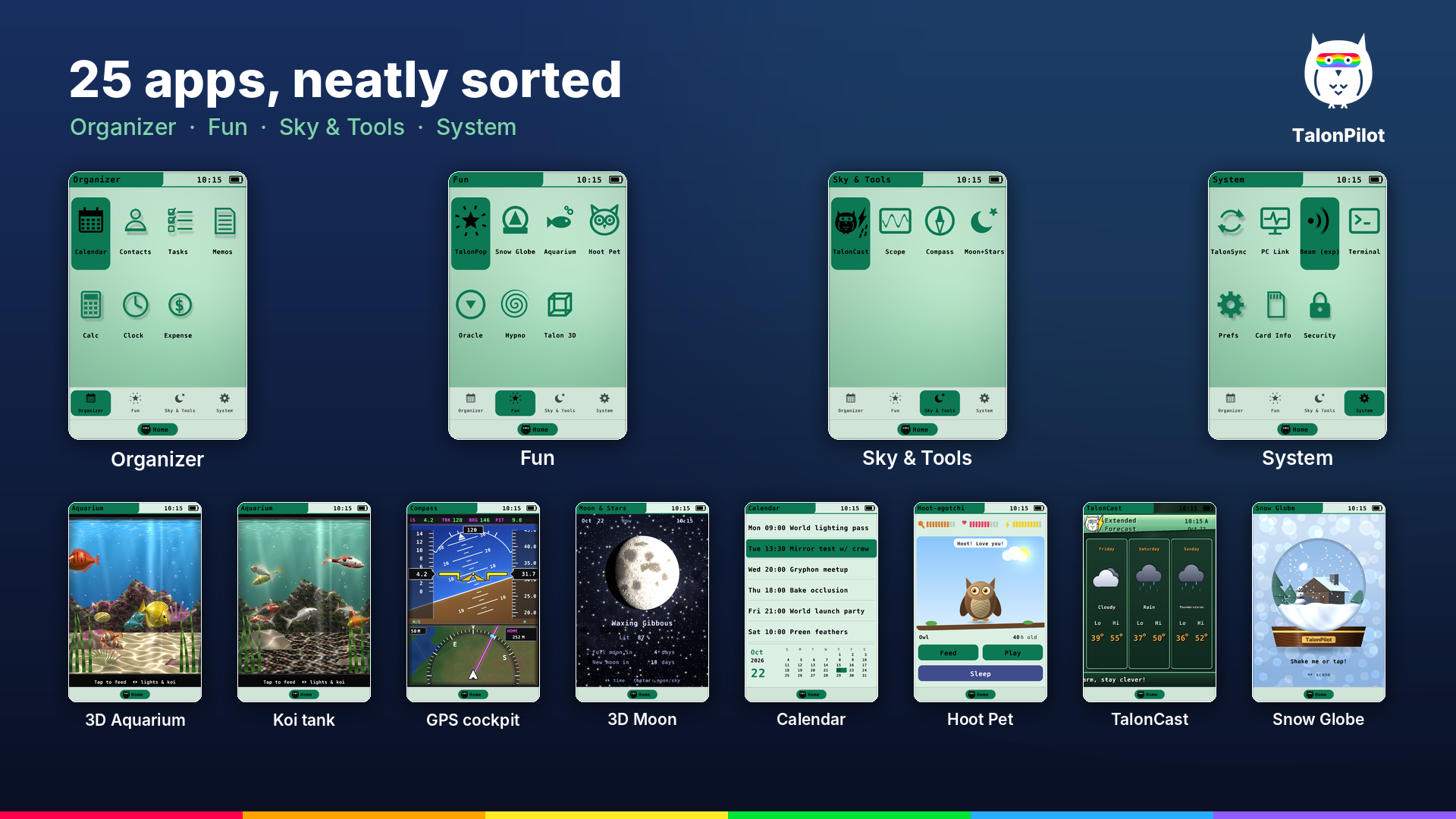
25 APPS, NEATLY SORTED
• Organizer: Calendar, Contacts, Tasks, Memos, Calc, Clock (with stopwatch), Expense
• Fun: TalonPop, Snow Globe, Aquarium (3D reef and koi tanks), Hoot Pet (a pet owl that grows up), Owl Oracle,
Hypnospiral, Talon 3D
• Sky & Tools: TalonCast (retro weather channel with smooth jazz), Scope (music and voice visualizer, AudioLink
ready), Compass (a glass-cockpit GPS), Moon & Stars (tonight's real moon in 3D and a live star chart)
• System: TalonSync, PC Link, Beam (experimental), Terminal, Prefs, Card Info, Security
REAL 3D YOU CAN SEE IN VR
• The Aquarium is a bowfront tank drawn from where each of your eyes really is, so in VR it has real depth behind the
screen and the nearest fish come slightly out of it. Reef and koi tanks, with day, sunset, night and blacklight
• Detailed fish with fins of spines and see-through webbing, gills that open as they breathe, and shiny HDR scales
that glow in worlds with bloom
• Moon & Stars: a ray-traced moon with its real face floats in front of the screen, with the stars far behind it
• Compass: a glass-cockpit GPS with an attitude display, speed and height tapes and a moving map, on a matte LCD that
sits behind its cover glass
FEELS LIKE THE REAL THING
• Tap with the stylus tip or your finger; hardware buttons and a 5-way navigator
• Full QWERTY keyboard: write your own tasks, memos, calendar events and contacts
• A real power-on self-test, screensavers, lock screen and auto-off
• Your notes, settings and pet are saved on your avatar
• Works in VR and in VRChat desktop mode (aim and click to tap)
• Other players see your PDA's screen too (what you type stays private)
INSTALLS CLEANLY, NEVER LOSES YOUR NOTES (new in 2.24)
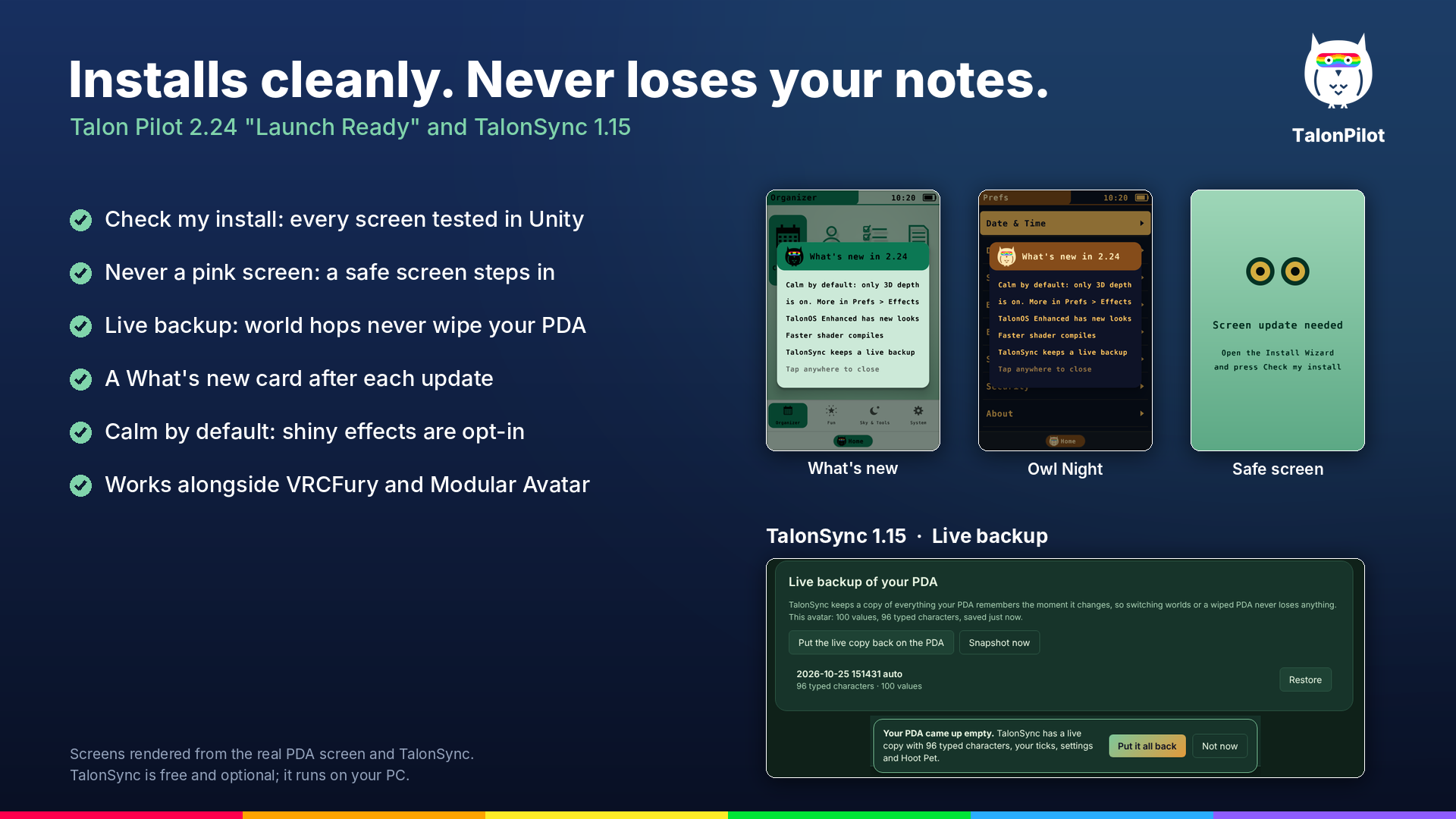
• Check my install: the Install Wizard tests every screen program with Unity's own shader compiler and explains any
problem in plain words
• Never a pink screen: if something's wrong on your computer, a calm safe screen shows instead, and the upload checks
this by itself
• Live backup in TalonSync: it keeps a copy of everything your PDA remembers, so hopping worlds never wipes it, and one
tap puts it all back
• A What's new card after each update, and faster shader compiles
• Calm by default: only 3D depth is on; holo foil, glints, ripples, glow and motes are there when you want them
• Works alongside VRCFury and Modular Avatar
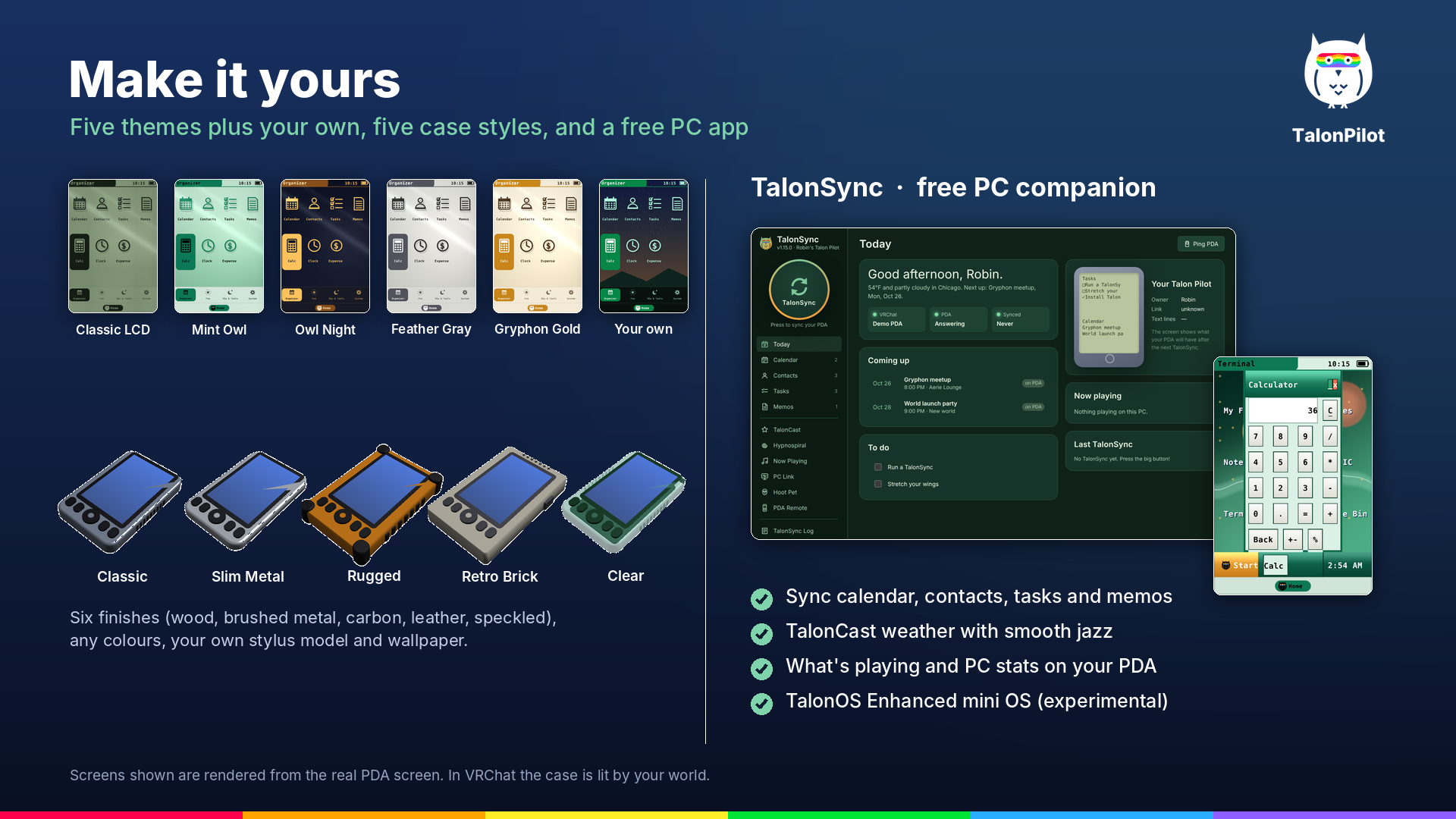
MAKE IT YOURS
• 5 case styles: Classic, Slim Metal, Rugged, Retro Brick and Clear
• 6 finishes (wood, brushed metal, carbon, leather, speckled or plain) in any colours
• 5 screen themes plus up to 3 of your own, and your own wallpaper picture
• Use your own stylus model, resize the PDA in game, and choose which apps to install
TALONSYNC: FREE PC COMPANION (included)
• Ready to run on Windows: a prebuilt TalonSync.exe is in the download
• Prefer to build it yourself? The build script is included, and the source code is on GitHub:
github.com/NevvyDrone/Talonsync
• Sync your calendar, contacts, tasks and memos between your PC and your PDA
• Live backup of your PDA, so a world hop never wipes your notes
• TalonCast weather on your PC and on the PDA
• What's playing on your PC, plus PC stats and messages, shown on your PDA
• Experimental, opt in: TalonOS Enhanced, a little windowed OS on the PDA's Terminal with a Control Panel, Notepad,
Calculator, 11 tap-to-play games and two looks (Classic and glossy Skyglass), plus Talon Enhanced BASIC, which you can
also use and program from your PC
EASY TO INSTALL
• Install Wizard with a guided setup: pick your hand, case and screen, press Install
• Works with your avatar's own hand bones, wings or paws
• Control Center to change anything later, and one click to update to new versions
LIGHT ON PERFORMANCE
• Switched off, the PDA does almost no work; far away it draws a simple version
• Uses 11 synced parameter bits at most (9 if you leave out Beam and TalonCast)
• Its touch sensors are local-only, so they don't count toward your Performance Rank
• Leave out the apps you don't need and they cost nothing
REQUIREMENTS
• A VRChat avatar project in Unity 2022.3 with the VRChat Avatars SDK 3 (3.7 or newer for desktop parking)
• PC VRChat: the screen uses a custom shader, so it doesn't run on Quest or Android avatars
• TalonSync (optional): Windows, ready to run. To build it yourself, or to run it on macOS or Linux, you need the free
Python installer once
WHAT YOU GET
• The Talon Pilot Unity files with the Install Wizard
• TalonSync, the free PC companion app: a prebuilt Windows .exe plus the script to build your own
• An illustrated handbook, a quick start guide, a technical reference, and an offline help page
LICENCE (short version)
• Use it on as many of your own avatars as you like, public or private
• Don't share, re-upload or resell the files, including inside avatar bases or packages
• You may install it on avatars you edit for others if each of them owns a copy
The full licence is included with the files.
GOOD TO KNOW
• Beam (sending a short message to another Talon Pilot held close to yours) is experimental and doesn't work as
intended yet.
• TalonOS Enhanced in TalonSync is experimental too, and switched off until you turn it on.
• Help: the included help page and handbook answer most questions. Still stuck? Press "Copy support info" in the
Install Wizard and email it to the support address on the help page.
• Windows may show "Windows protected your PC" the first time you run TalonSync.exe (it isn't signed with a paid
certificate): choose More info, then Run anyway. TalonSync runs on your PC and only goes online for weather and
features you switch on.
Created by NevvyDrone · nevvydrone.com