Horn C-01 - Gem & Matte Horn Accessory | Modular Avatar, 19 Colours
商品描述
本商品包含 AI 生成的内容。
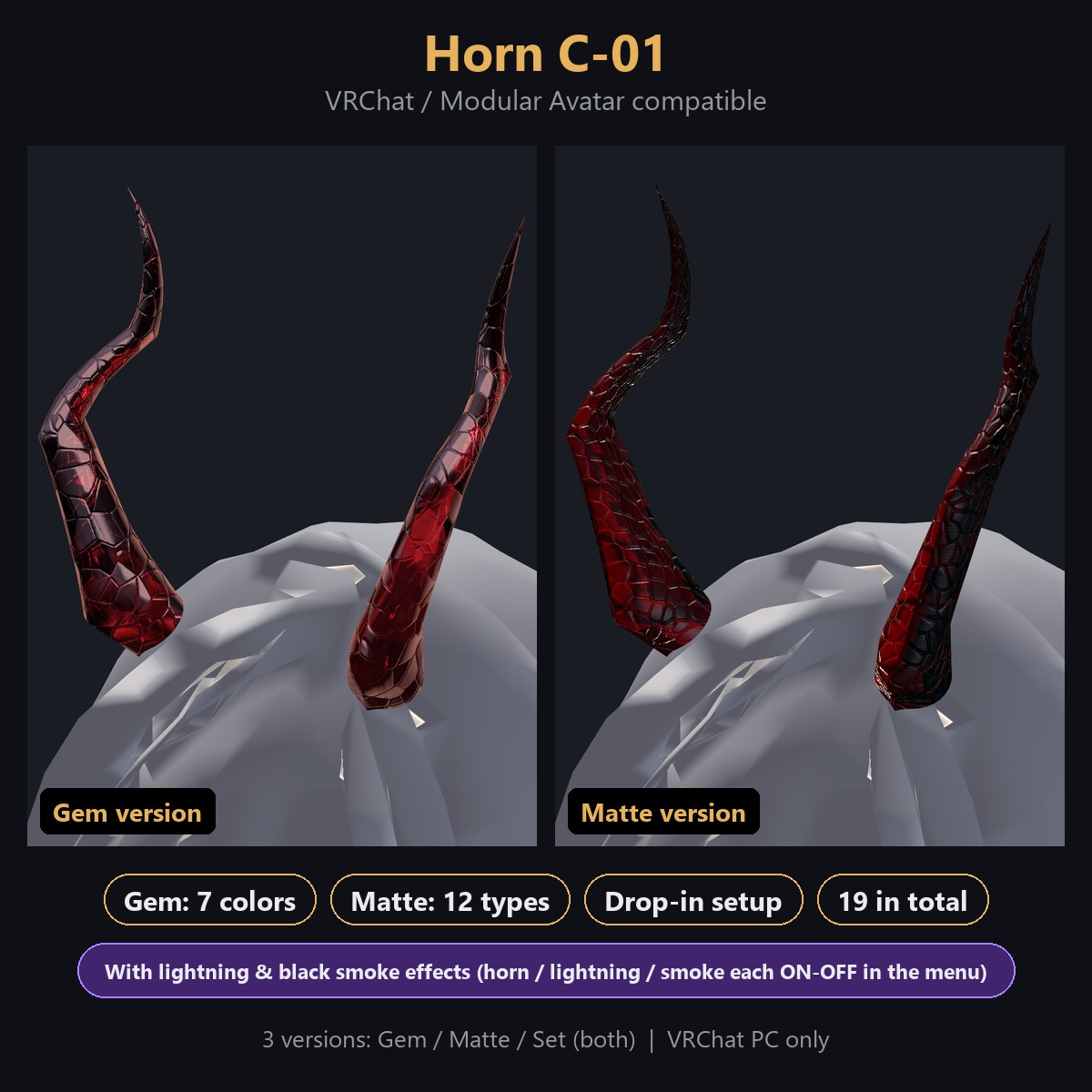
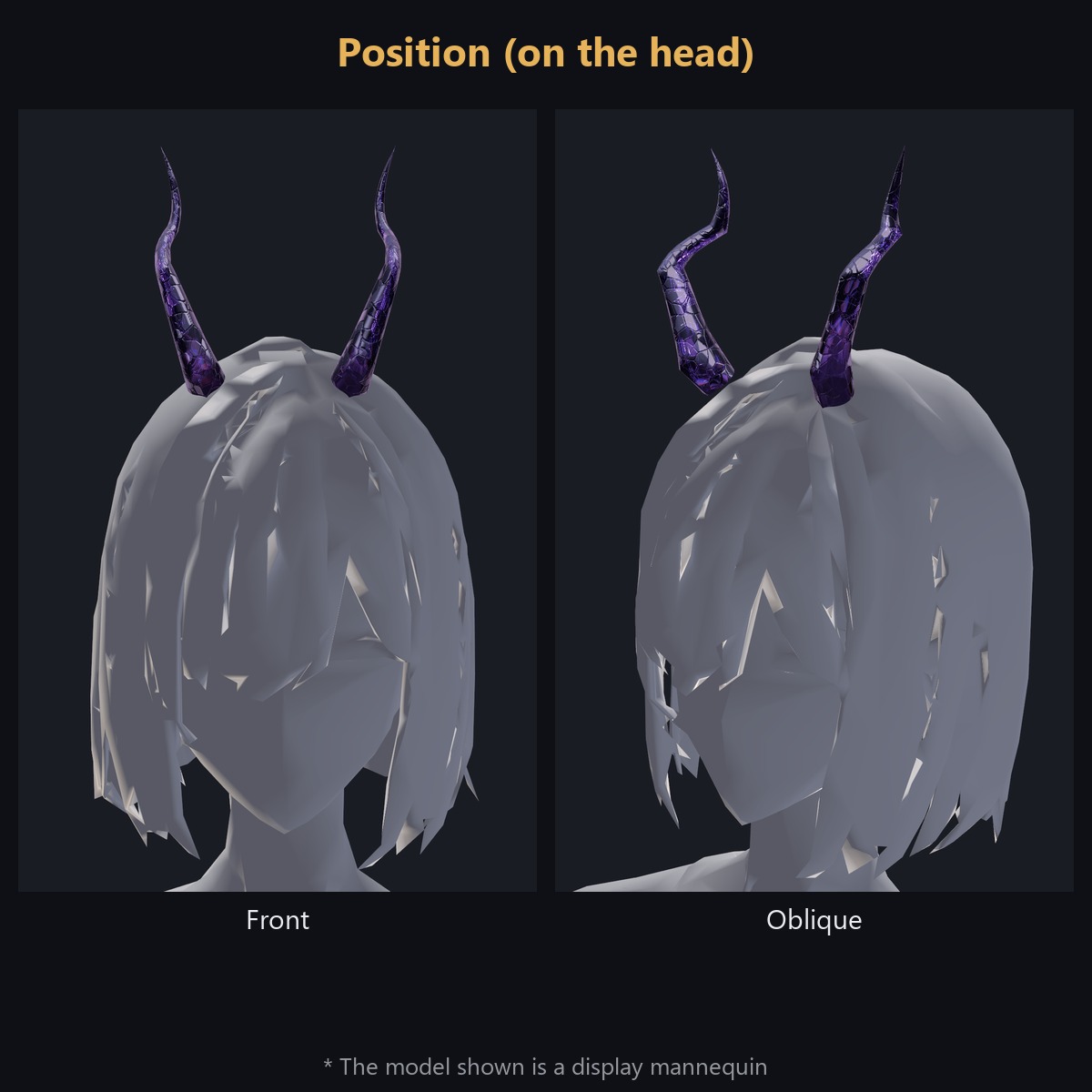
Horn C-01 - a 3D horn accessory for VRChat avatars, compatible with Modular Avatar. Just drop the prefab onto your avatar's name and it attaches to the head automatically. The horn rises straight up and flares outward near the base.
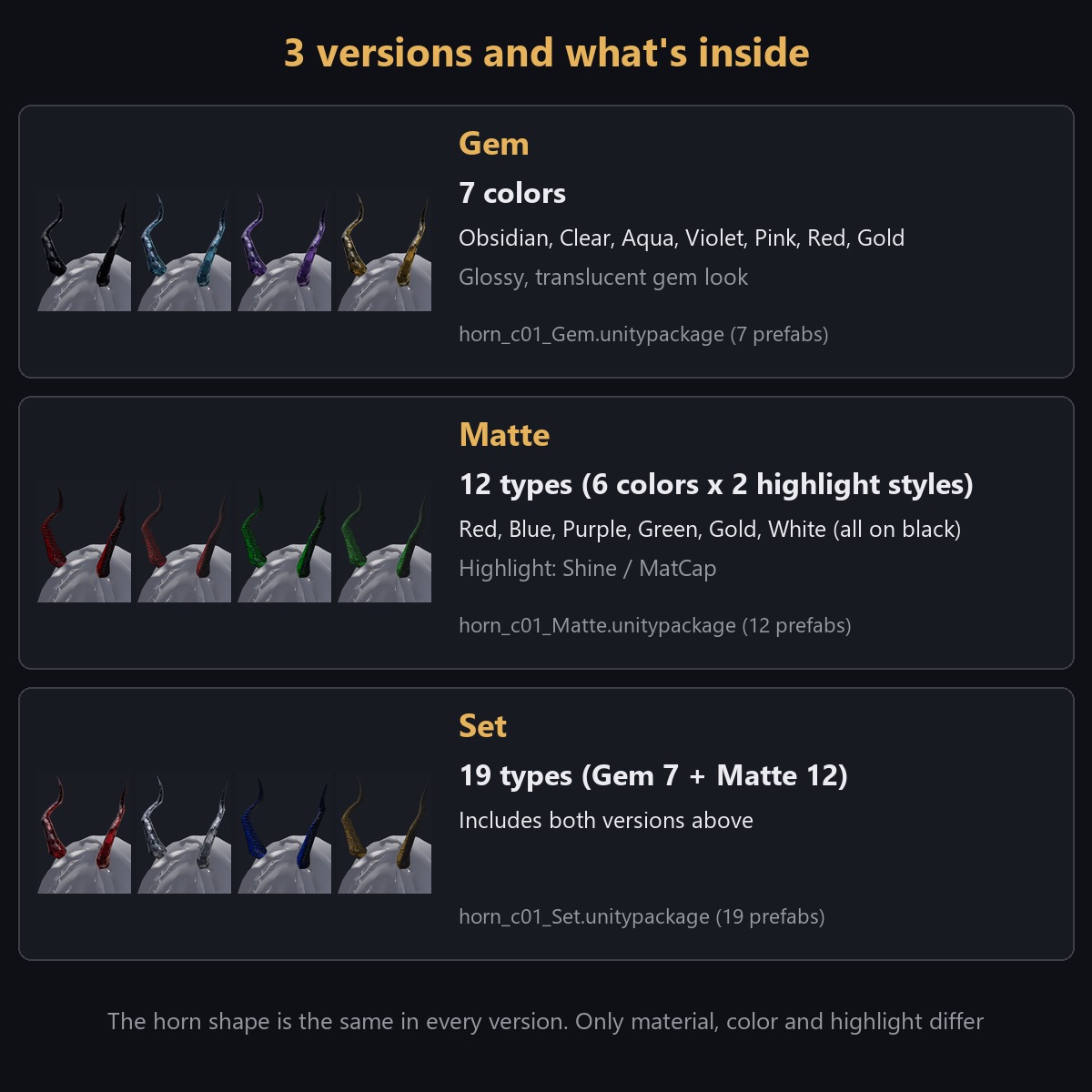
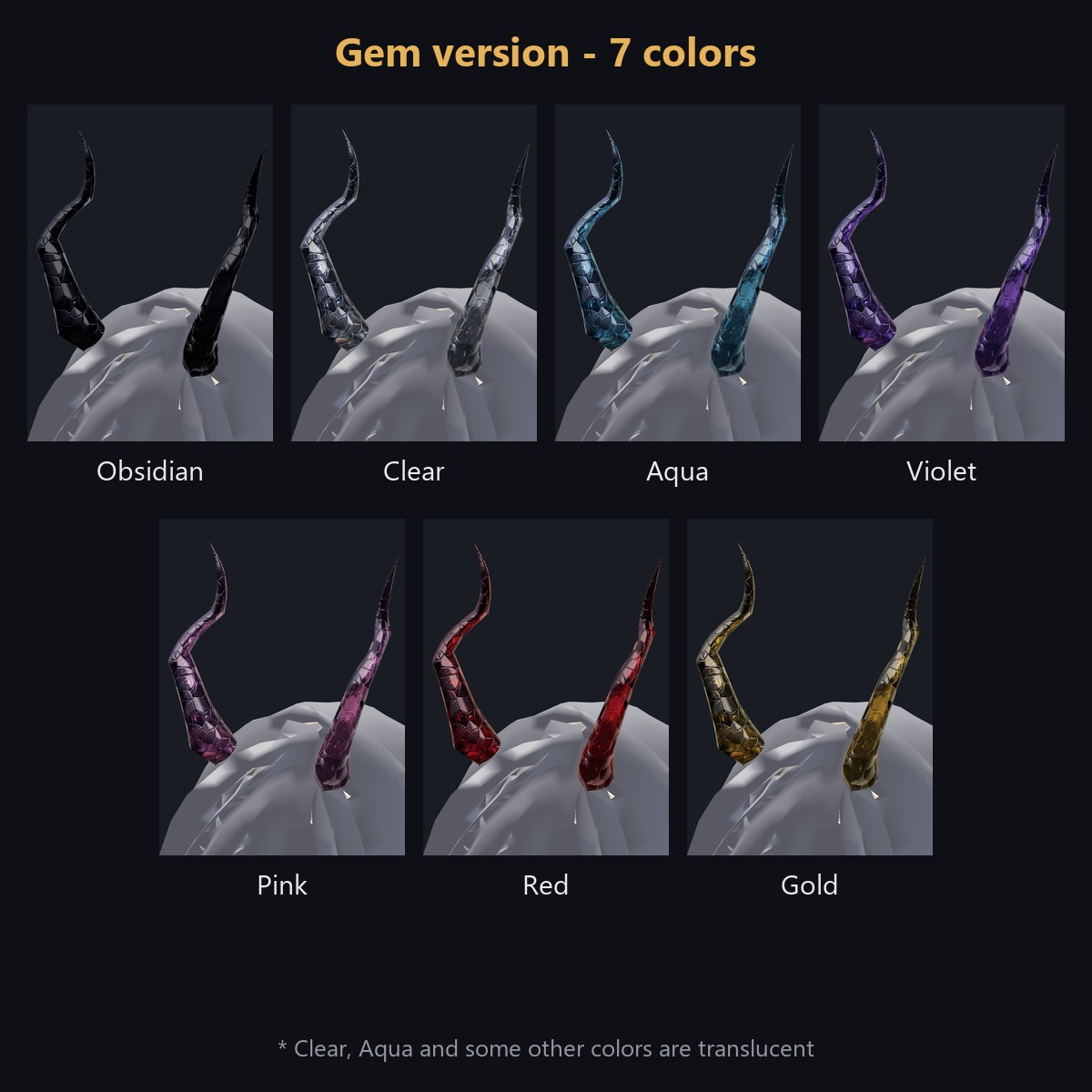
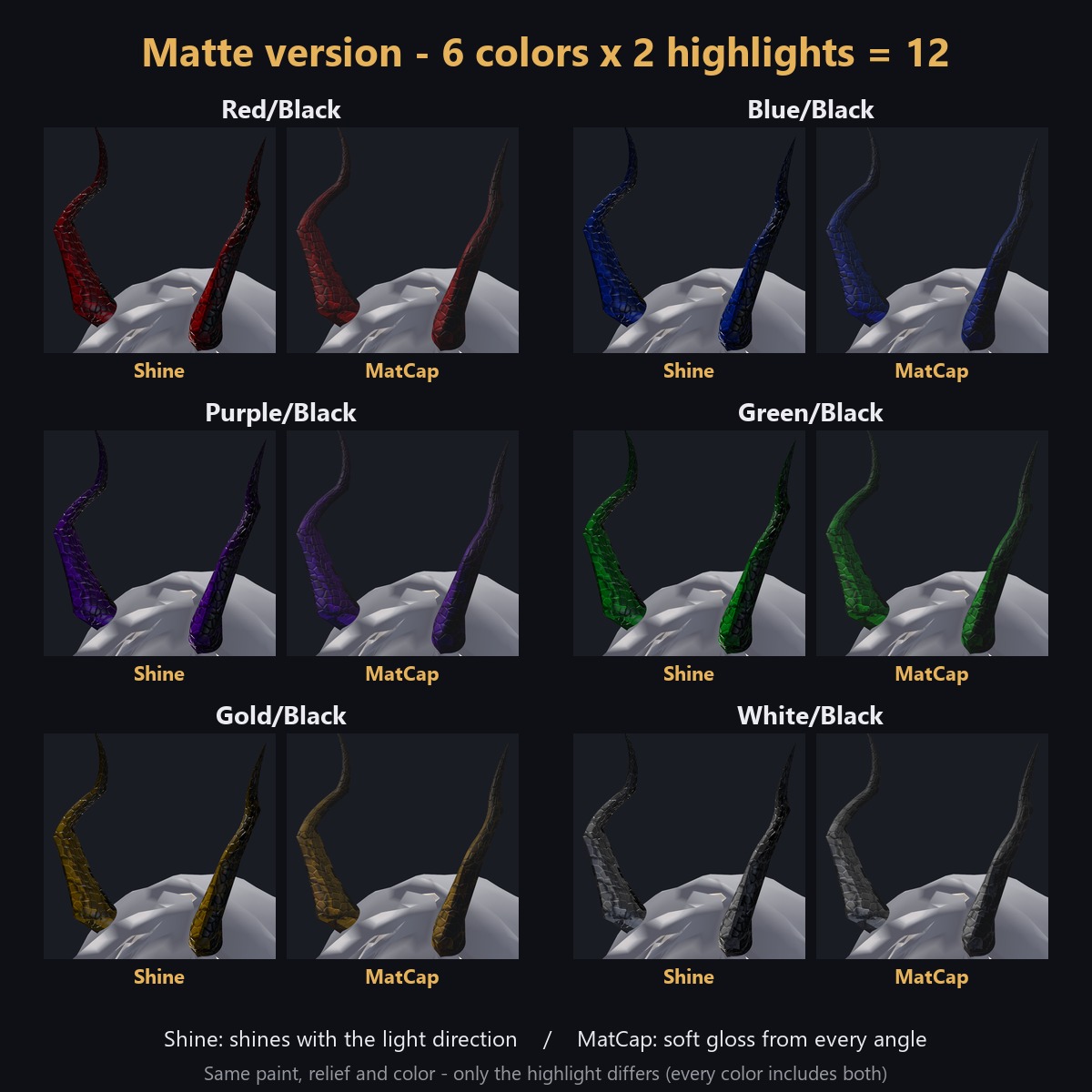
This product is sold in 3 versions: Gem (7 colours), Matte (12 types) and Set (both, 19 in total). Choose your version at checkout.
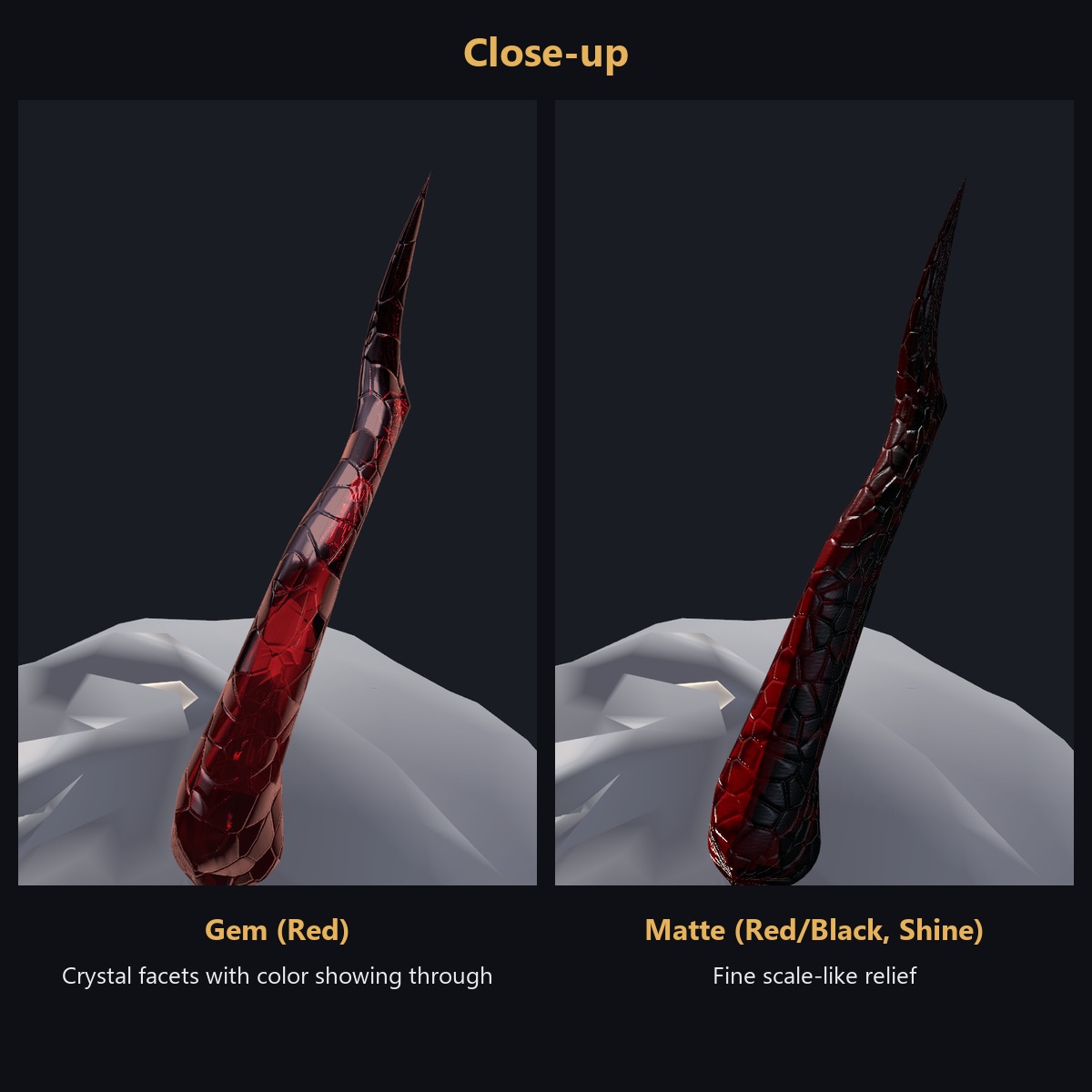
- Gem (7 colours): glossy, reflective, gem-like look. Some colours are translucent. Colours: Obsidian, Clear, Aqua, Violet, Pink, Red, Gold
- Matte (6 colours x 2 highlight styles = 12 types): opaque, low-gloss finish with scale-like relief and paint. Colours: Red/Black, Blue/Black, Purple/Black, Green/Black, Gold/Black, White/Black. Highlight styles: Shine / MatCap
- Set: Gem and Matte together, 19 prefabs in total
The horn shape is identical in every version; only material, colour and highlight differ.
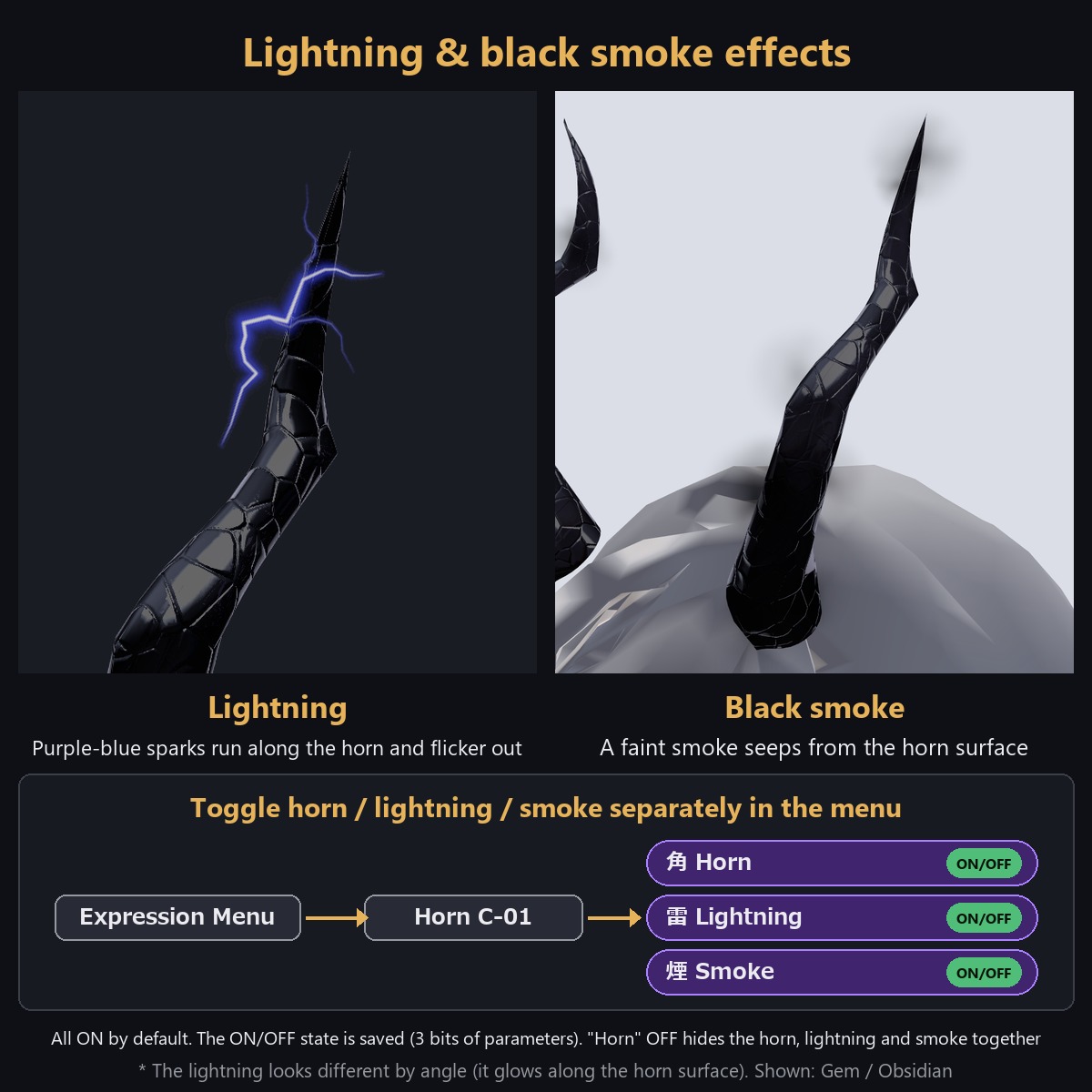
Lightning and black smoke effects (ON/OFF in the Expression Menu)
Every prefab in every version includes the horn plus two particle effects: lightning and black smoke.- Lightning: thin purple-to-blue discharges run along the horn surface, flicker 2-3 times and fade (about 3 per second, random sizes)
- Black smoke: a faint black smoke seeps from the horn surface and fades right next to it
Open "Horn C-01" in the Expression Menu to toggle "Horn", "Lightning" and "Smoke" separately. Turning "Horn" OFF hides the horn itself along with the lightning and smoke together; the Lightning/Smoke ON/OFF states are kept and restored when you turn Horn back ON. All three are ON by default (3-bit parameter). The ON/OFF state is saved, so it stays as you left it the next time you use the avatar (if you can't see the effects, check they aren't turned OFF in the menu).
Requirements
- Unity 2022.3
- VRChat SDK Avatars 3.10 or later
- Modular Avatar 1.18 or later
- lilToon 2.3 or later
- An avatar set up for VRChat (with a VRC Avatar Descriptor) - a plain VRM import without a Descriptor will not work
Setup
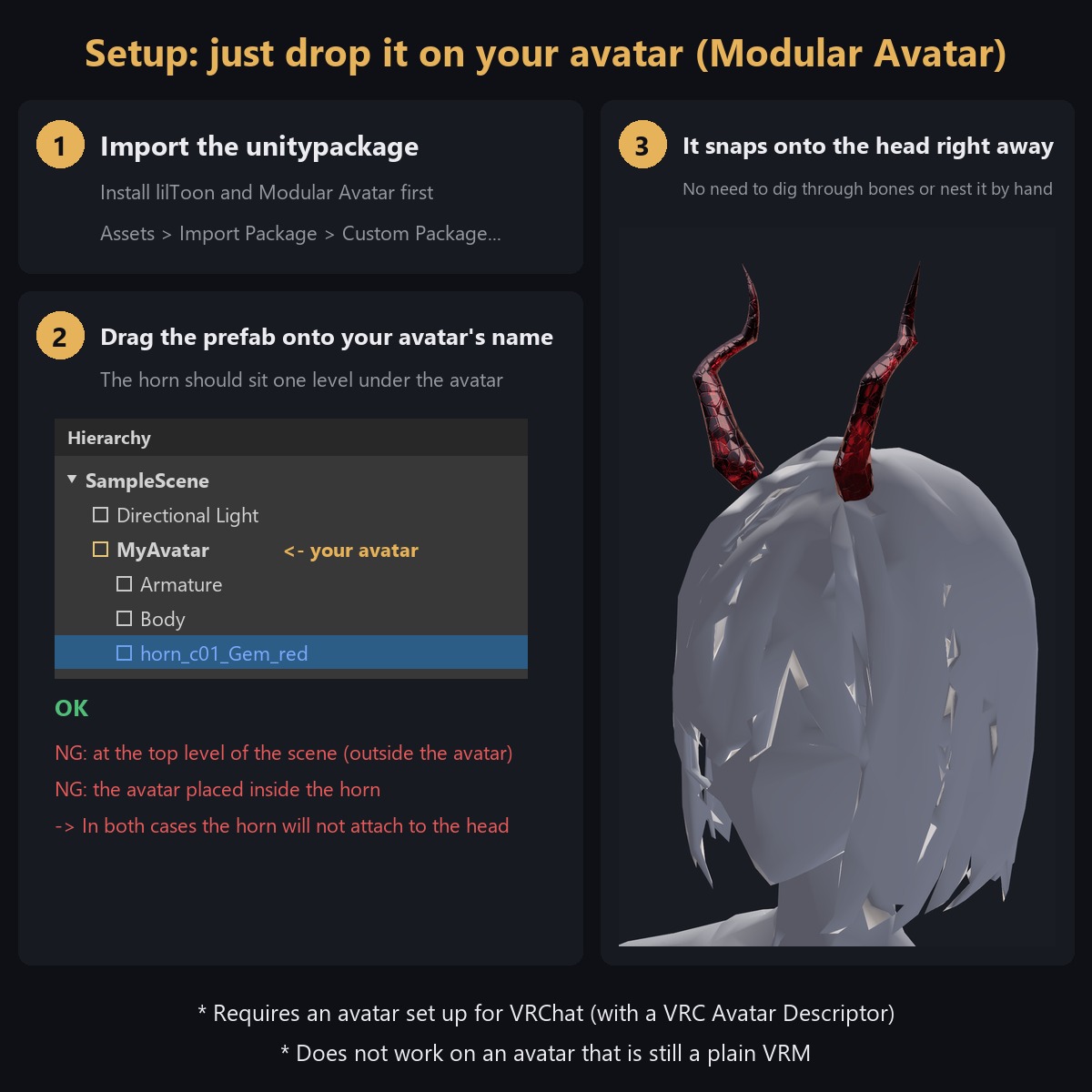
1. Install lilToon and Modular Avatar first, then import the unitypackage
2. Drag the prefab of your colour onto your avatar's name in the Hierarchy. Correct form: the horn prefab sits one level under the avatar. Placed correctly, it appears on the head as soon as you drop it - no manual bone nesting needed
3. Enable only one horn prefab at a time
4. Fine-tune the position with the "Offset" child object inside the prefab (default X 0 / Y 0.14 / Z 0)
5. Test once with Build & Test in the VRChat SDK Control Panel before uploading
See the included setup guide image for the illustrated steps.
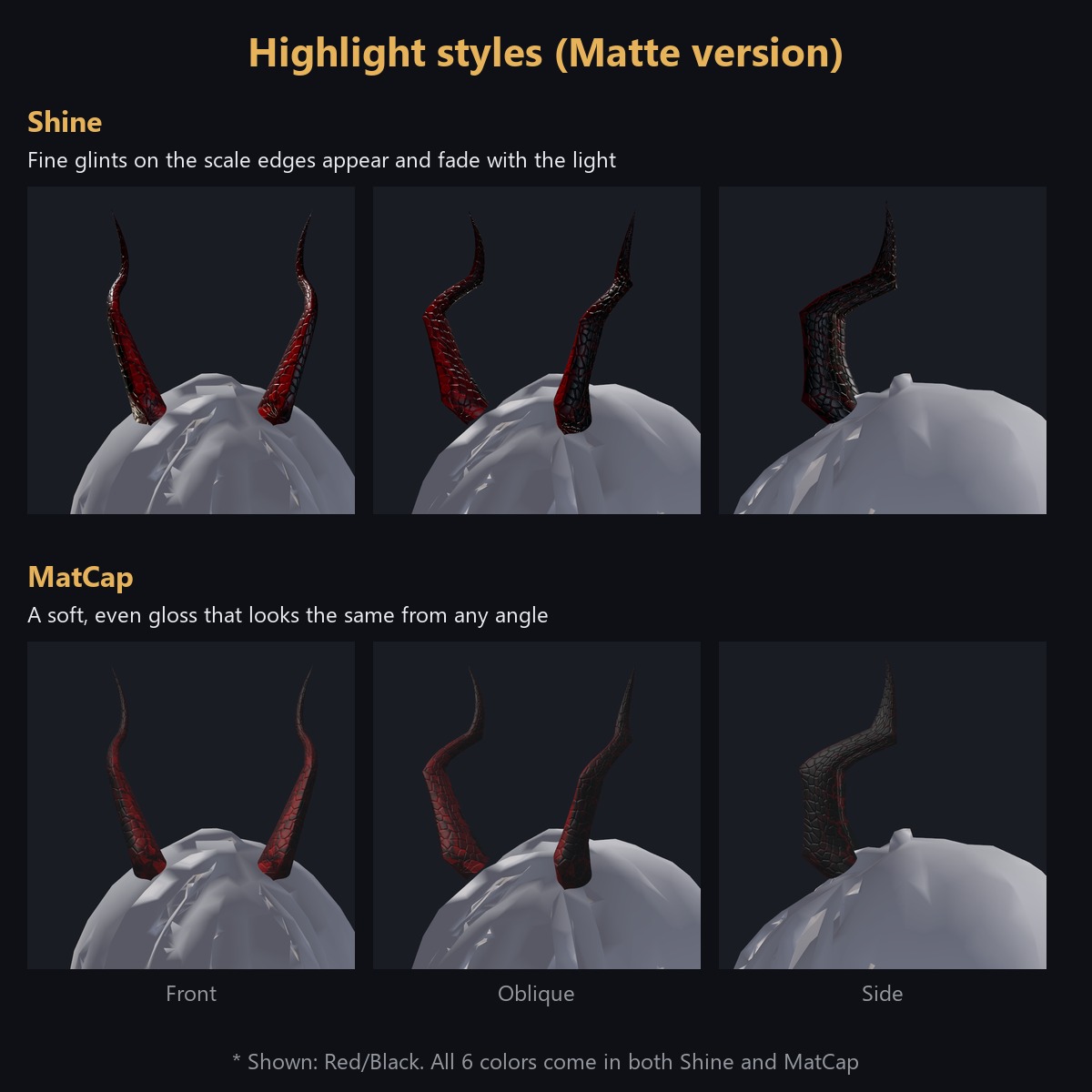
Matte highlight styles (Shine and MatCap)
Each Matte colour comes as 2 prefabs with a different highlight style - paint, relief and colour are the same, only the way it shines differs.
- Shine: shines according to the light direction of the world; fine glints on the scale edges appear and fade as you move
- MatCap: a soft gloss that looks the same from any angle, easy to see even in dark worlds
Both use lilToon settings only (no highlight is painted into the texture).
Performance (measured, one horn added to an avatar, PC)
- Triangles: 2,992 / Vertices: 2,016
- Materials: 3 (horn body + lightning/smoke effects) / Meshes: 1
- Particles: 2 ParticleSystems (lightning, smoke) / up to 28 particles total (4 lightning + 24 smoke), no trails or collision
- PhysBones / PhysBone colliders: 0 (the horn does not sway - it is fixed)
- VRChat SDK performance rank of the horn alone: Good (the Particle item is Good; triangles/materials/textures are Excellent). Actual rank depends on the whole avatar.
Notes
- PC only (not tested on Quest)
- Some Gem colours are translucent; the look may change depending on draw order with other accessories
- Only "Horn C-01" (Horn/Lightning/Smoke ON-OFF) is supported in the Expression Menu; colour/version switching is done by swapping prefabs
How it was made
The shape is modeled by hand. The paint of the Matte version uses colors extracted from illustrations created with generative AI.
Terms of use
You may modify it freely. Redistribution is prohibited (as is or modified, including as part of avatar data). You may put it on your own avatar and upload it to VRChat. See the included License file for details.
Video
- Watch it in motion on YouTube: https://youtu.be/4lprV3mN2r4