商品描述
- Placeable bed with curtains, pillows & animated night sky — VRCFury.
- A cozy curtained bed you can place anywhere — World Drop ready.
VRChat placeable canopy bed with curtains, pillows, and a custom animated night-sky material. VRCFury World Drop — place it anywhere. Toggle On, Pillows, and Curtains. Personal + commercial license.
Bed With Curtain — VRChat Placeable Prop
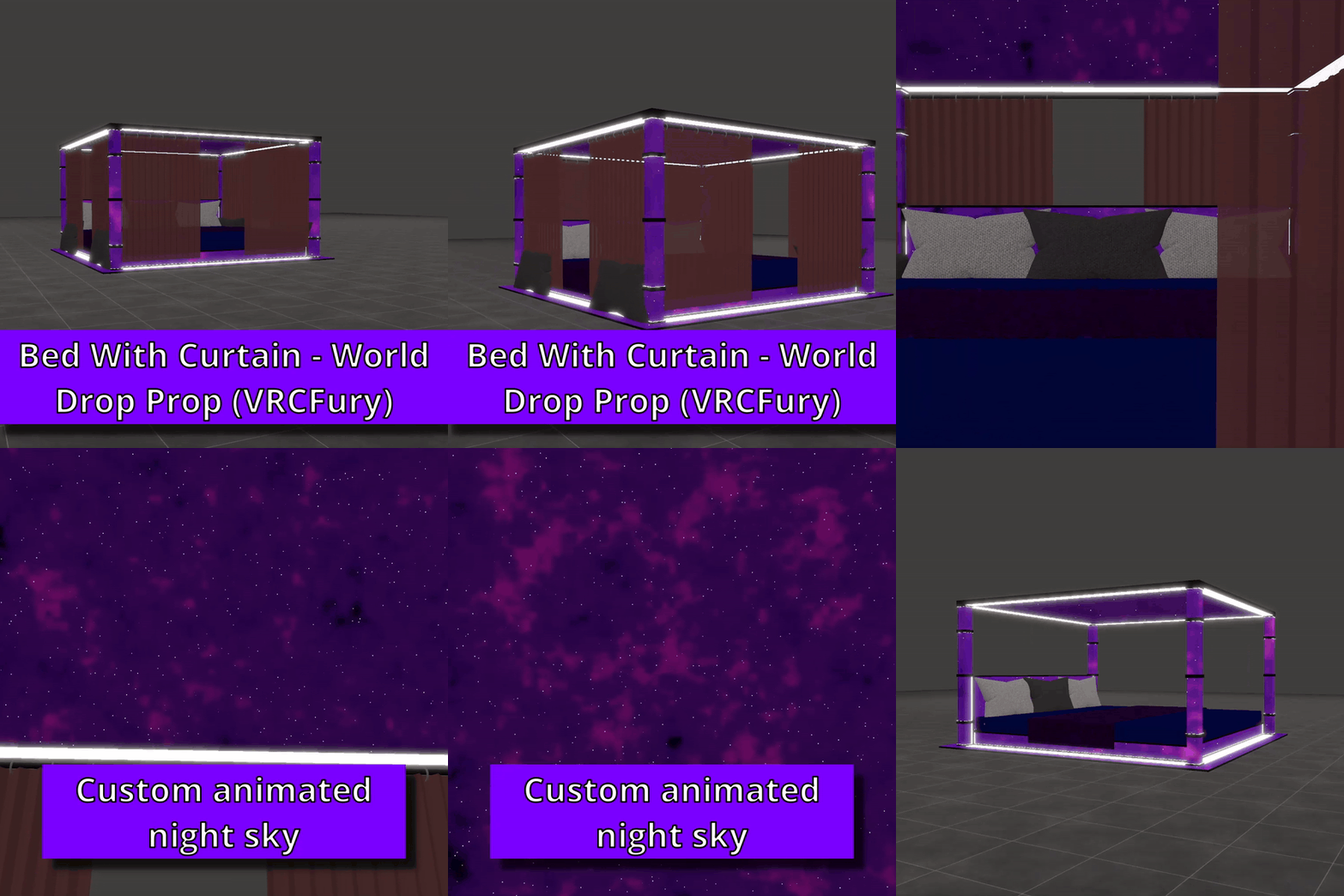
Bring a cozy curtained bed into any VRChat world. This is a World Drop prop: turn it on, place it where you want, and walk away — perfect for hangouts, photos, RP, and chill worlds.
Built with VRCFury so setup is simple: drag onto your avatar, build, and control everything from the Expressions Menu.
Features
- Place anywhere — VRCFury World Drop (not stuck to your avatar)
- Curtained canopy bed — soft, cozy look with openable curtain style
- Toggleable pillows — show or hide for different looks
- Toggleable curtains — show or hide for open / closed vibe
- Custom animated night sky — procedural nebula + twinkling stars (no AnimationClip needed)
- Plug & play — VRCFury ready
- Personal + commercial license
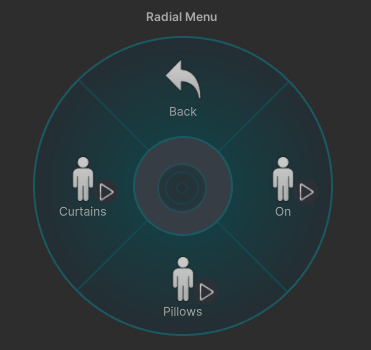 Controls (Expressions Menu)
BedWithCurtain/
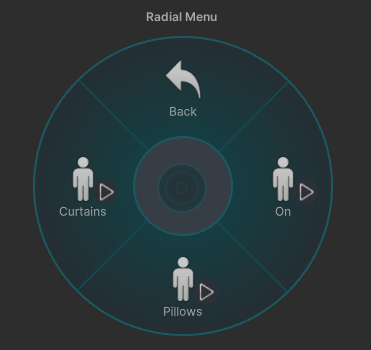
- On — Toggle
Spawn / despawn the bed + World Drop - Pillows — Toggle
Show / hide pillows (default ON) - Curtains — Toggle
Show / hide curtains (default ON)
Turn On first, then adjust the pillows and curtains as you like.
Setup
- Import into your Unity VRChat project
- Drag BedWithCurtain.prefab under your avatar root
- Build with VRCFury and upload
- In VRChat:
BedWithCurtain/Onto place the bed
No bone linking required — this is a world-placeable prop.
Included
BedWithCurtain.prefab(fully configured)- FBX mesh
- Materials & carpet textures
- Custom Sky shader (
BedWithCurtain/Sky) - ReadMe.txt + License.txt
Requirements
- Unity + VRChat SDK (Avatars)
- VRCFury
- Humanoid avatar (to upload the menu)
License
- Personal and commercial use allowed
- VRChat upload, commissions, and avatar sales allowed
- Modification allowed