Mesh Sorcerer - Delete, Split & Reshape Meshes (Unity Tool)
标签
商品描述
本商品包含 AI 生成的内容。
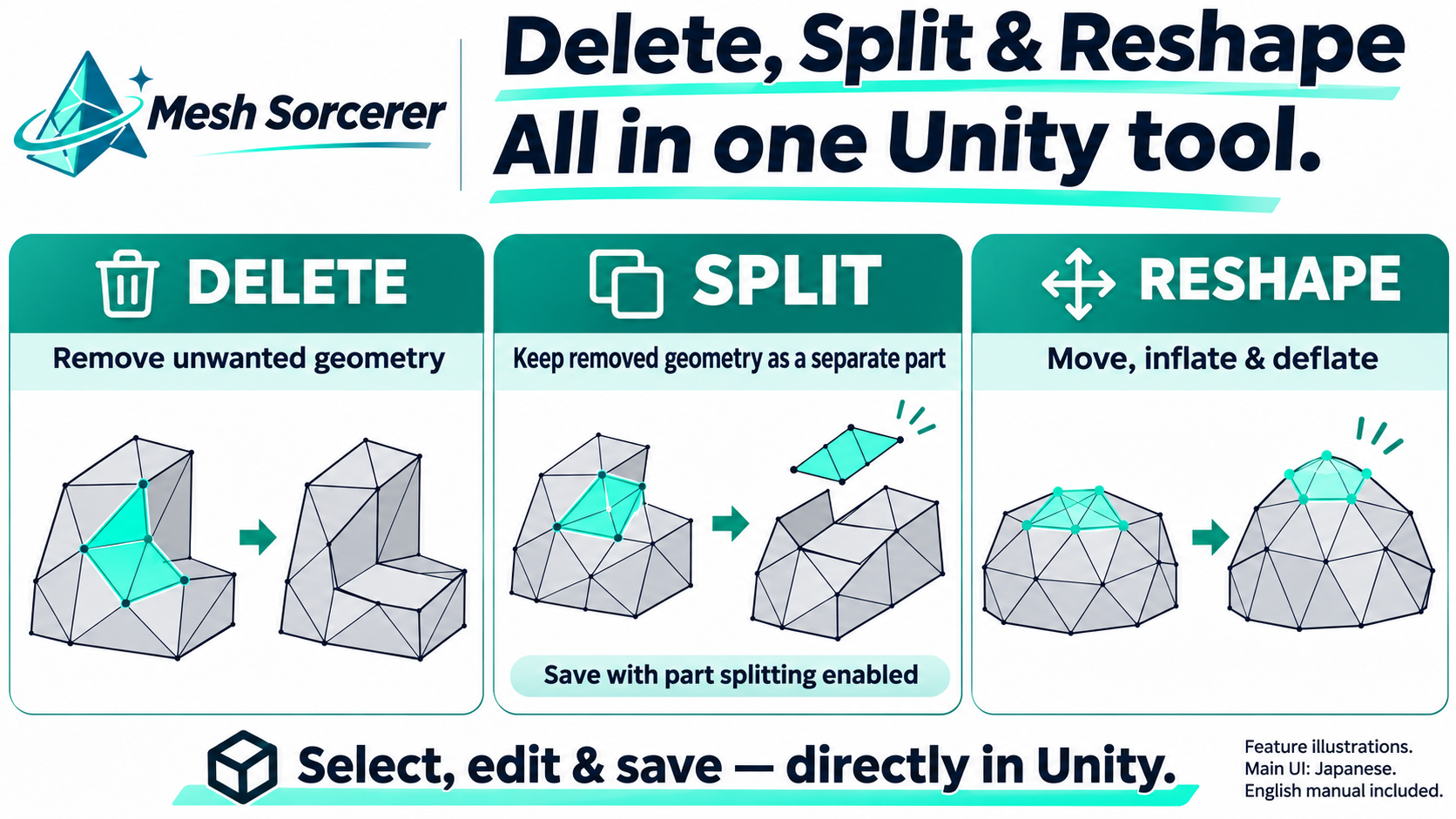
Delete, split, and reshape meshes in one Unity tool.
Mesh Sorcerer lets you select a part of a mesh directly in Unity, remove unwanted geometry, keep removed geometry as a separate part, and adjust shapes with move/inflate/deflate tools.
IMPORTANT — LANGUAGE
The main editing interface is Japanese. A detailed English manual is included. This Jinxxy edition uses Assets/ehimerio/MeshSorcerer/ and the English launch menu Tools > ehimerio > Mesh Sorcerer. It is not a full English UI translation.
FEATURES
• Select in the 3D preview using click, connected area, brush, box and mirror tools.
• Select in the texture/UV view with rectangle and polygon areas.
• Delete unwanted mesh geometry or keep the removed part as a separate mesh.
• Move, inflate and deflate selected geometry.
• Additional tools include decimation, blendshape preview and penetration checks; some checks need a Humanoid avatar.
• Save edited results as new Mesh assets while keeping the original Mesh.
WHAT YOU RECEIVE
• MeshSorcerer_Jinxxy_v1.00.unitypackage — Editor-only C# tool, including optional update notices.
• Detailed English README and bilingual Terms of Use.
No avatar, third-party model, sound or Unity project is included.
REQUIREMENTS & LIMITS
Tested in the Windows Unity Editor 2022.3.22f1. Other Unity versions, macOS/Linux and Android/Quest builds are not verified.
The core editing tool does not require VRChat SDK, Modular Avatar, NDMF or lilToon. Optional PhysBone pose checks need the VRChat SDK; fur hiding is relevant only when compatible fur materials are present.
Back up your project before editing. Saving assigns a new Mesh to the edited renderer; Ctrl+Z does not undo that assignment. Reassign the original Mesh to restore it, and save the scene to retain your chosen assignment.
This is the same product as the BOOTH edition. Use one edition per project; they retain the same script GUIDs/types and are not separate side-by-side tools.
OPTIONAL UPDATE NOTICES
Network checks are OFF until you explicitly enable them. Checks use public HTTPS metadata on GitHub, at most once per day automatically, with manual checking available. You can disable notices or ignore a version. Updates never download or install themselves.
No names, avatar data or project paths are sent. The hosting service receives normal connection information such as your IP address. Offline or failed checks do not block mesh editing. Store links for this edition open Jinxxy.
TERMS
For the purchaser's own avatars; use and modification are allowed, including avatars appearing in monetized videos and streams. Do not redistribute, transfer or resell the tool or modified tool data. Follow the original avatar/asset creators' terms. Read the included Terms of Use for the full wording.
Illustrations explain the features and are not exact screenshots of every operation. The demonstration video and main UI are in Japanese.
Demo: https://youtube.com/shorts/F164NqkYVbo