
ORBIT SALON | Floating Planet Orrery for VRChat Worlds
商品描述
本商品包含 AI 生成的内容。
Give your world a small solar system to gather around.
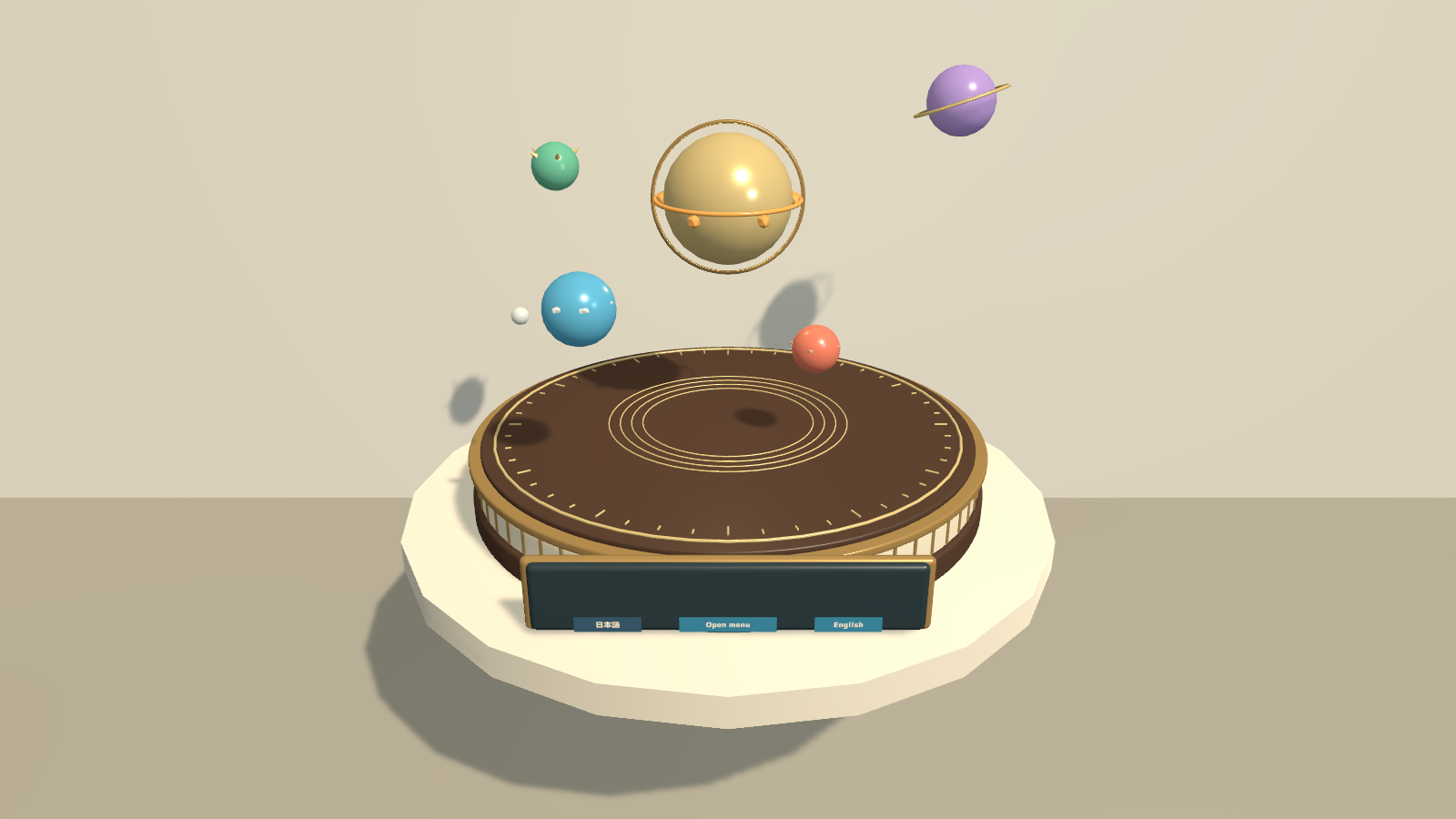
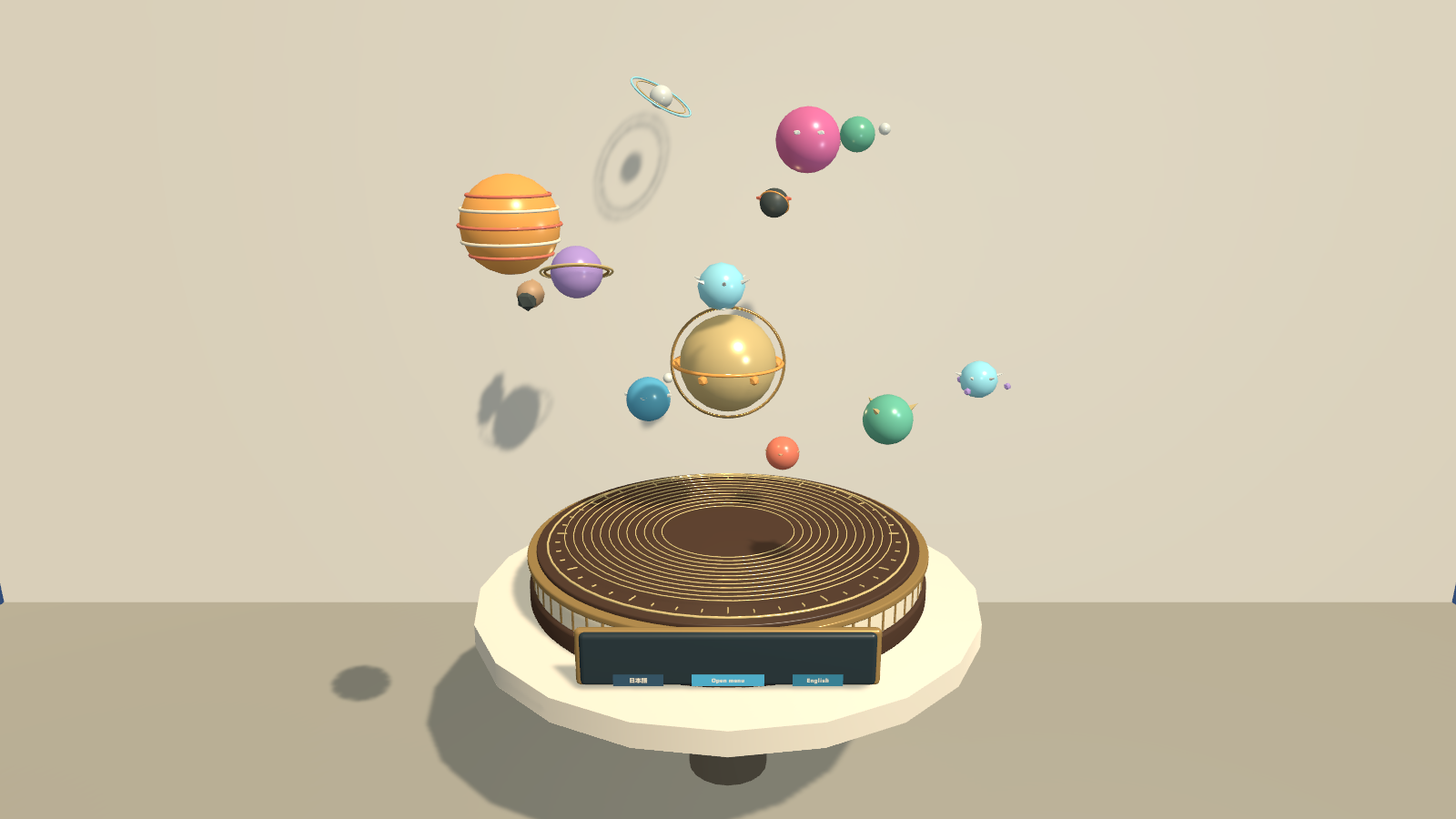
ORBIT SALON is a decorative tabletop orrery for VRChat worlds. A brass base, a large central sun and 12 original planet designs bring a moving celestial display to your lounge, cafe, study or social space. Visitors can change the orbit together while choosing their own display language.
12 planet designs · Shared orbit controls · Personal English/Japanese display · PC & Android prefabs
Watch it in action
Watch the English introduction on YouTube
Choose the view
- Show 4, 8 or 12 orbiting planets. The central sun stays visible in every setting.
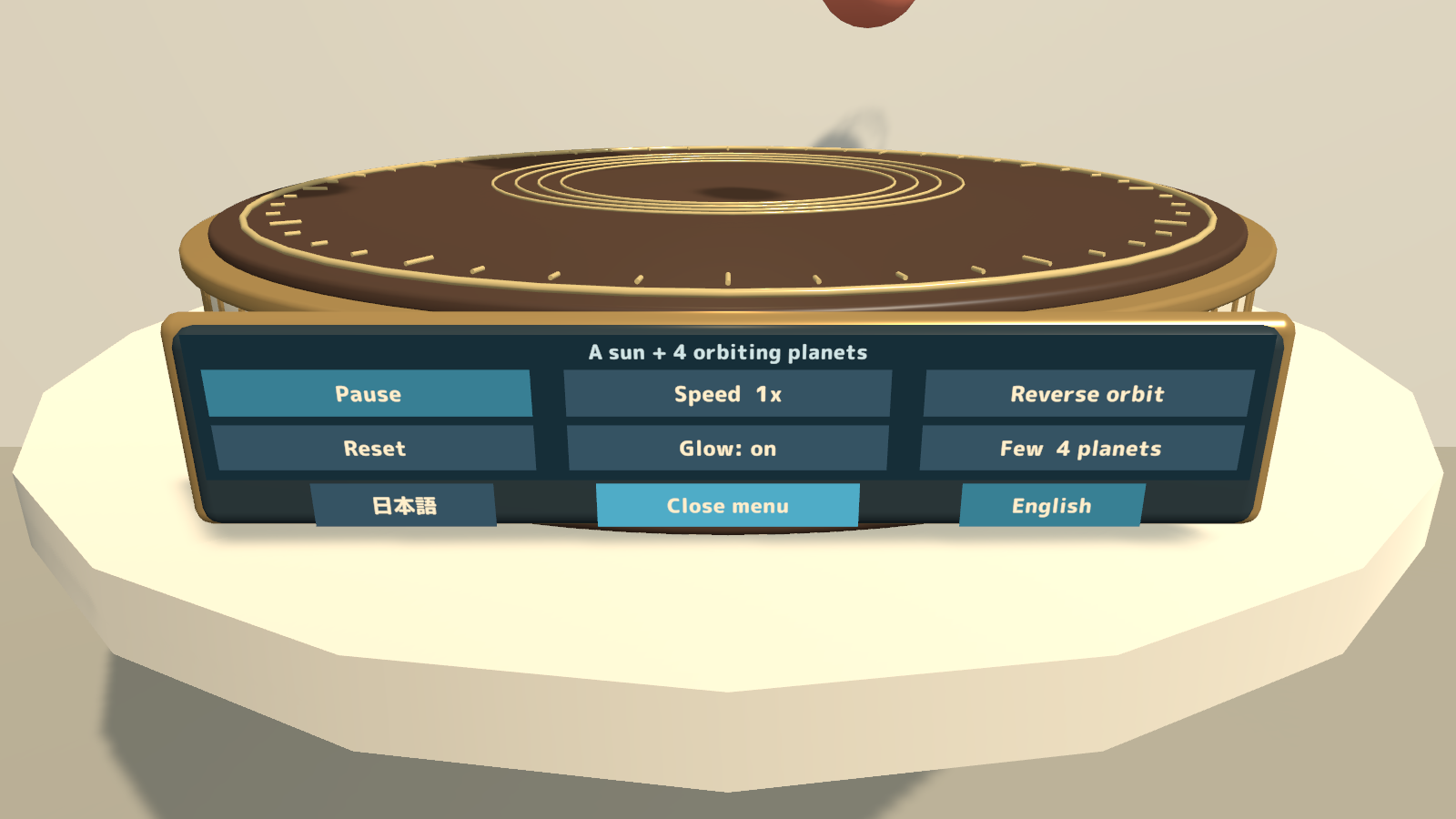
- Set the pace. Pause or resume the motion and choose 0.5x, 1x, 2x, 5x or 10x speed.
- Reverse the orbit. Speed and direction changes preserve the planets' current orbital positions. Reset returns them to the starting arrangement.
- Share the same display. Orbit, speed, direction and planet count are shared within the instance. Players who join later receive the current state.
- Keep personal choices local. Each visitor controls their own menu visibility, sun glow and English/Japanese display. The language buttons remain available when the menu is tucked away.
How visitors use it
- Open the menu on the front of the base.
- Choose the number of planets, speed and direction, then pause, resume or reset the orbit.
- Close the menu to enjoy the display, or use the language buttons on the base to change your own text.
Regular prefabs follow the VRChat display language at startup. English-startup variants are included, and every prefab supports both languages. A manually selected language remains selected during that visit.
What you get
- One bilingual Unity package with 4 prefabs: PC and Android, each with regular and English-startup variants.
- 4 sample scenes, 3D models, and PC and mobile materials.
- Editable Blender source and FBX files, with model generation scripts.
- English and Japanese setup guides and use terms, third-party notices and font licenses.
Requirements & setup
Use a VCC Worlds project with Unity 2022.3.22f1, the Built-in Render Pipeline and VRChat SDK – Worlds 3.10.5 with UdonSharp.
- Import TMP Essential Resources from Window → TextMeshPro, then import OrbitSalon_v2.0.0.unitypackage.
- Place OrbitSalon_Station_EN.prefab in a PC world or OrbitSalon_Station_Android_EN.prefab in an Android world to start in English. Regular startup-language variants are included too.
- Adjust the position and scale, then use the SDK's Build & Test. The supplied default scale is 1.6.
Commercial use & customization
Individuals and organizations may use the product commercially or non-commercially in VRChat worlds they create or manage, including events and monetized images, videos and streams. You may modify its colors, shapes, sounds and code. Credit is optional.
The license covers incorporating the assets into your own work. Redistribution or resale of the assets on their own or as reusable source data is not included. Each creator who uses source data shared for collaborative production must purchase the product. See LICENSE_EN.txt and the third-party license files for the full terms.
Version 2.0.0
One shared Japanese/English download includes personal language switching and startup-language prefab variants for PC and Android.
Support
For purchases on Jinxxy, use the product Q&A on this page. Include the product name, Unity and SDK versions, what you were doing, and any error text. The original included licence file uses earlier store names; this Jinxxy purchase receives the same use rights and product support.